32 Using the Printer
Afinia
PrintingBorderless(Full‐Bleed)Labels
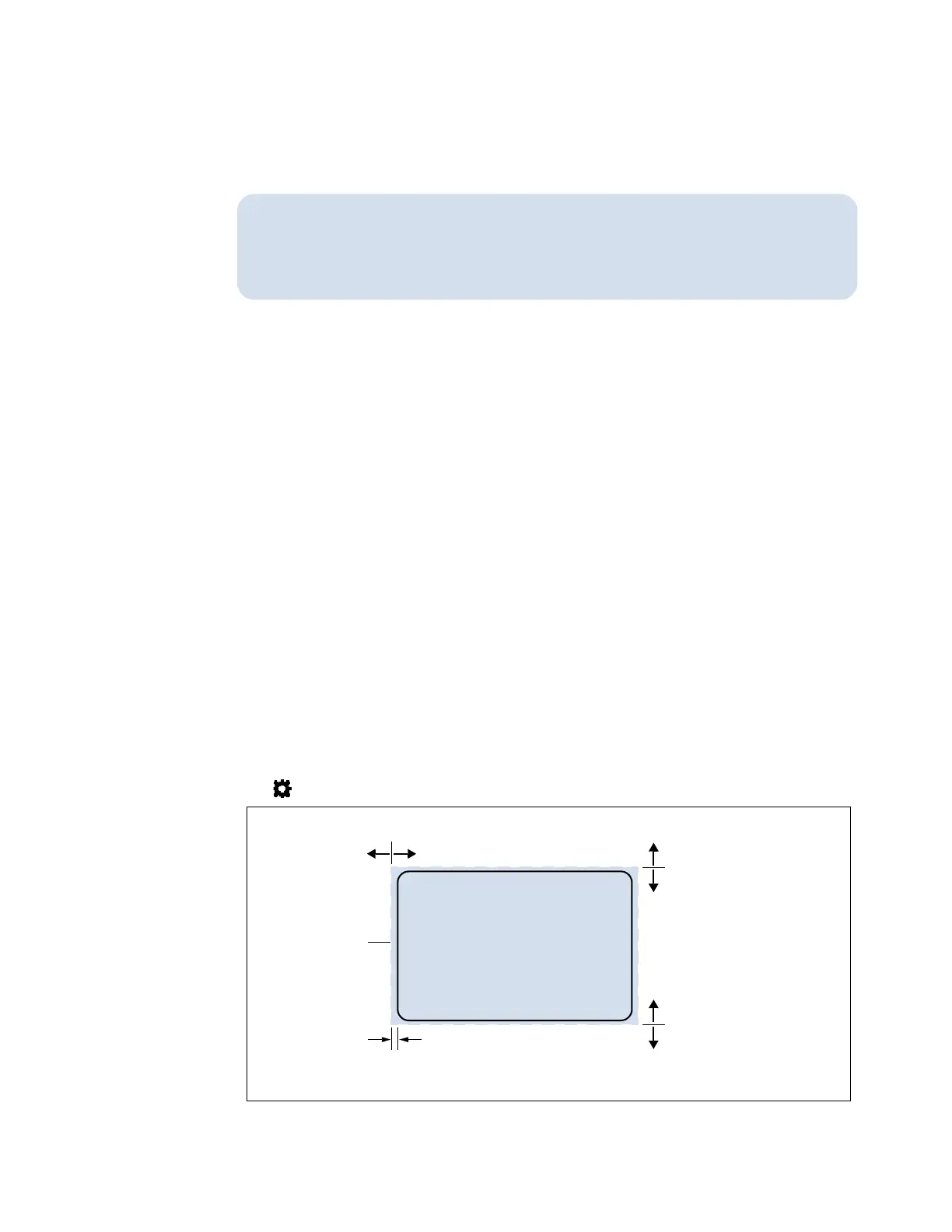
Theusualapproachto borderlessprintingistoprepareanimageslightly
largerthanthedie‐cutlabelsize,thencenterthelargerimageoverthe
labelsothatitprintsovertheedges.BoththeimageANDthecustom
labelsizeinthedriverneedtobelargerthanthe
die‐cutlabel.
Notethefollowing:
•Thismethodrequiresfine‐tuningoftheprintingposition,whichwillbedifficultifthe
labelgapisverysmalle.g.0.1”(3mm).
•Asthemaximumlabelwidthis8.5”(215.9mm),itisalsodifficulttoprintborderless
labelsofthissize.Thismethodworksbestwhenthelabelwidthplusbleed
allowancedoesnotexceed8.5”(215.9mm).
•Printat6IPSonly.
•Youmayneedtofine‐tunetheTopofForm/BottomofForm/LeftEdgeoffsetonthe
controlpanelforeachlabelsize.Forexample,theoffsetsfora6”x4”labelmaybe
differentfroma2”x2.5”label.Hence,youneedtorecordtheoffsetsusedforeach
labelsize.
AdjustmentsforBorderlessPrinting
1. OntheGeneraltaboftheprinterdriver(Figure4),clickCustomSizestosetthepage
sizeslightlylargerthanthedie‐cutlabel(about0.01”or0.2mminbothdirection).
Theartworkandthecustomsizeinthedrivermustmatcheachother.
SelectPrintSpeedof
6IPSandenableBorderless.
2. OntheMediatab,adjusttheLeftEdgetocentertheimageonthelabel.
3. Printafewlabelstochecktheprintposition.
Fine‐tuneusingtheprintercontrolpanel:
(
Config
)
ADJUST OFFSET
TopofForm/BottomofForm/LeftEdge
+
–
+
–
–
+
bleed(BorderlessEnabled)
Image/pagesize
6.08”x4.08”
LeftEdge:Horizontaladjustment
TopofForm:
BottomofForm:
Label6”x4”
Adjuststartingline
Adjustendingline
EXAMPLE:
Note:Theprinterautomaticallydeterminesthebleed/overspray.



 To Next Page