L801LabelPrinter
Using the Printer 31
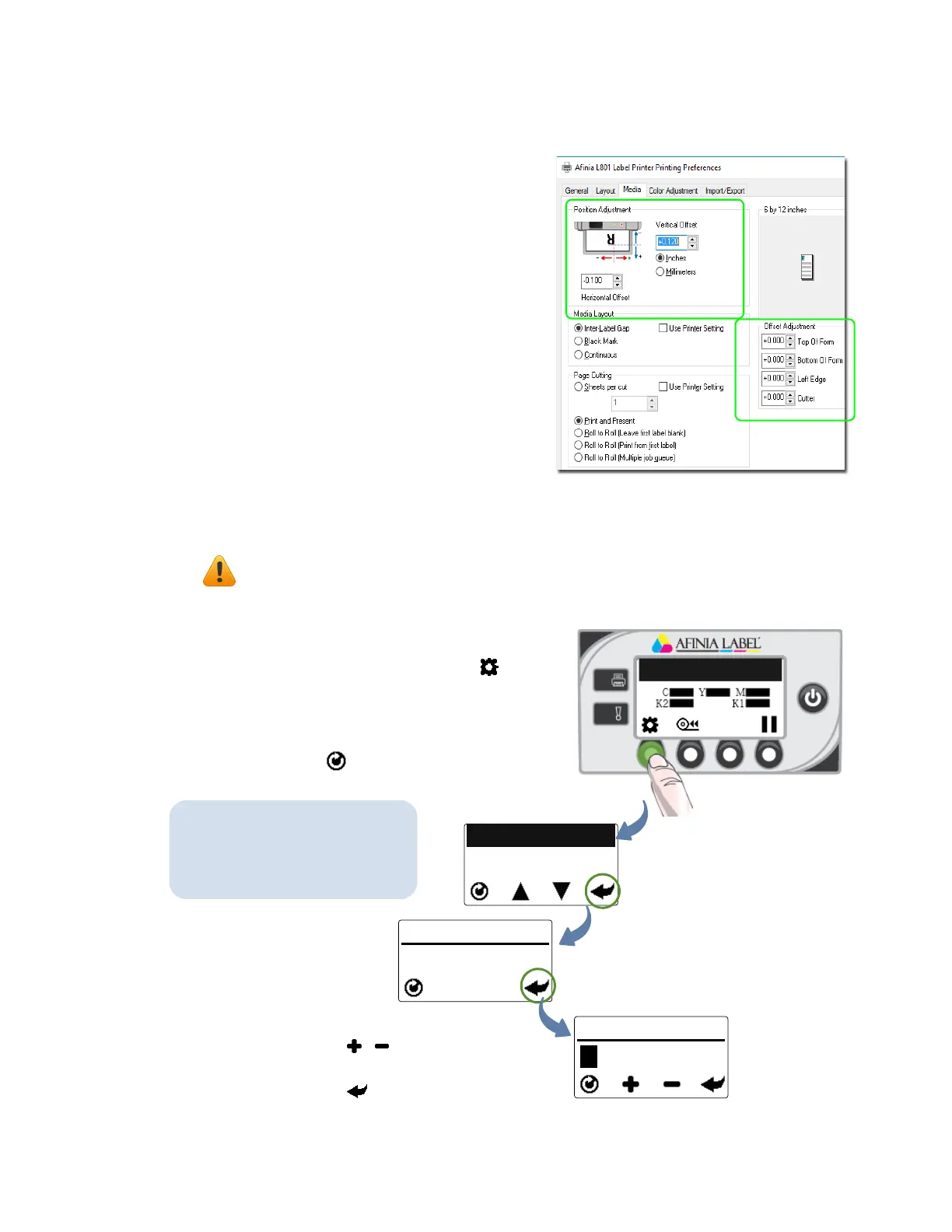
AdjustAlignmentfromPrinte r
Driver
TheoffsetsettingsarefoundontheMedia
tab,inthePositionAdjustmentandOffset
Adjustmentsections.
Usethecontrolstoenterinthe
adjustmentsnecessarytocenterthe
printedimageonthelabelandadjustthe
positionofthecuts.
Adjustmentvaluesenteredinthedriver
andusingthecontrolpanelorare
cumulative.Thecorrespondingvaluesare
addedtogether.Ifyouhavealreadymade
thecorrectadjustmentsinonelocation,
youdonotneedtoenterthemintheother.
AdjustAlignmentfromControlPanel
ThissettingrequiressecurityLevel1(supervisor)orhigher.Selectthesecuritylevel
befor eyouproceed(see
SelectingtheSecurity
Levelonpage12).
CONFIGURATION
6. ADJUST OFFSET
ADJUST OFFSET
1. TOP OF FORM
TOP OF FORM
(Config)
(Select)
(Select)
Press ,tochoose+or–andtoset
eachdigit.
Presstomovetonextposition.
1. Onthecontrolpanel,select(
Config
)
>
ADJUSTOFFSET
>
TOPOFFORM
or
LEFTEDGE
.
2. Settheoffsetvalue.
3. Presstoreturntothemainmenu.
TheoffsetsintheControlPanel
canalsobeaccessedusingthe
EWSinterface.SeeEmbedded
WebServer(EWS)onpage36.



 To Next Page