76 Troubleshooting
Afinia
ColorMixingRecovery
Ifthecolorsappearmuddyordull,excessinkmaybebuildingupontheprinthead.If
thisoccurs,performthefollowingsteps.
1. RuntheExt
endedcleaningcycleonetime,thenprintseverallabels.Iftheprint
qualityshowsimprovement,repeatuntilcolorqualityhasrecovered
2. Iftheprintqualitydoesn’timprove,opentheclamshellandinspecttheprinthead
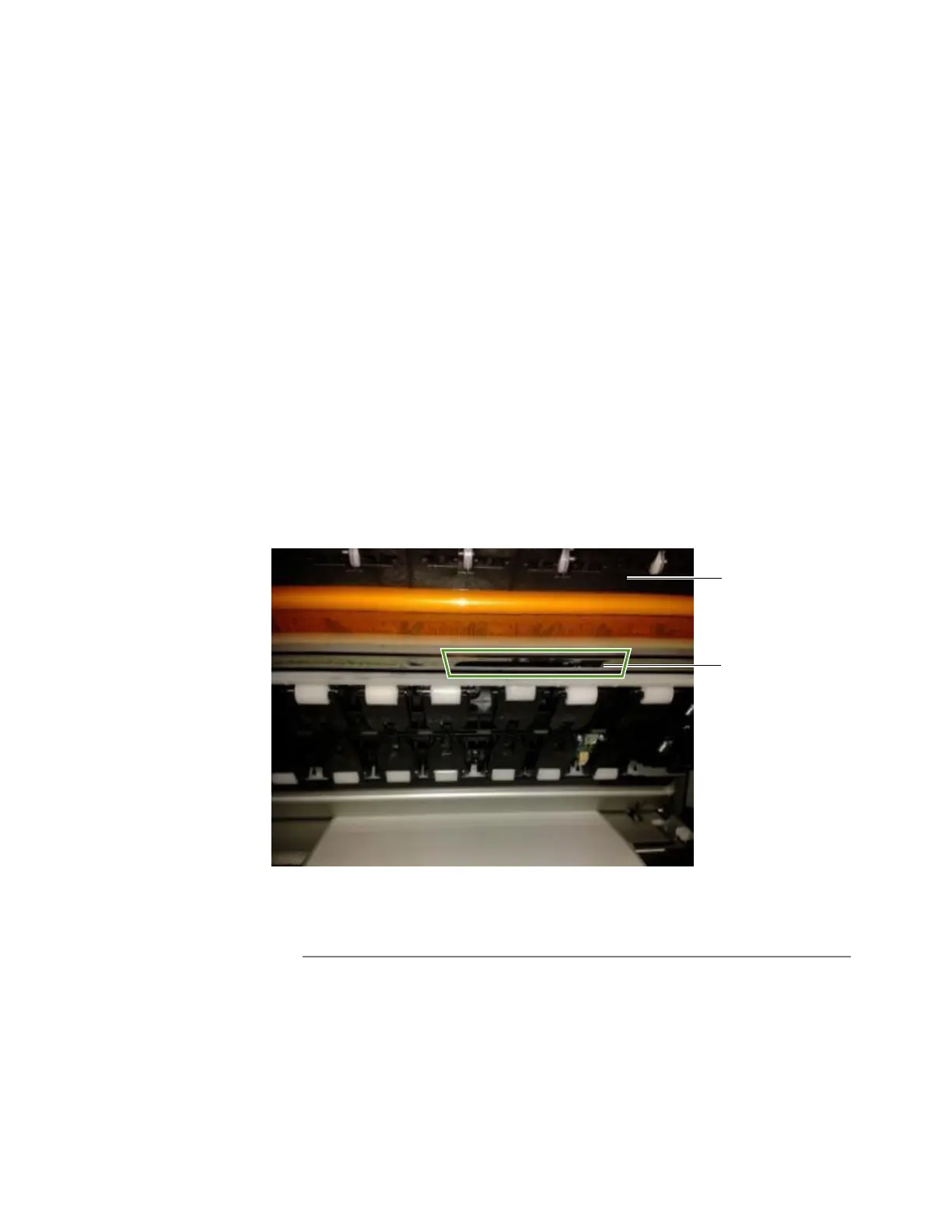
forexcessiveink(theareabelowtheclamshellasshowninFigure10).
3. Ifyouseeex
cessinkontheprinthead,gentlytaptheaffecte dareaoftheprinthead
withalint‐freecloth,takingcaretoonlytouchtheareawithexcessink.Donotrub
theprinthead.
4. Closetheclamshellandtopcover,there‐checktheprintquality.RunanExtended
cleaningcycleag
ain;ifprintqualityimproves,repeatthecleaninguntilcolorquality
hasrecovered.
5. Iftheprintqualityisnotimproving,contactTechnicalSupport.
Figure10ExcessinkonPrinthead
NOTE: Ifcolormixingoccursonlyonthelabelimmediatelyafterservicingoccurswhen
printingRoll‐to‐Roll,increasingtheMidJobServicingIntervalmayresolvethe
problem.SeeMidJobServicingIntervalonpage39.
Excessink
clamshell
onprinthead



 To Next Page