L801LabelPrinter
Appendix 81
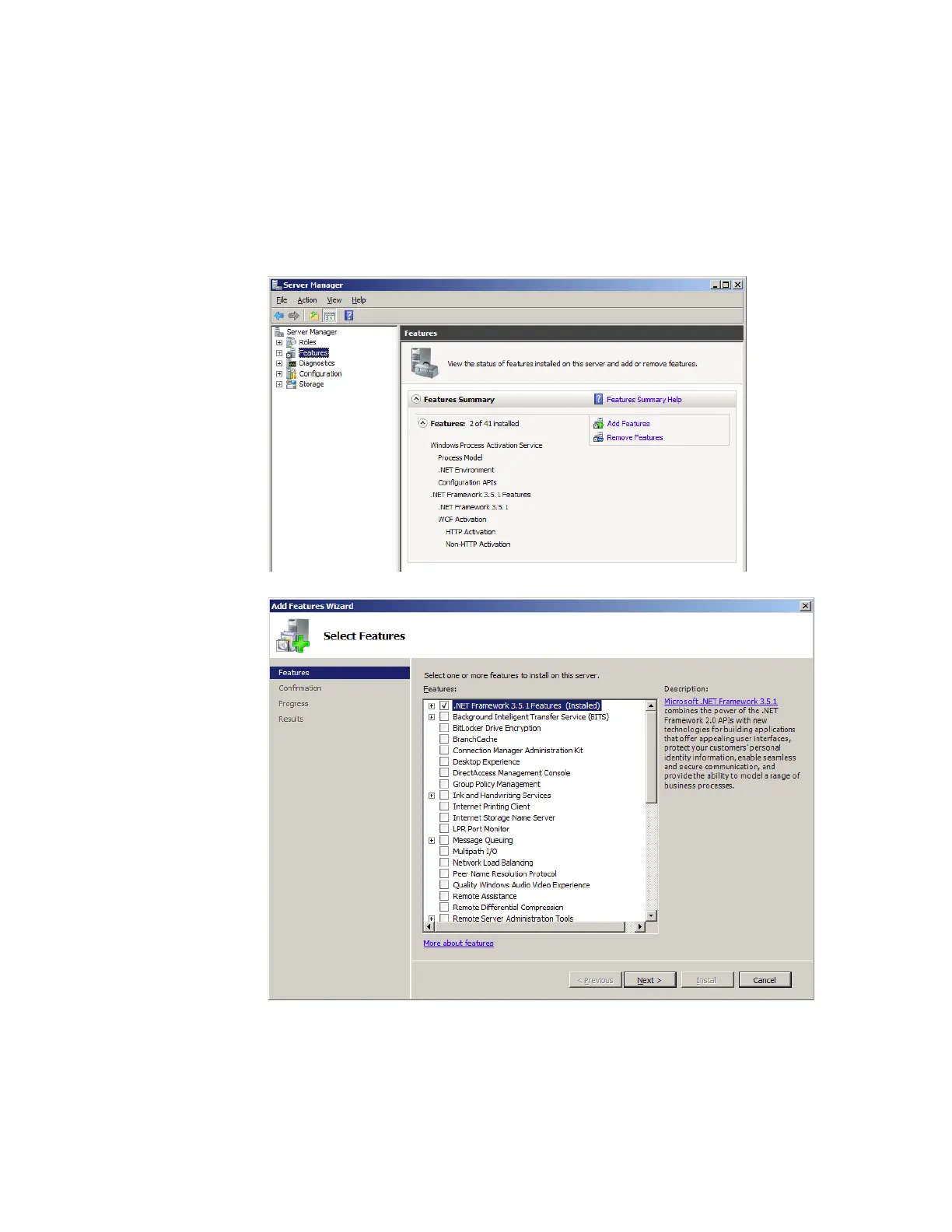
.NETFramework3.5.1InstallationonWindowsServer2008R2
Afterthe.NETFramework3.5.1isinstalledonWindowsServer2008R2,followthe
stepsbelowtoactivatethefeatures.
1. OntheW
indowsStartmenu,selectAdministrativeTools>ServerManager.
2. ClickFeaturestoviewthestatusofinstalledfeatures.ClickAddFeatures.
3. Selectthe.NETFr
amework3.5.1entryandclickNext.
4. ConfirmtheinstallationbyclickingInstall.
5. Wheninstallationiscomplete,clickClose.Youmaybepromptedtorestartthe
computer.



 To Next Page