Contact: AIRSYS North America Phone: (855) 874-5380 Page 88 of 112
Email: ASNSupport@air-sys.com Web: http://airsysnorthamerica.com Rev 1.15
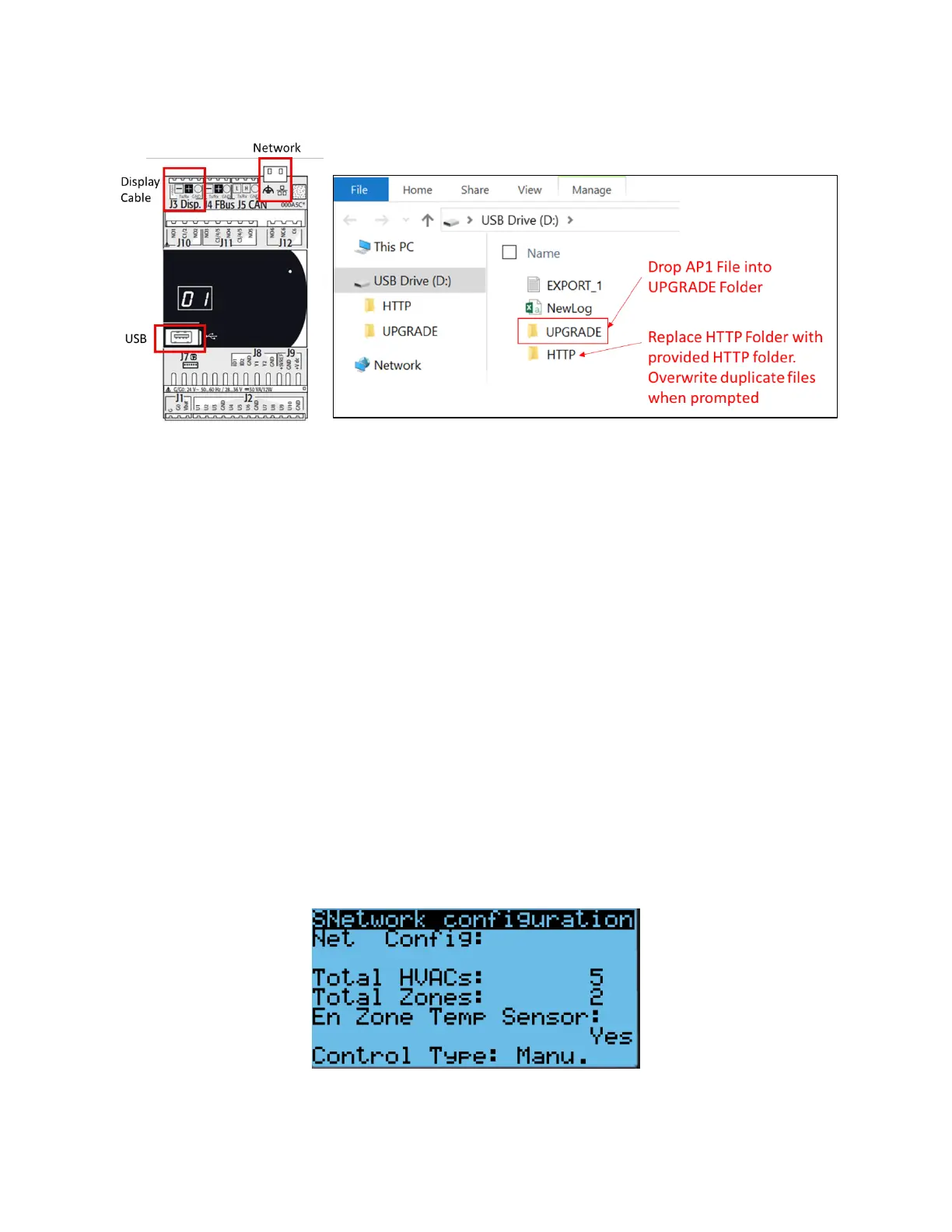
8. Copy the HTTP folder to the root directory (“USB Drive”) and overwrite the existing files.
9. Disconnect the USB cable from the controller board inside the unit. The upgrade process will
automatically start.
10. Once the upgrade is complete, the screen will display “Upload successful” and return to the main
screen. This may take up to 5 minutes.
11. Repeat process d-g for all HVAC units to be upgraded.
12. Reinstall the display on the ASMUC.
Step 2: Save Controller Settings
The software upgrade procedure will reset all settings to factory defaults. Some settings must be manually
reconfigured. Complete the following steps from the ASMUC.
1. Press Prg and enter the default password (0004). Press Enter.
Note: If password has been changed from factory default, consult the facility manager for correct
password.
2. Press Up or Down to reach “Control Config” and press Enter.
3. Press Enter at “Network”
4. Record all network settings (a-d). Press Down to access each individual screen.
a. Total # of HVAC and Total # of Zones


 To Next Page
 Loading...
