Contact: AIRSYS North America Phone: (855) 874-5380 Page 92 of 112
Email: ASNSupport@air-sys.com Web: http://airsysnorthamerica.com Rev 1.15
Step 2: Save Controller Settings
The software upgrade procedure will reset all settings to factory defaults. Some settings must be manually
reconfigured. Complete the following steps using the ASMUC web interface.
1. Navigate to the IP address of the multi-unit controller.
a. If unsure, navigate to “Controller Interface” tab. Master Controller/HVAC status will be
displayed on the main page.
2. Navigate to the “Controller Interface” tab.
3. Press Prg (ʘ) and enter the default password (0004). Press Enter.
4. Press Up or Down to reach “Control Config” and press Enter.
Press Enter at “Network”.
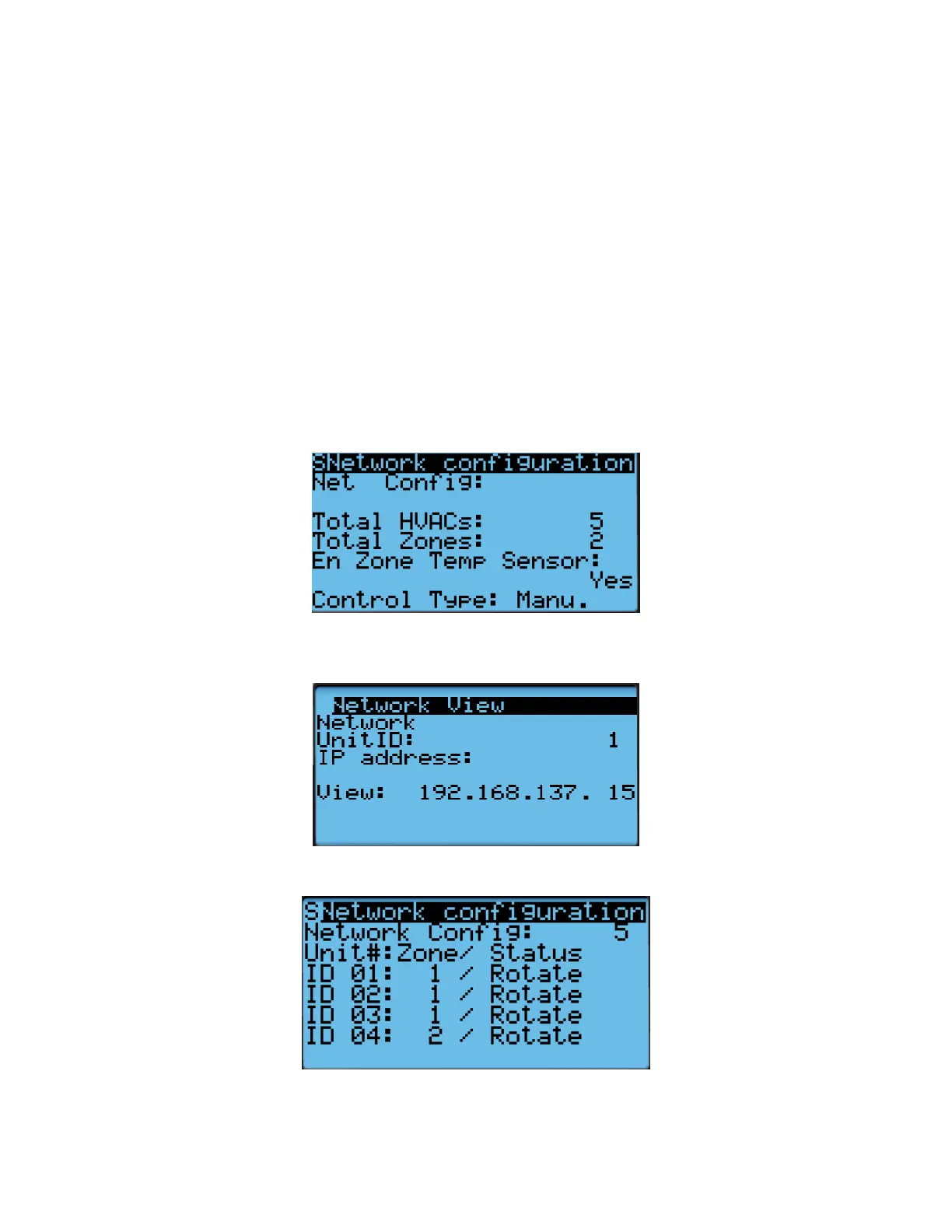
5. Record all network settings (i-iv). Press Down to access each individual screen.
a. Total # of HVAC and Total # of Zones
b. IP address of all connected HVAC units (Press Enter and use the Up and Down buttons to
cycle through units. Press Enter to display the IP of each unit.)
c. Zone assignment (which units are assigned to which zones).
d. Model numbers of connected units.



 To Next Page