56
8.6 Carbon lter
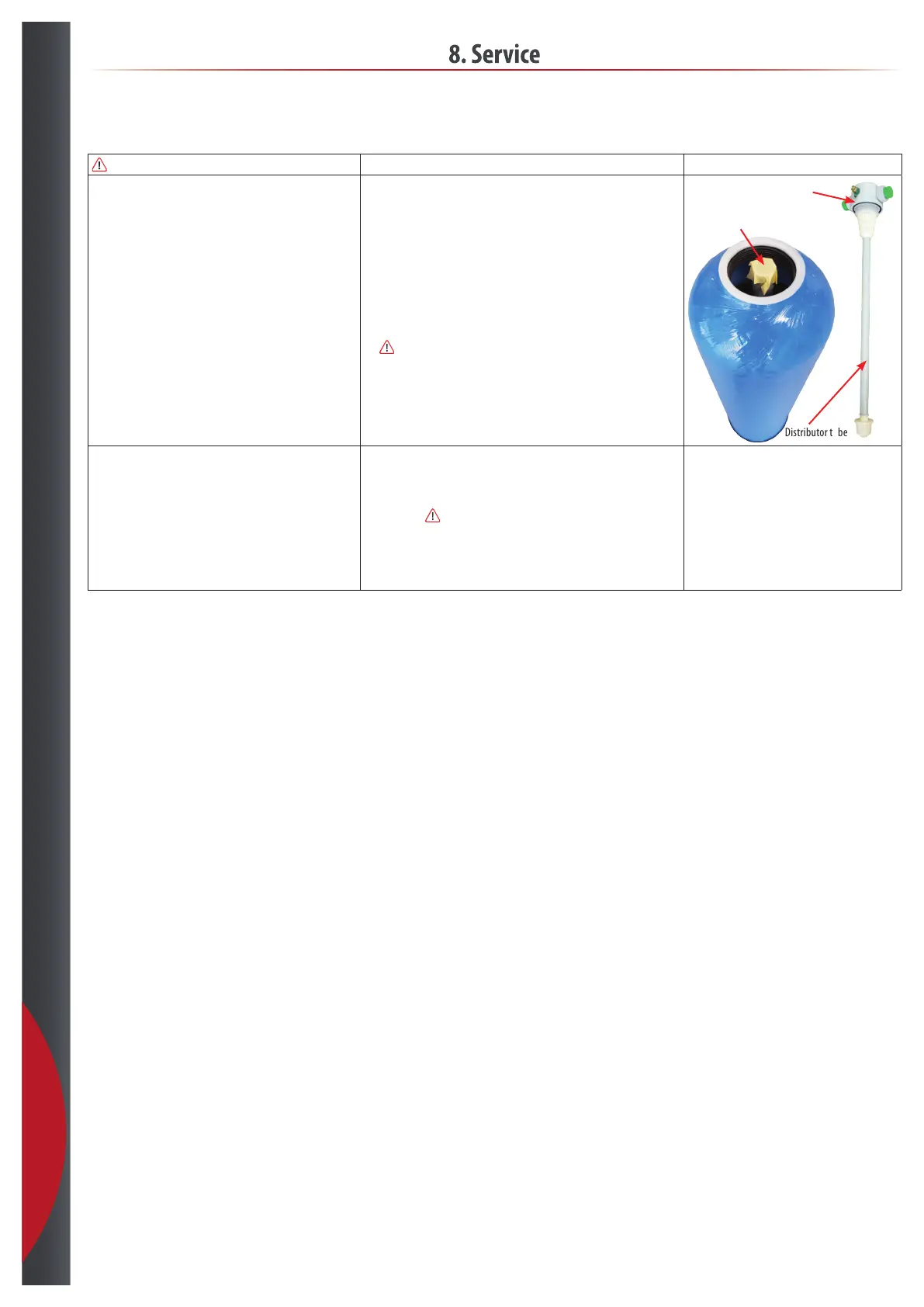
Close the distributor
tube with tape
Distributor tube
Carbon lter head
8. Service
Replace Carbon filling minimum once per year.
How to replace the Carbon. • Stop the humidification system.
• Stop the RO system.
• Close the water supply and disconnect water inlet and outlet hoses from the
carbon filter.
• Make sure that you have a floor drain, or something else to collect the water
from the carbon filter.
• Unscrew the head of the cylinder.
• Empty the cylinder in a nylon bag to collect the carbon in the bag.
- Flush the cylinder with water remove any residue.
• Raise the empty cylinder again.
•
Close the distributor tube with light sticky tape or a plug.
• Fill the cylinder with new carbon. The right volume, see section 4. datasheet.
- Do not overfill.
• Remove the tape/plug from the distributor tube and screw the head back on.
Startup. • Now the cartridge must flush against the flow direction.
- Connect supply water hose to filter OUT.
- Connect drain to filter IN.
• Slowly open supply water until you see water to drain and and let it flush for
15 minutes.
Be carefull not to flush the carbon out.
• Close the supply water again.
• Reconnect water inlet and outlet back to standard connection, and let it flush
again for 15 minutes in right flow direction, before setting the filter back to
operation.
201218



 To Next Page