61
8.9 RO Basic™
8. Service
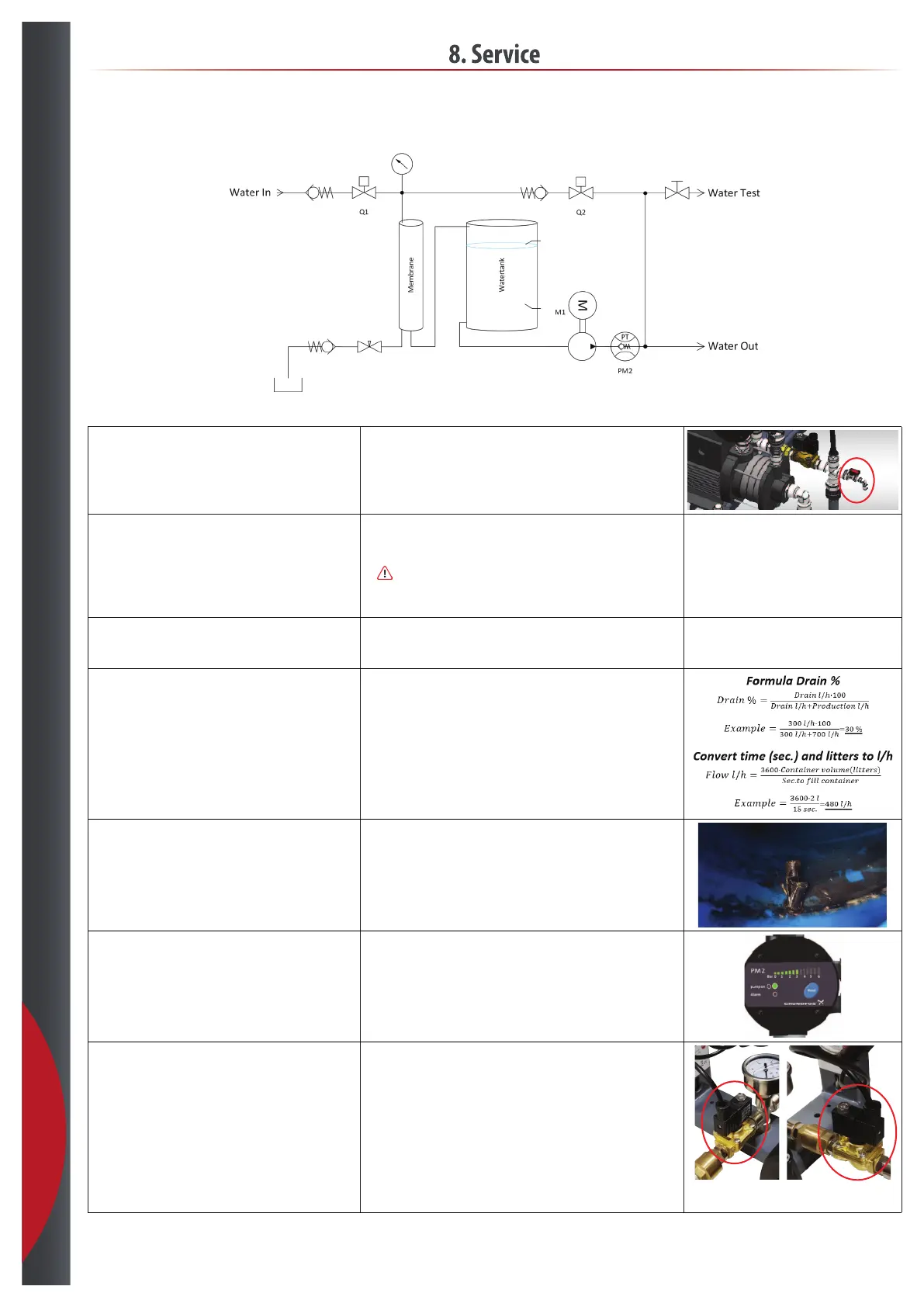
Check conductivity in permeate tank. • Water sample is taken out at designated water test tab on the pump.
• Let the water run for 1 min.
• Flush the test tube.
• Follow the instructions for the supplied conductivity reader.
Check production on each membrane individually. • Stop the RO system by the power supply.
• Take off hose between membrane and permeate tank at the tank.
• Install flow reader.
•
Prepare drain as described below before starting the system.
• Start up RO system.
• Note the flow.
Check drain flow during production. • Take the drain hose and install the flow reader.
• Start RO system.
• Note the flow.
Calculate the drain %. • Use the formula to calculate the drain %.
- With softener drain % > 30 %
- Without softener drain % > 50 %
• If the drain % is below the required level, then adjust the drain flow and test
again, see section 6.6 Adjust drain %.
Check that the permeate tank is clean. • Take the lid of the tank and check visually if the tank is clean.
• If the tank is not clean, clean the tank with warm water or suitable desinfectant.
Check functionality of the booster pump from the tank. • Starts at 1,5 bar.
• Stops at 3.5 - 4 bar if there is not water requirement.
Check solenoid valves. • Solenoid valve on water inlet is checked by:
- Shutting down the RO system.
- The pressure on water should drop to 0 bar.
• Read on the pressure gauge.
• Solenoid valve on rinse water is checked by starting the RO with an empty tank:
- Empty tank to lowest sensor – production starts. When it stops see that
solenoid valve opens and starts rinse cycles.
- The system will start by rinsing.
- The flow should be higher then normal operation flow to drain.
- After 45 seconds the flow should drop to the set flow.
- If the flow does not drop the solenoid valve is defect.
Inlet Rinse
201218



 To Next Page