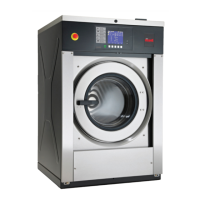
Supply Compartment Dispenser
Programming SUPC (Design 1 Models
Only)
This option allows the owner to choose between the supply dis-
penser or compartment dispenser.
NOTE: Supply Dispenser must only be selected if ma-
chine is connected to an external chemical supply sys-
tem.
1. Control must be in Manual Mode. Refer to Entering Manual
Mode.
2.
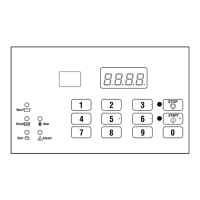
Press the #3 (∧) or the #6 (∨) keypad until Prog appears in
the display. Press the START (enter) keypad and dCYC will
appear in the display.
3. Press the #3 (∧) or the #6 (∨) keypad to scroll through the pro-
grammable options until SUPC appears in the display.
4.
When SUPC appears in the display, press the START (enter)
keypad. The current dispenser option will appear in the dis-
play.
S = Supply Dispenser
C = Compartment Dispenser (default setting)
5. Press the #3 (∧) or the #6 (∨) keypad to change the dispenser
type.
6. Press the START (enter) keypad when the desired dispenser
type appears in the display. The next option, bALr (VFD
models) or IrA (2 speed models), will appear in the display.
NOTE: For VFD models: To program bALr (Number
of Balance Retries), refer to Number of Balance Retries
bALr. For 2 speed models: To program IrA (IR Ac-
cess [Enable/Disable]), refer to IR Access (Enable/
Disable) IrA. To program other options, refer to the
appropriate section.
Number of Balance Retries bALr
This option allows the owner to program how many times the
control will retry balancing the load before moving into Extract
step.
1. Control must be in Manual Mode. Refer to Entering the Man-
ual Mode.
2.
Press the #3 (∧) or the #6 (∨) keypad until Prog appears in
the display. Press the START (enter) keypad and dCYC will
appear in the display.
3. Press the #3 (∧) or the #6 (∨) keypad to scroll through the pro-
grammable options until bALr appears in the display.
4.
When bALr appears in the display, press the START (enter)
keypad. The current value will appear in the display.
5. Press the #3 (∧) or the #6 (∨) keypad to increase or decrease
the current value.
NOTE: The number of balance retries can be set
from 1-7. The default balance retries is set at 3 for
Design 1 models and 1 for Design 2 and 3 models.
6. Press the START (enter) keypad when the desired value ap-
pears in the display. The next option, IrA, will appear in the
display.
NOTE: To program IrA (IR Access [Enable/Disa-
ble]), refer to IR Access (Enable/Disable) IrA. To pro-
gram other options, refer to the appropriate section.
IR Access (Enable/Disable) IrA
This option allows the owner to enable or disable allowing the
control to be read by an external device.
1. Control must be in Manual Mode. Refer to Entering the Man-
ual Mode.
2.
Press the #3 (∧) or the #6 (∨) keypad until Prog appears in
the display. Press the START (enter) keypad and dCYC will
appear in the display.
3. Press the #3 (∧) or the #6 (∨) keypad to scroll through the pro-
grammable options until IrA appears in the display.
4.
When IrA appears in the display, press the START (enter)
keypad. The current IR Access status will appear in the dis-
play.
on = Option Enabled (default setting)
oFF = Option Disabled
5. Press the #3 (∧) or the #6 (∨) keypad to change the current
status.
6. Press the START (enter) keypad when the desired status ap-
pears in the display. The next option, t FC will appear in the
display.
NOTE: To program t FC (Fahrenheit/Celsius), refer
to Fahrenheit/Celsius t FC. To program other options,
refer to the appropriate section.
Programming Control
©
Copyright, Alliance Laundry Systems LLC -
DO NOT COPY or TRANSMIT
41 Part No. F8238101ENR11


 To Next Page