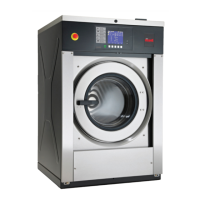
Manual Reset
This feature allows the owner to reset the machine control’s pro-
gramming data to the factory default settings by pressing a se-
quence of keypads on the control. For an explanation of the Fac-
tory Default Settings, refer to Programming Control.
How to Enter Manual Reset
1. Control must be in Manual Mode. Refer to Entering the Man-
ual Mode.
2.
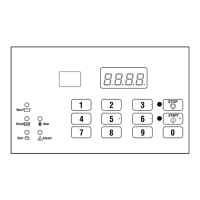
Press the #3 (∧) or the #6 (∨) keypad until rSEt appears.
3. Press the START (enter) keypad. The control will be blank
until the programming is complete. Once the program has
been reset, the control will display the next Manual Mode op-
tion, dIAg.
Manual Reset
©
Copyright, Alliance Laundry Systems LLC -
DO NOT COPY or TRANSMIT
54 Part No. F8238101ENR11


 To Next Page