Operating manual ALPHASEAPILOT MFC Issue 1.1 Page 17 of 84
ALPHASEAPILOT MFC
1.15 Keypad Turns (
Sections 2.11 & 2.36
)
Two types of turn can be selected using the “U TURN” or “NEXT COURSE” keys as required
confirmed in either case by illumination of the red corner LED as appropriate.
The “U TURN” function (Section 2.11 & 2.36):-
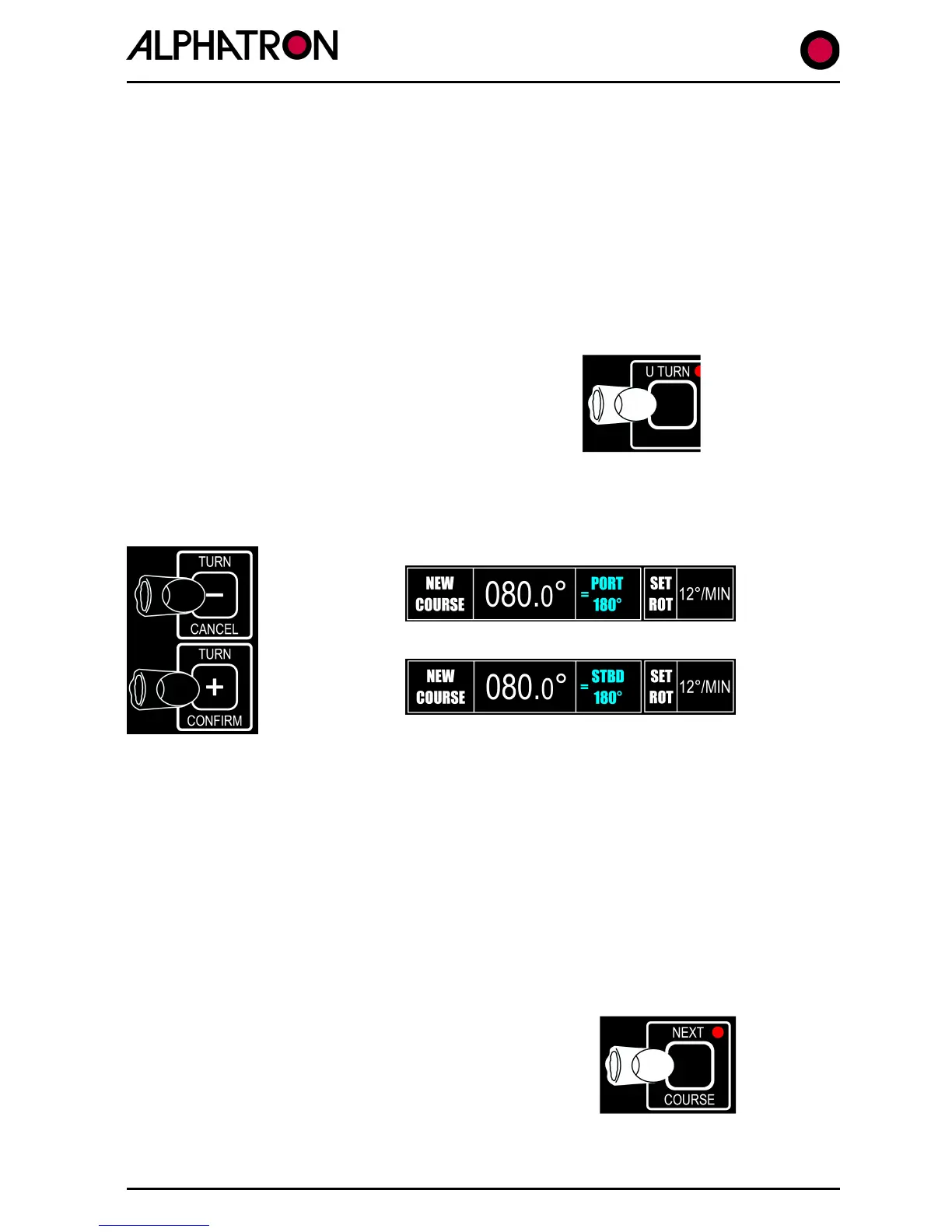
Operation of this keypad makes the Autopilot ready to produce a 180° turn from current
heading (to reciprocal heading) which is executed when turn direction is first specified by
“CANCEL” (PORT) or “CONFIRM” (STBD) key operation followed by second “CANCEL” (abort)
or “CONFIRM” (execute U TURN) key use.
To use the “U TURN” function:
Press the “U TURN” key confirmed by flashing red corner
LED illumination.
NB: “U TURN” request cancelled - if required - by
second press of “U TURN” key.
A) Use the “+” (STBD) or “-“ (PORT) “TURN” key to specify the direction of “U TURN”
required.
NB: Unless U Turn follow up action is taken within 30 seconds,
U Turn selection will be cancelled.
B) Use the “+” (CONFIRM) or “-“ (CANCEL) “TURN” key to execute or cancel the “U
TURN” order.
(ii) “NEXT COURSE" (Section 2.11(ii))
Operation of this keypad allows a new (NEXT) course to be stored and shown on the display in
advance of actual turn to the next course. Once ready (Next Course stored) CANCEL/CONFIRM
key operation actions the turn to Next Course.
To use the “NEXT COURSE” function:-
A) Press the “NEXT COURSE” key confirmed by
flashing red corner LED illumination.
NB. “NEXT COURSE” request cancelled -
required - by 2nd press of “NEXT COURSE”
key.



 To Next Page