Operating manual ALPHASEAPILOT MFC Issue 1.1 Page 46 of 84
ALPHASEAPILOT MFC
2.16 Sea Trials and Autopilot Type Selection
It is essential to note that the ALPHASEAPILOT MFC Autopilot has dual Type Approvals covering
conventional displacement vessels up to typically 30 knots and High Speed Craft for speeds
up to 70 knots.
The Control parameters are very different in each case therefore it is most important that the
correct vessel type (DISP or HSC) is entered in the Autopilot SET UP Menu before Sea trials are
attempted.
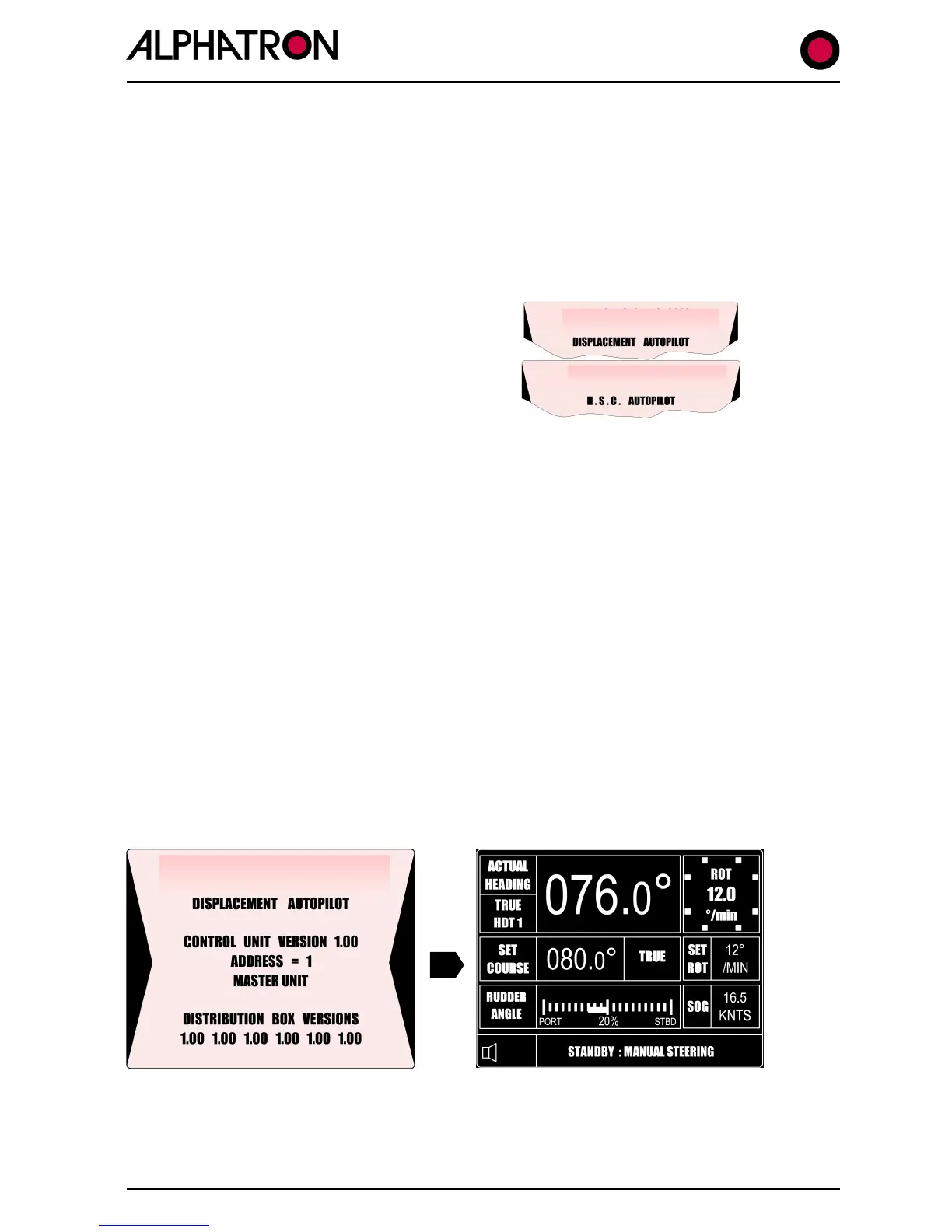
The displacement (DISP) or High Speed
Craft (HSC) Mode of operation set is always
displayed on the autopilot Control Unit
splash screen at power up.
If it is required to alter the vessel type set:-
(i) With the Autopilot in “STANDBY” simultaneously press the “CANCEL” and
“CONFIRM” keys for 5 seconds to display the Set Up table parameters.
(ii) Use the rotary Set Course Control to select the 5
th
parameter (VESSEL TYPE).
(iii) Press the “AUTOTRIM” key for a period of 5 seconds noting that this is confirmed by a
countdown of 5 short bleeps – on completion of which – a longer bleep and a “toggle”
(change) of operating mode (DISP or HSC) is confirmed on the display. (i.e. 5 sec op.
as above to change from DISP to HSC or vice versa).
All necessary Set Up parameters and installation procedures should now have been completed
in accordance with section 3 of the Installation and Technical Manual.
(i) Check that the Autopilot Isolators are ON.
(ii) Press the OFF/STANDBY key to enter the Standby mode.
The red corner LED in the STANDBY keypad will illuminate and a short self test period will
elapse during which a start up screen will be displayed followed by the normal Standby mode
display labelled “STANDBY: MANUAL STEERING”.



 To Next Page