Operating manual ALPHASEAPILOT MFC Issue 1.1 Page 77 of 84
ALPHASEAPILOT MFC
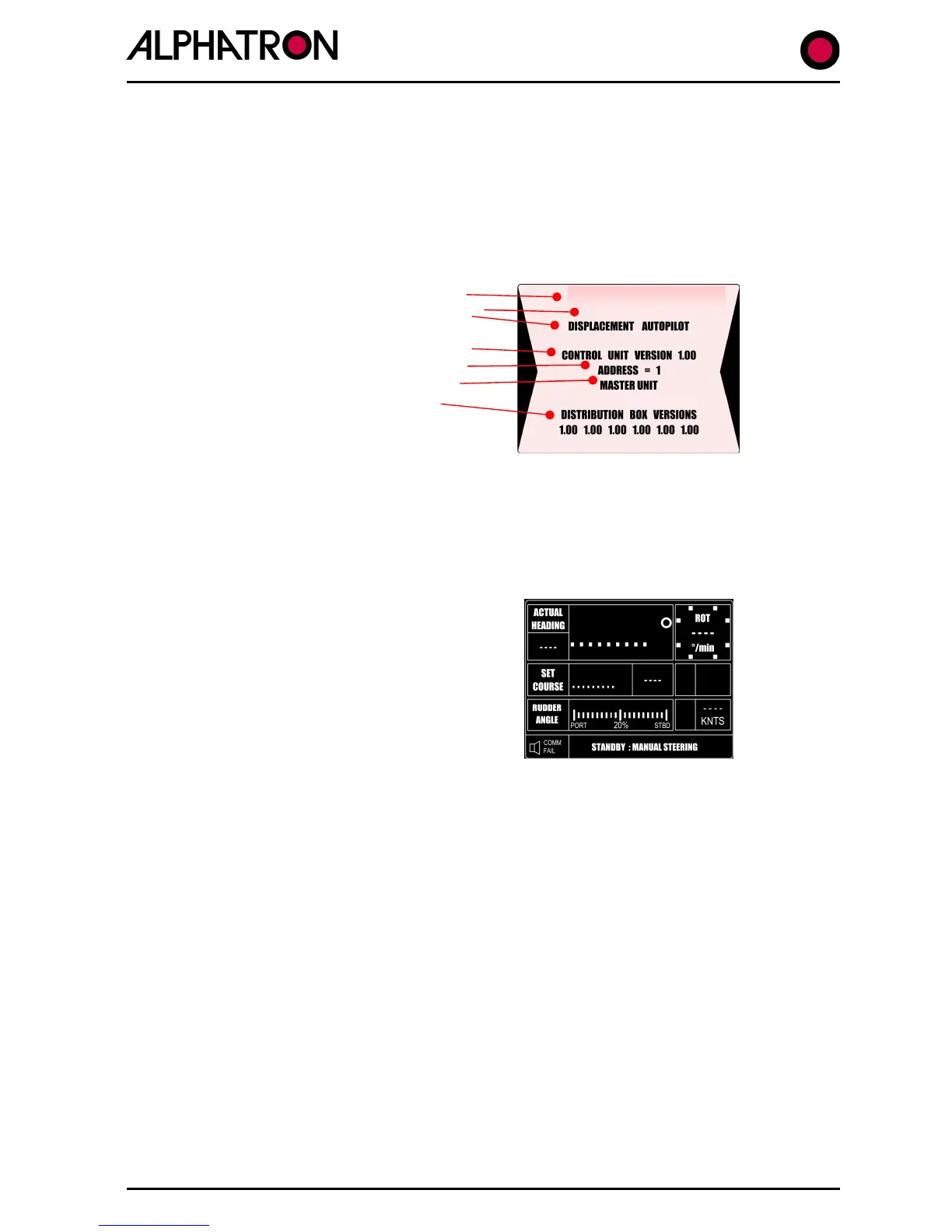
3.1 Display at Power Up
When the ALPHASEAPILOT MFC Autopilot is powered up (“OFF/STBY” key) the Control Unit
start up display (or splash screen) provides various important aspects of information relevant to
the software and Set Up standards of the system.
This information includes:-
(i) Supplier and model number.
(ii) Autopilot type selected in Set
Up Menu (flashing).
(iii) Control Unit software version.
(iv) Control Unit Address identity.
(v) Master status (if applicable).
(vi) Distribution Unit software
versions (6 items).
The message “WAITING” (flashing) may also be shown on the splash screen to indicate that
the Autopilot Control Unit and Distribution Unit are establishing communication.
3.2 Possible Failure Messages at Power Up
I
Autopilot Control Unit and Distribution Unit is
not established after approx 30 seconds, the
Operational display will appear with dots (instead
of display values)
and the message “COMM.FAIL” in the alarm
box (as shown).



 To Next Page