Operating manual ALPHASEAPILOT MFC Issue 1.1 Page 78 of 84
ALPHASEAPILOT MFC
3.3 Operational Display Messages
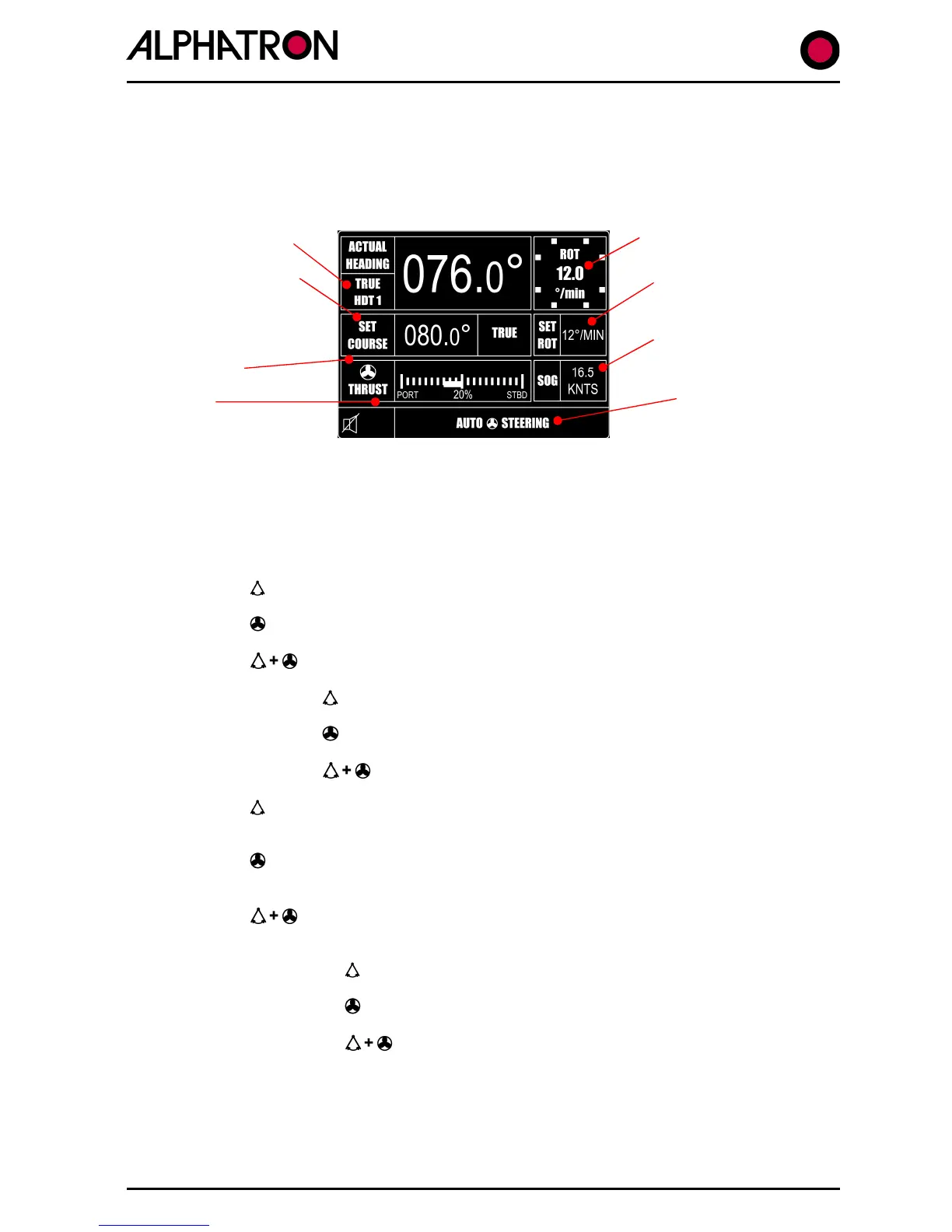
When the self test and associated splash screen display has completed at power up, the
operational display will appear as shown:-
Heading data/source
Alarm type
All Autopilot operating modes are continuously shown (as appropriate):-
(i) STANDBY: MANUAL STEERING
(ii) REMOTE STANDBY – External Steering selector switch forcing the
Autopilot system to “Standby” Mode
(iii) AUTO STEERING – Autopilot engaged to control Rudder only
(iv) AUTO STEERING – Autopilot engaged to control Thruster only
(v) AUTO STEERING – Autopilot engaged for Rudder & Thruster
(vi) REMOTE AUTO STEERING – 2
nd
Station Control – Rudder only
(vii) REMOTE AUTO STEERING – 2
nd
Station Control – Thruster only
(viii) REMOTE AUTO STEERING – 2
nd
Station – Rudder & Thruster
(ix) AUTO TRACK STEERING – Autopilot engaged in Track Steer
Mode controlling Rudder only
(x) AUTO TRACK STEERING – Autopilot engaged in Track Steer
Mode controlling Thruster only
(xi) AUTO TRACK STEERING – Autopilot engaged in Track Steer
Mode with Rudder & Thruster
(xii) REM AUTOTRACK STEERING – 2
nd
Station/Track Mode/Rudder
(xiii) REM AUTOTRACK STEERING – 2
nd
Station/Track Mode/Thruster
(xiv) REM AUTOTRACK STEERING – 2
nd
Station – Track Mode
with Rudder & Thruster
(xv) TRACK STBY MANUAL STEERING– Track system forcing Autopilot
to STANDBY Mode



 To Next Page