Operating manual ALPHASEAPILOT MFC Issue 1.1 Page 32 of 84
ALPHASEAPILOT MFC
2.6 The LIMITS Menu
The Limits Menu is rapidly and conveniently entered from all Autopilot operating modes
(STANDBY, ON, TRACK etc.) by single press operation of the “LIMITS” key.
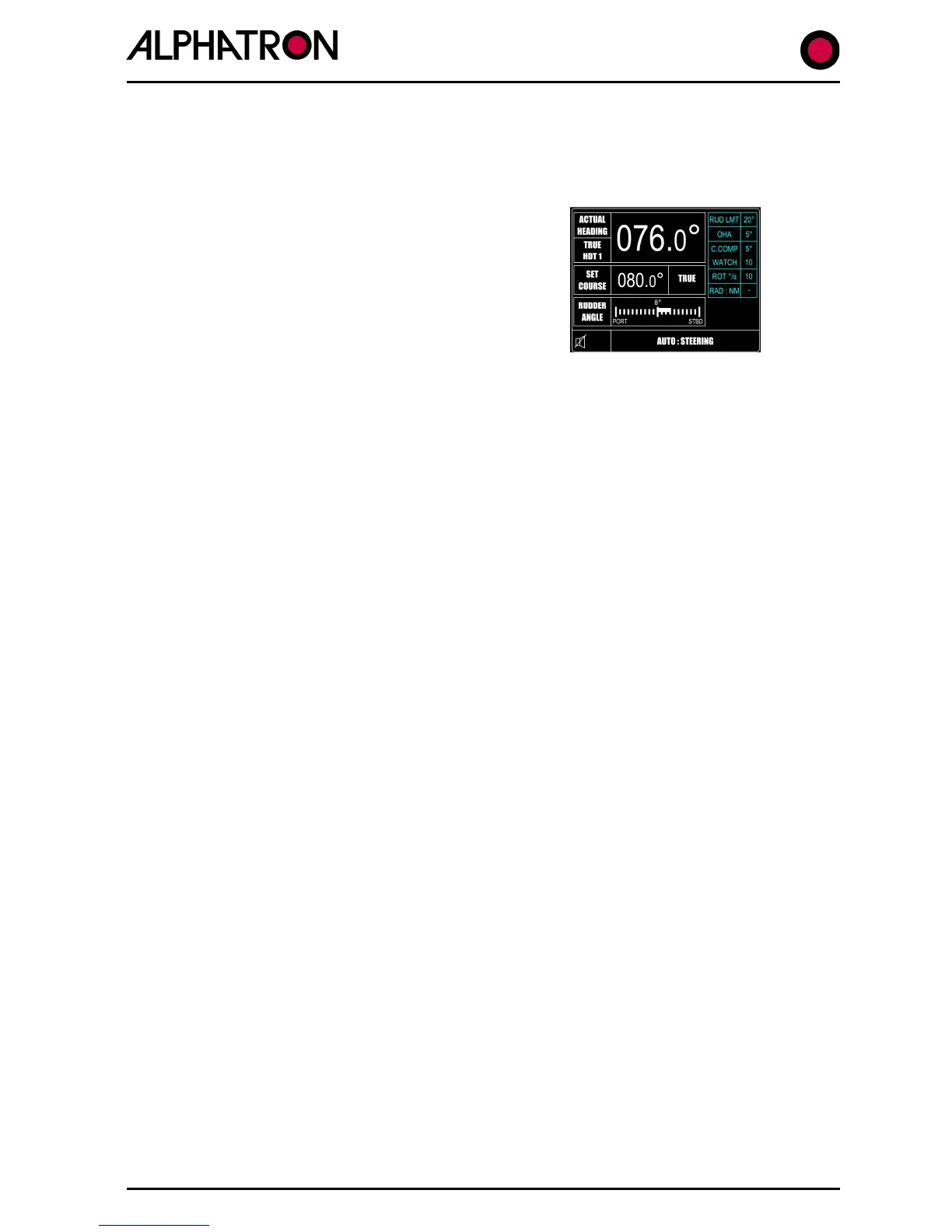
Adjustable Limits parameters are listed on the right
side of the operational display (as shown) and each
item is selected by further use of the “LIMITS” key
accompanied by “flashing” box to confirm parameter
selected. The value – or state – of the chosen item is
then changed via the rotary (+/-) illumination control.
2.6 (I) Rudder Limit
This is always a manually set control via the LIMITS Menu and specifies the maximum angle
of Rudder that the Autopilot is normally permitted to apply. However, the Limit set can be
exceeded if the Autopilot system is obliged to demand a greater angle of rudder to check
high rates of turn.
The required Rudder Limit angle can be set “OFF” or between 5° and 45° in 5° steps and
an audible and visual warning is generated when the specified rudder limit angle is reached.
2.6 (II) Off Heading Alarm
Any departure by the vessel from the Set Course by a predetermined angle specified via the
LIMITS Menu will be signaled both audibly and visually as “OFF HEADING”. (In addition to
the Control Unit alarm, volt free contacts also exist in the Distribution Unit for Auxiliary
alarm use).
To avoid unnecessary alarms, a time delay between 10 and 60 seconds can be set via the
Autopilot SET UP Menu to allow the vessel to return within the limits set (+/-4° etc.) to
accommodate natural yaw or course changes to a new heading. (The OHA & CCA delays are
always identical).
To set the Off Heading Limit:-
a) Use the “LIMITS” key to enter the Limits Menu.
b) Use the “LIMITS” key again to select “O.H.A.” box followed by flashing current
value (2° to 30° or OFF).
c) Use the rotary (+/-) illum. control to set as required.
To set the OHA delay time:-
a) Simultaneously press the “CANCEL” and “CONFIRM” keys for 5 seconds until
the Set Up Menu is displayed with a black cursor highlighting the Set Up
parameter currently selected.
b) Rotate the Autopilot Set Course Control to move the cursor to parameter
number 35 (OHA DELAY).
c) Use the rotary (+/-) illum. control to set 10-60 SECs as required.



 To Next Page