Operating manual ALPHASEAPILOT MFC Issue 1.1 Page 65 of 84
ALPHASEAPILOT MFC
2.36 Setting and Confirming New Autopilot Courses
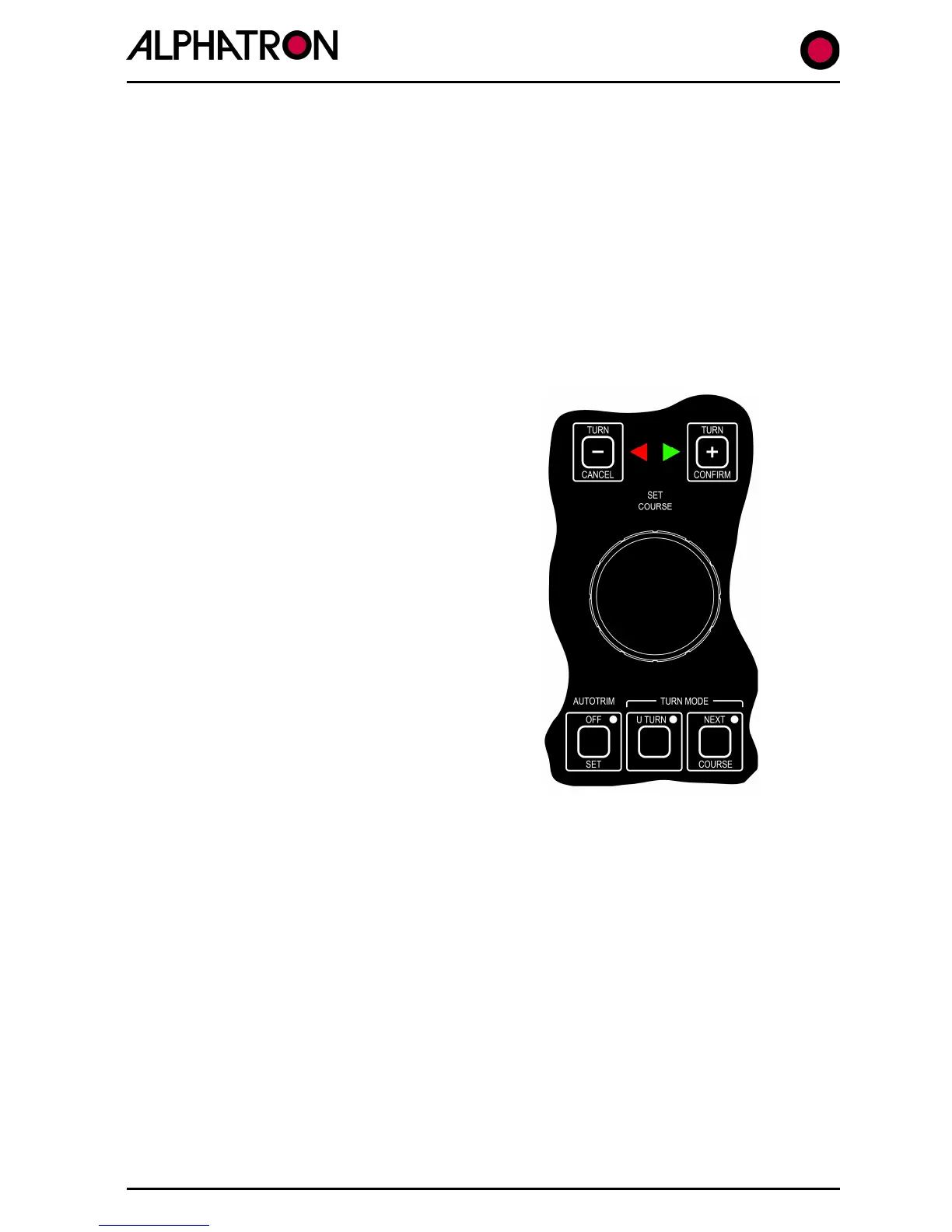
New Autopilot Courses can be manually entered by:-
SET COURSE rotary control movement (clockwise = Stbd).
CANCEL/CONFIRM key use to initiate DODGE, CUSTOM, +/-1° turns.
New Autopilot courses can be automatically ordered by:-
TRACK CONTROL command data – new heading to next waypoint.
Rotation of the Set Course control clockwise (Stbd) or anticlockwise (Port) will order 0.5°
(minimum) changes per “click”.
Prolonged rotation will automatically result in
larger changes “per click” to make large course
changes viable by avoiding the need for multiple
turns.
(6 clicks @ 0.5°, 6 @1°, 6 @ 5° then 10°).
A new course can be ordered up to 359° when
the vessel will always turn in the direction of
rotation of the Set Course Control.
The need for new course confirmation (if
required) can be programmed via the SET UP
Menu in 5° steps from 10° to 90°.
Actual set course and new course data is shown
on the Control Unit display whether manually or
automatically (Track) ordered.
TURN MODE key selection of U TURN or NEXT
COURSE always requires CONFIRM (+) or
CANCEL (-) key use to specify direction of turn
(+ = Stbd, - = Port).
Single CANCEL/CONFIRM key operation is all that is required to initiate a turn to new course
following Set Course control rotation or to order 1º step course changes.
(Sections 2.12 & 2.13 refer).
A Control Unit generated alarm requesting confirmation (CONFIRM key) is subject to a
programmable timeout period (20 to 60 seconds via the SET UP Menu) during which
confirmation is required – and beyond which – the new course request will automatically be
cancelled. (Section 2.12 refers).
U TURNS and NEXT COURSE programmed turns could be potentially dangerous if inadvertently
activated. A second CONFIRM key operation is therefore required after ordering direction of the
turn and, if the U TURN Mode is selected without follow up action, the mode will automatically
be deselected after a timeout period of 30 seconds. (Section 2.11 refers).



 To Next Page