Operating manual ALPHASEAPILOT MFC Issue 1.1 Page 39 of 84
ALPHASEAPILOT MFC
2.11 The TURN MODE Keys
There are two TURN MODE keys which provide two special types of turn selection:-
(i) U TURN – permanent 180º course change.
(ii) NEXT COURSE – preprogrammed and stored next (new) permanent course
change facility
2.11 (i) The ‘U TURN’ Key
The Autopilot software is programmed to order a 180º permanent course change from whatever
heading is currently ordered by the Set Course knob confirmed by the Set Course value on the
Control Unit display.
When the U TURN key is operated (confirmed by flashing corner LED) the direction of turn
required to the new (reciprocal) heading must be defined within a timeout period of 30 seconds
by operation of the - (Port) or + (Stbd) Control Panel key.
NB. Second operation of the U TURN key at any time will exit the U TURN mode.
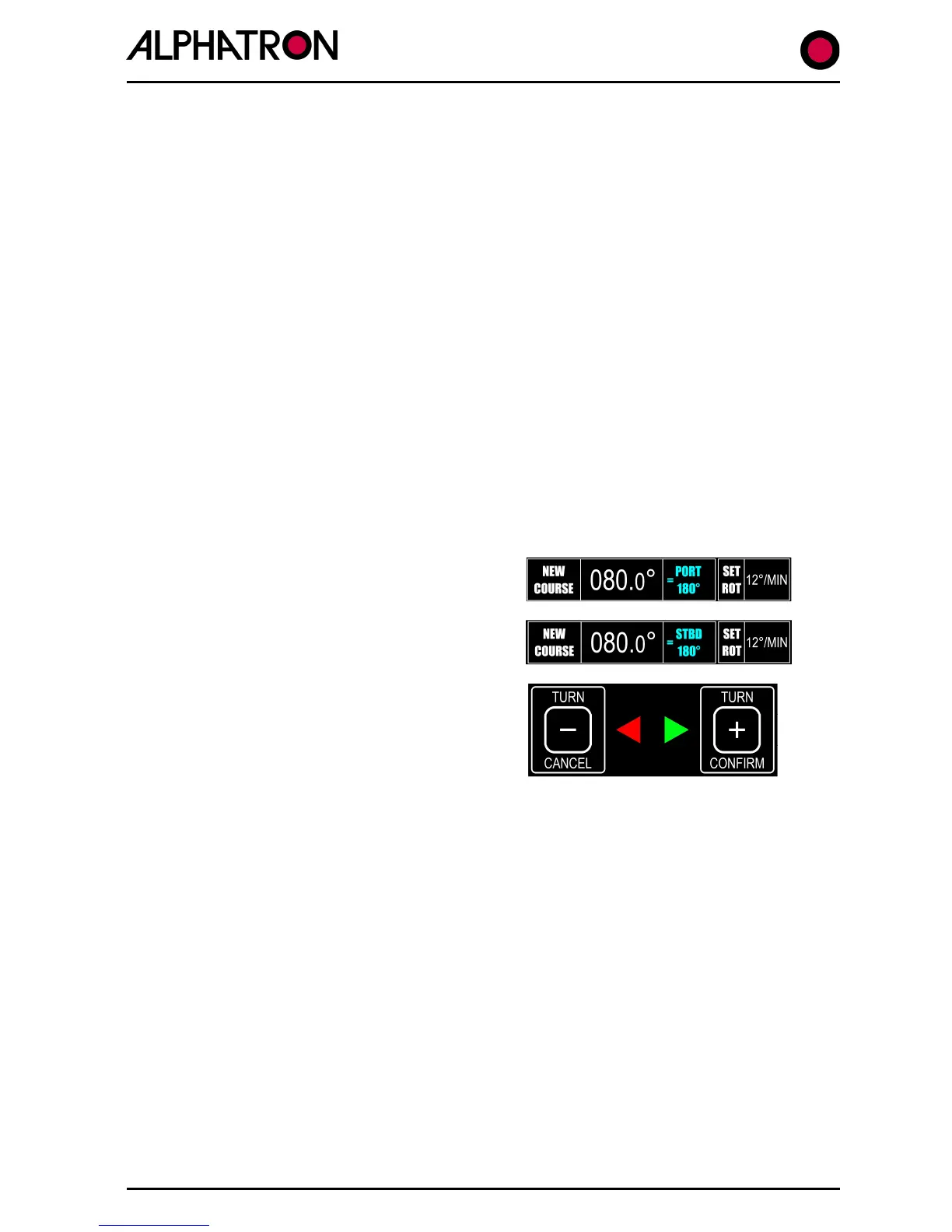
The required direction of turn is acknowledged by
the Control Unit display which will show :-
or
“NEW COURSE PORT 180º”
“NEW COURSE STBD 180º”
The Control Panel “CANCEL” and “CONFIRM”
chevrons will now flash accompanied by an audible
beep.
Use the “CONFIRM” key to execute the 180º turn, or the “CANCEL” key to abort and exit the
180º turn instruction mode.
2.11 (ii) The ‘NEXT COURSE’ Key
Operation of the ‘NEXT COURSE’ key enables the Autopilot to be programmed for a later
permanent course change by an amount specified via rotation of the COURSE SET control with
the new (next) course heading confirmed on the Control Unit display.
NB. Second operation of the NEXT COURSE key at any time will exit the NEXT
COURSE mode.
a) Press the NEXT COURSE key confirmed by flashing red corner LED and display
change to show NEXT XXX.
b) Rotate the COURSE SET control until the new course required is shown in the NEXT
box on the display flashing NEXT XXX.



 To Next Page