Operating manual ALPHASEAPILOT MFC Issue 1.1 Page 26 of 84
ALPHASEAPILOT MFC
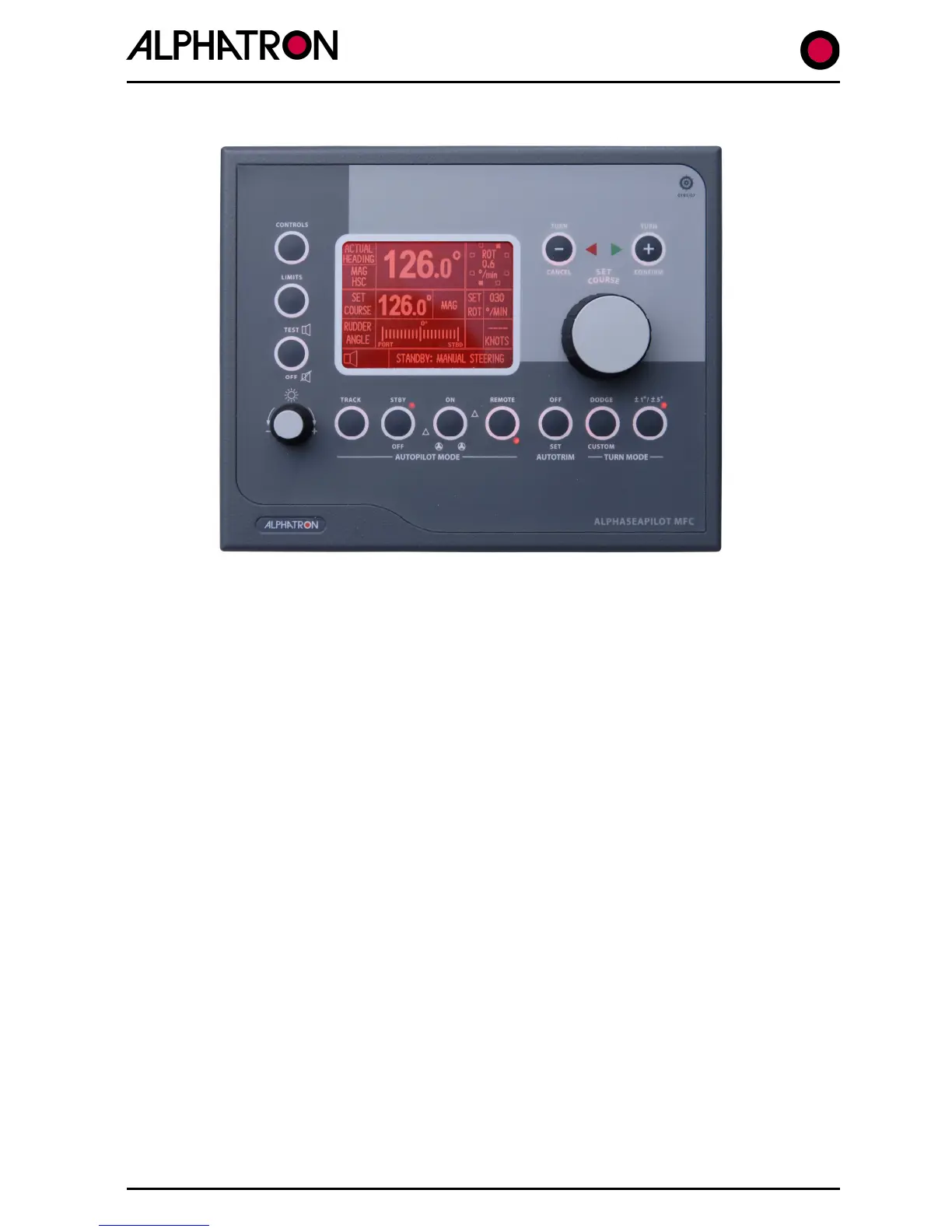
FIG 2 – ALPHASEAPILOT MFC Control Panel Layout
2.1 The Autopilot Standby / OFF Key & Modes (
See Vessel Type p.s. 2.16
)
(i) OFF All Autopilot functions are inoperative
(No display data or keypad LEDs activated)
(ii) STANDBY Control Unit Display operational.
Standby keypad red LED activated
Manual steering required
A Red LED in the Autopilot Mode STANDBY keypads confirms the operational status of the
steering mode which is also “written” at the bottom of the Control Unit Display as “STANDBY:
MANUAL STEERING”.
All display aspects are drawn – and shown where data is available - and Heading plus Rudder
Angle data outputs are available for use by proprietary VDR, Radars etc.
Press the OFF/STANDBY key to switch off or the ON key to engage the Autopilot System.



 To Next Page