Operating manual ALPHASEAPILOT MFC Issue 1.1 Page 40 of 84
ALPHASEAPILOT MFC
Note that rotation of the Course Set control must
have stopped for a period of 5 seconds before the
flashing NEXT heading shown will be adopted and
confirmed by an audible beep.
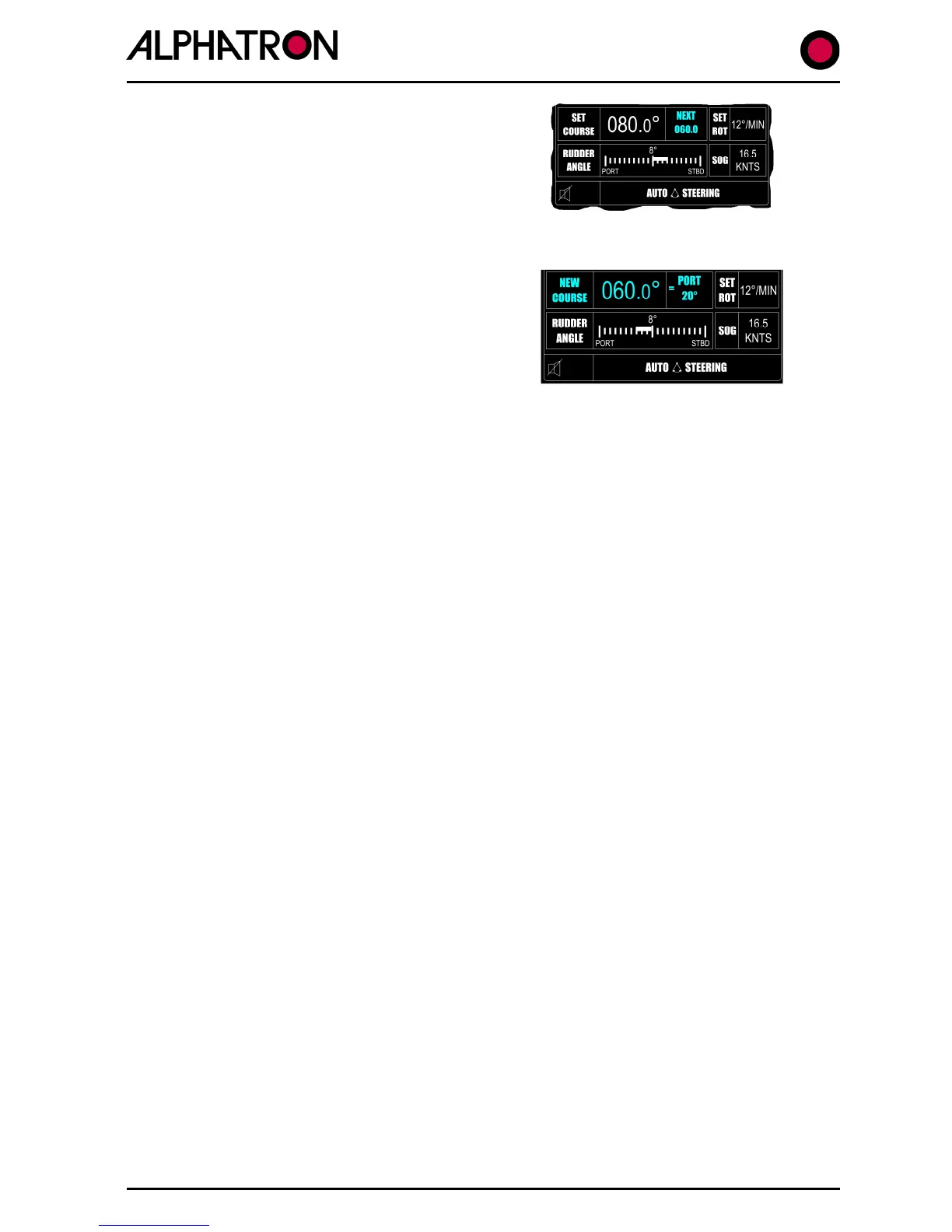
c) The direction of turn required to the new heading must now be specified :-
Use the “- (Port)” or the “+ (Stbd)” key as required
noting that the display will now change to show
NEW COURSE XXX in the main box and = PORT or
STBD XX/XXX to indicate the direction and angle
through which the vessel will turn to the specified
next course when the “CONFIRM” key is operated.
This display mode will be accompanied by an audible beep.
d) The Control Panel “CANCEL” & “CONFIRM” keys will now flash accompanied by an
audible beep.
Use the “CONFIRM” key to execute the turn to the new heading or the “CANCEL”
key to abort and exit the next course instruction mode.
2.11 (iii) The +/-1° / +/-5° Key
When this TURN MODE key is selected, subsequent use of the “TURN +” or “TURN –“ keys will
produce permanent incremental Autopilot course changes to Stbd (+) or Port (-).
Single press key operation (TURN) will order course changes in 1° steps.
Continuous key operation will produce increasing course change orders at the rate of approx 2
per second (2Hz) by an amount defined by the length of time the key is pressed:-
• First 5 steps in 1° increments.
• Second 5 steps in 5° increments.
• Thereafter in 10° increments.
In this manner, prolonged operation of the key will produce large course change orders as
required quickly and conveniently.
To use the +/-1° / +/-5° key function:-
The Autopilot should be engaged (ON) steering the vessel on the SET COURSE.
(i) Select “+/-1° / +/-5°” on the TURN MODE keys
(ii) To Turn to Stbd – press the “TURN +” key
To Turn to Port – press the “TURN –“ key
(The actual value of course change ordered will be
shown in the SET COURSE area of the display).



 To Next Page