Operating manual ALPHASEAPILOT MFC Issue 1.1 Page 9 of 84
ALPHASEAPILOT MFC
(vii)
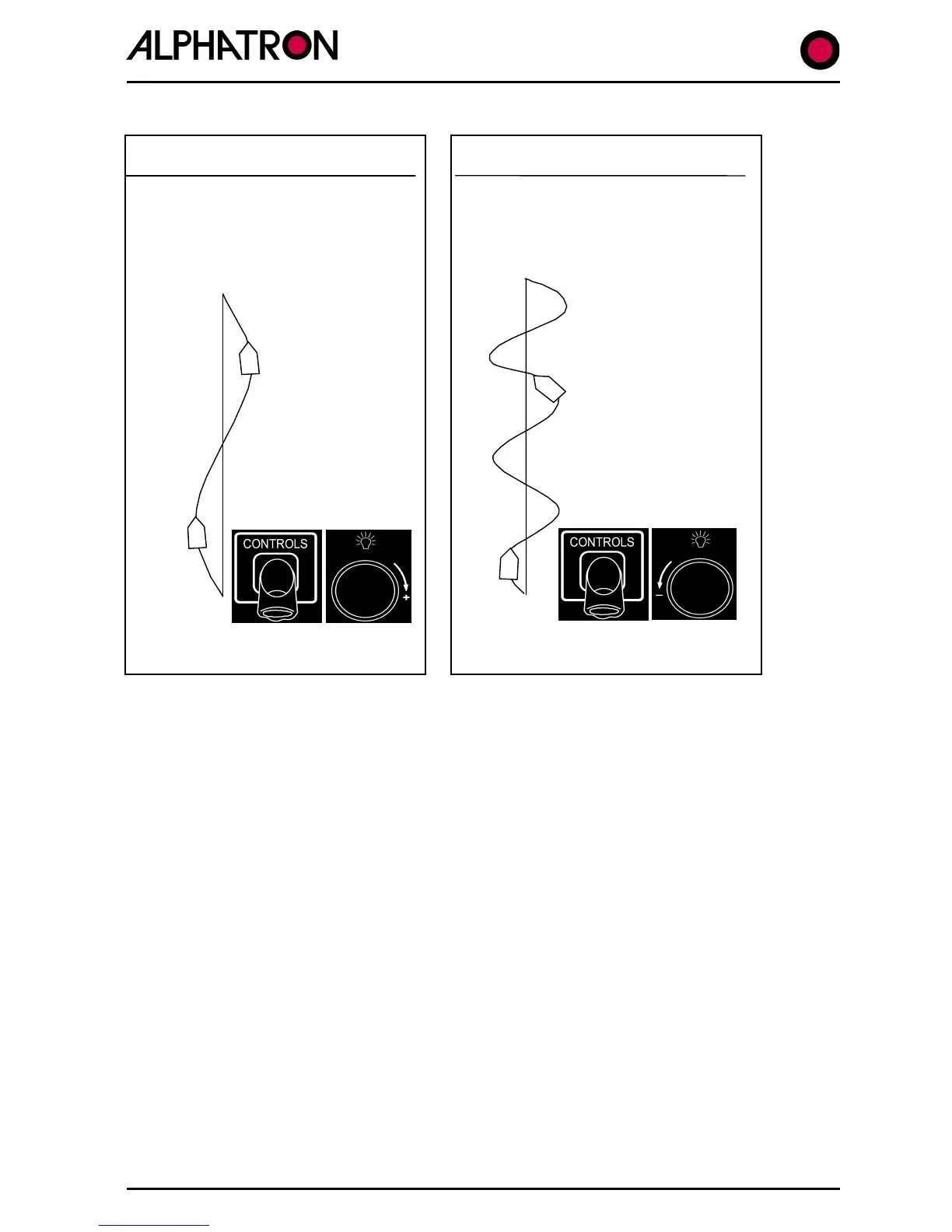
Use the “CONTROLS” key to select “RUDDER” and increase or decrease the
Rudder Control value (1 to 9) using the rotary (+/-) illum. key to optimise
the straight line steering performance in terms of Understeer/Oversteer.
Large deviations or protracted
periods off the Heading Set
insufficient rudder application in
Understeer Characteristics
Oversteer Characteristics
Autopilot applying too much rudder
causing vessel ‘weave’ which may
increase to a tight ‘S’ pattern:
Reduce Rudder
Control Setting.
(Anticlockwise)



 To Next Page