13
English
Basic Operation
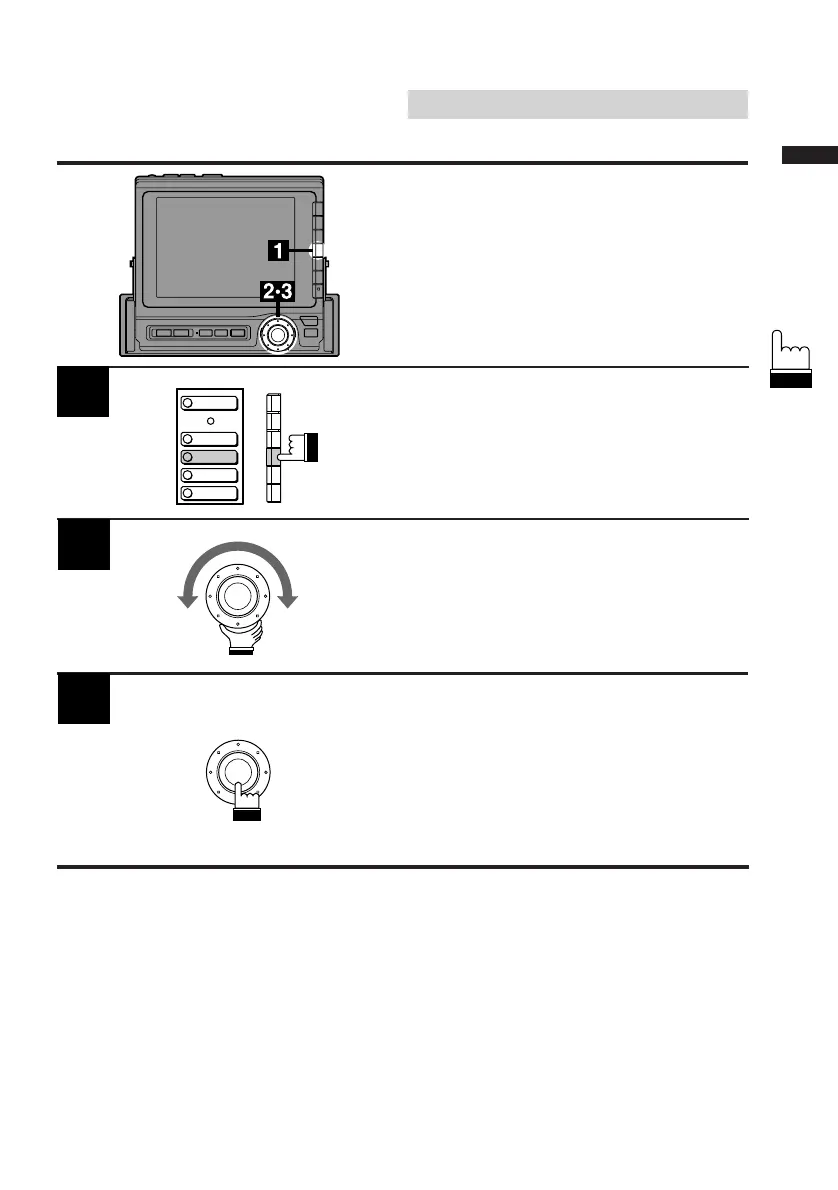
1
Display the Audio cont. screen. Press the F4
(TREBLE) button. The Treble adjustment mode
is activated and the DN/RTN/UP menu is
displayed.
Turn the rotary switch clockwise or
counterclockwise to increase or decrease to
obtain the desired treble sound.
When the adjustment has been completed,
press the rotary switch.
Note: If two Alpine Channel Dividers are
connected, the menu "BASS/TREBLE"
in the display changes to "BASS1/
TREBLE1," and when the NEXT
(0/) button is pressed it changes to
"BASS2/TREBLE2."
2
3
Adjusting Treble
Note: When an Ai-NET compatible equalizer
is connected, the treble menu will not
appear on the screen. In this case,
adjust treble sound using the equalizer.
LOUDNESS
BASS
TREBLE
BALANCE
FADER



 To Next Page