27
English
Radio Operation
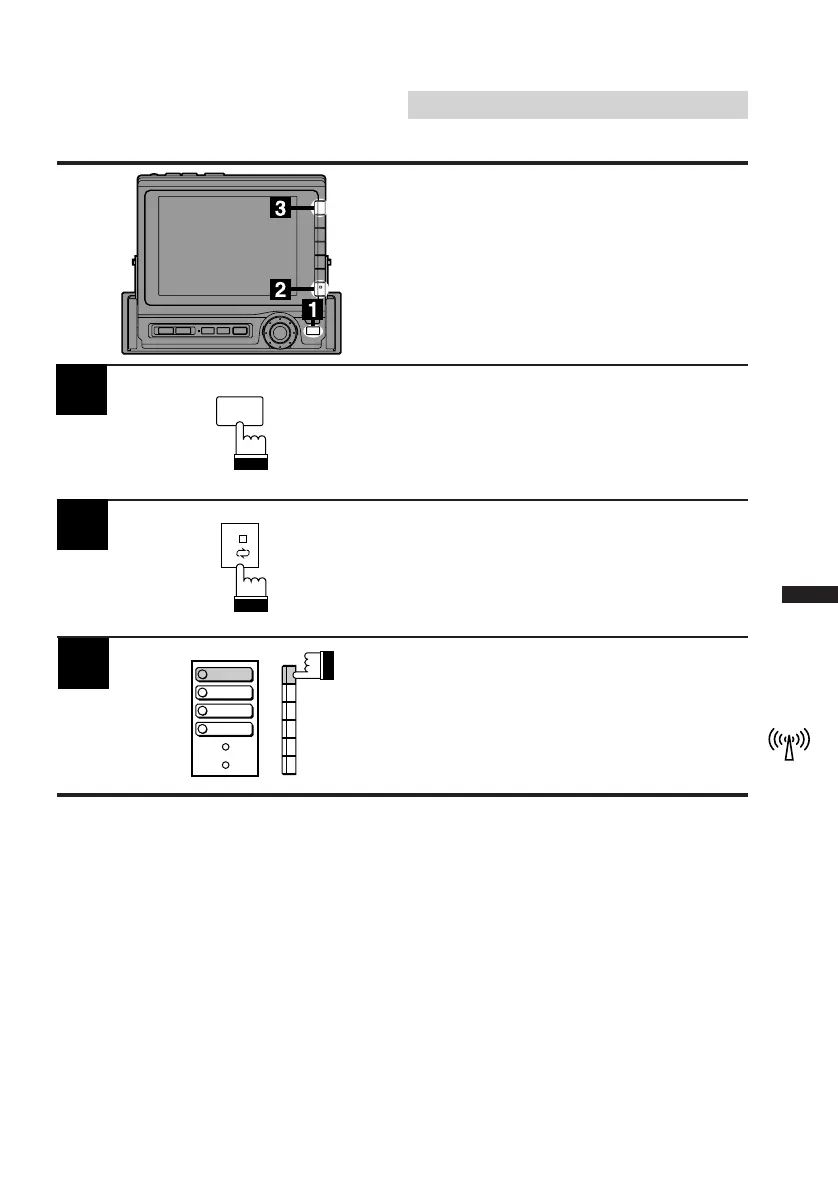
Press the FUNC button in the radio mode.
Note: "STEREO" indicator appears when a
stereo station is tuned in.
Press the NEXT (0/) button.
The contents of the Function screen changes.
2
1
3
Press the F1 (MONO) button. "STEREO"
indicator disappears and the monaural mode
activates.
To return to the stereo mode, press the F1
(MONO) button again.
Mono/Stereo Switching
Use the Mono (monaural) mode to reduce the
noise level of noisy stereo broadcast due to
weak signal.
FUNC
1
2
MONO
P.SCAN
4
TITLE
5
DAP



 To Next Page