33
English
CD Shuttle Operation
Controlling CD Shuttle
(Optional)
If an optional Alpine CD Shuttle (3-Disc, 6-Disc
or 12-Disc) is connected to the CVA-1000E, the
CD Shuttle can be controlled from the CVA-
1000E.
This manual describes operation assuming that
an Alpine 6-Disc CD Shuttle is connected to the
CVA-1000E.
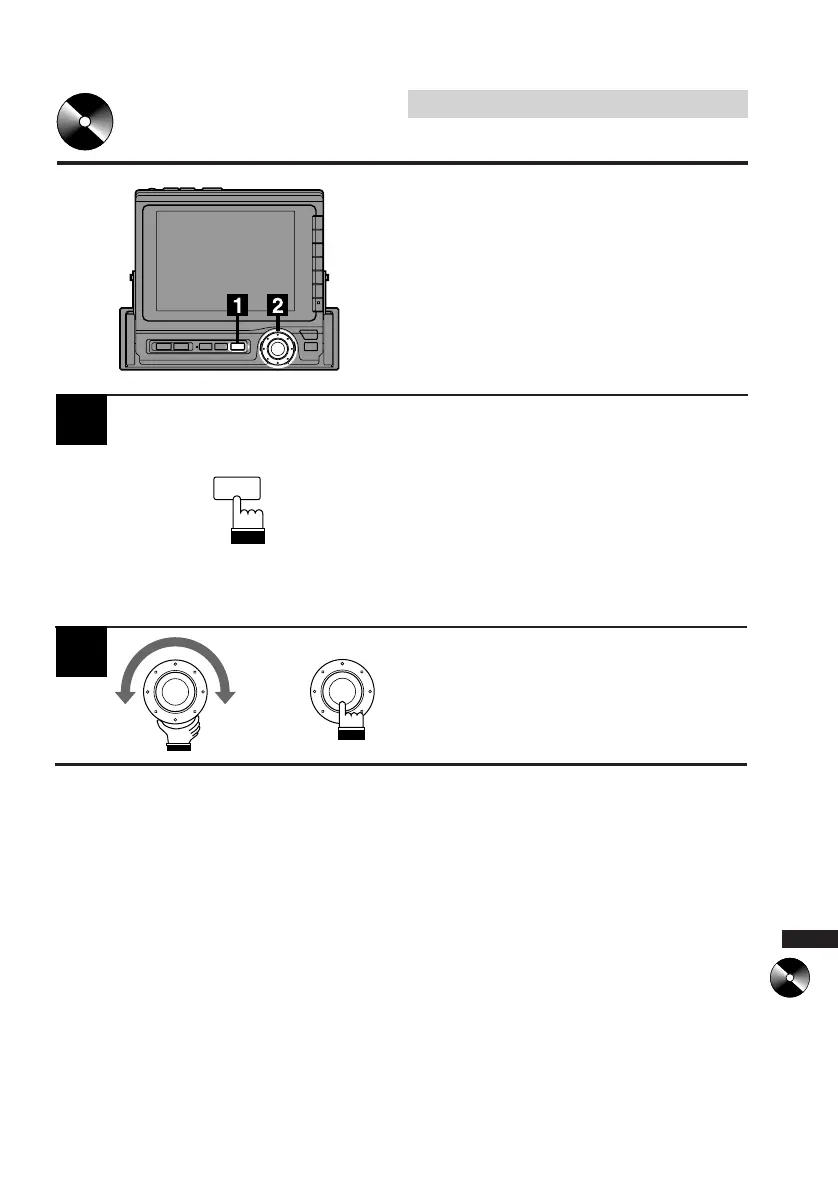
Press the SOURCE button on the CVA-1000E
to select a desired source unit.
The menu screen appears.
Note: Pressing the SOURCE button while
driving (Parking Brake OFF) will cause
the audio source to change immedi-
ately. The SOURCE Selection menu
will not appear. Press the SOURCE
button repeatedly until you are in the
CD Shuttle mode.
1
Turn the rotary switch on the CVA-1000E to
select the CHG menu, then press the rotary
switch.
The display changes to the CD Shuttle control
screen.
2
x
SOURCE



 To Next Page