59
English
Audio Processor
Operation
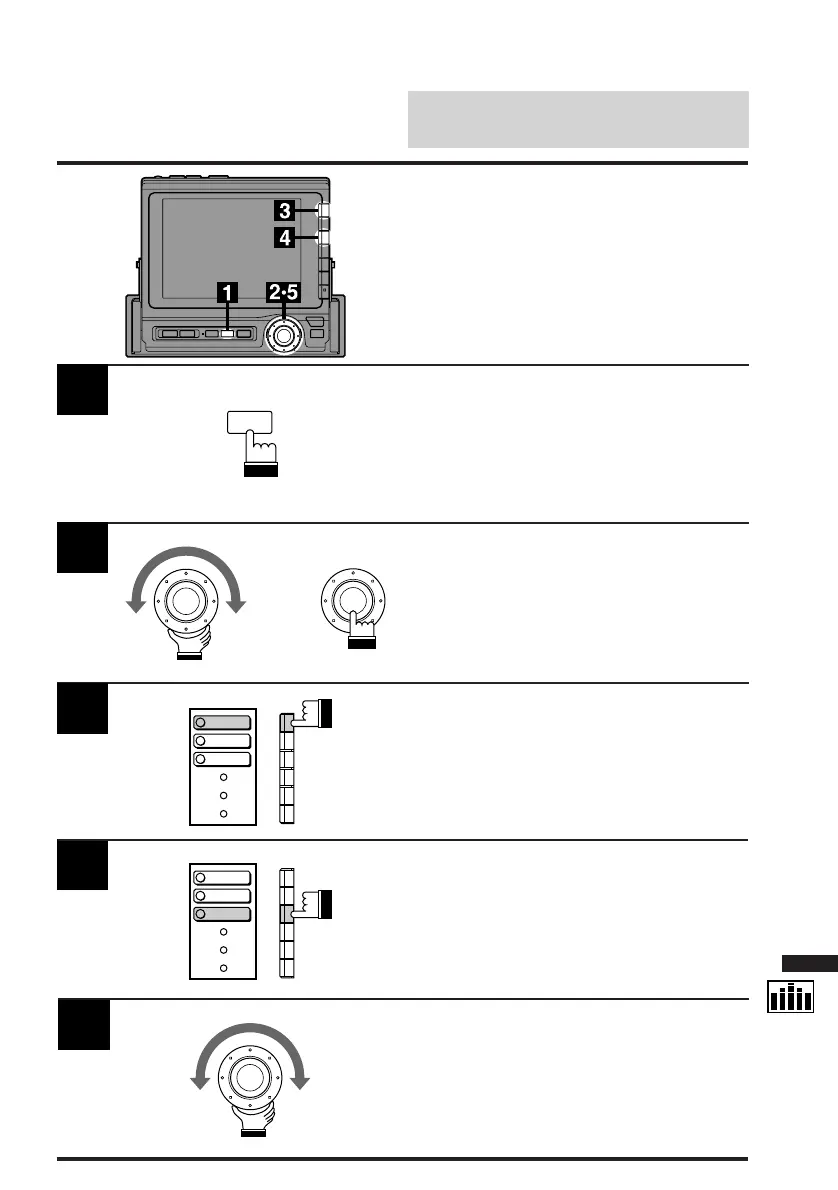
Press the SET UP button.
The Set Up screen appears.
1
Turn the rotary switch and select the "Subw
cont." menu. Press the rotary switch.
The display changes to the Subw cont.
(Subwoofer Control) screen.
2
Press the F1 (OUTPUT) button.
The display changes from the OFF mode to the
ACTIVE mode.
Press the F3 (LEVEL) button.
The bottom menu changes to "DN/RTN/UP."
4
5
Turn the rotary switch clockwise or
counterclockwise to increase or decrease the
subwoofer level respectively.
3
Adjusting Subwoofer
Level
This function is operative only when an audio
processor equipped with the subwoofer level
adjustment feature is connect.
SET UP
x
OUTPUT
PHASE
LEVEL
OUTPUT
PHASE
LEVEL



 To Next Page