29
EnglishEnglish
Cassette Player
Operation
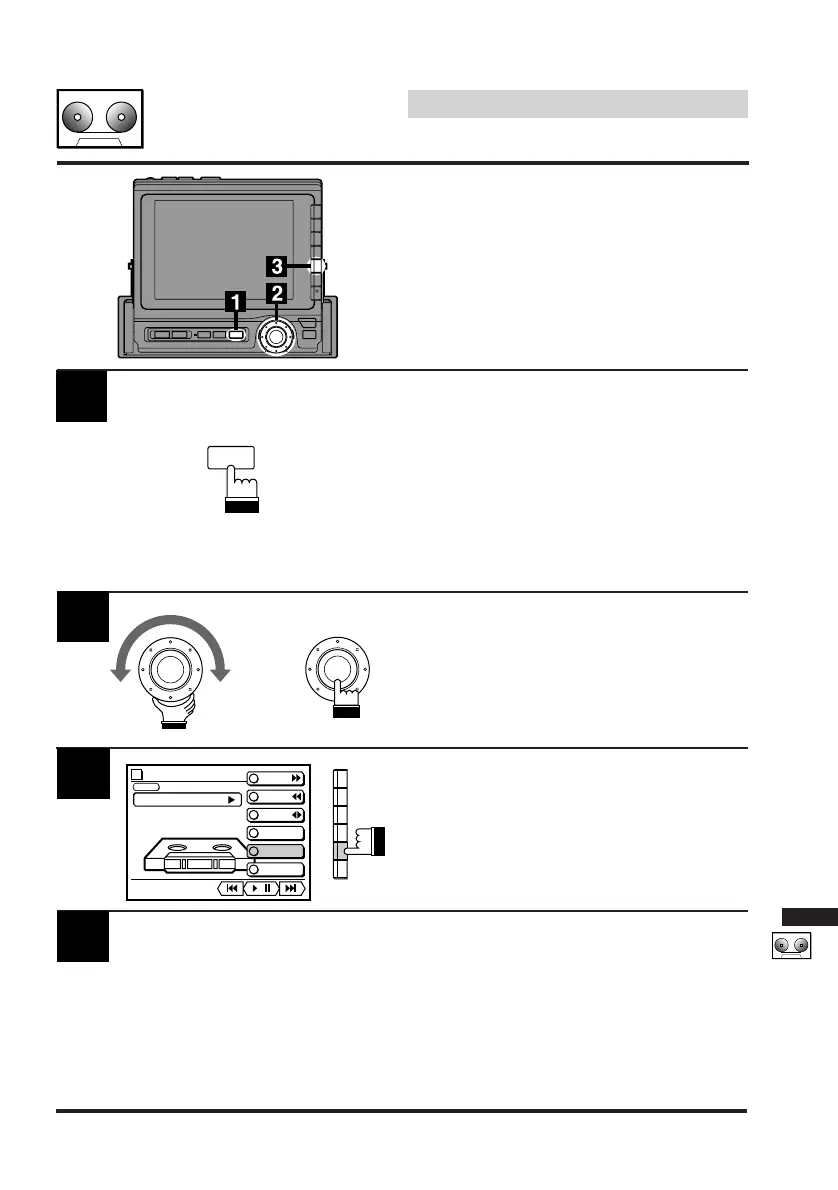
Press the SOURCE button on the CVA-1000E
to select a desired source unit.
The menu screen appears.
Note: Pressing the SOURCE button while
driving (Parking Brake OFF) will cause
the audio source to change immedi-
ately. The SOURCE Selection menu
will not appear. Press the SOURCE
button repeatedly until you are in the
cassette player mode.
1
Controlling Cassette
Player (Optional)
If an optional Alpine cassette player is con-
nected to the CVA-1000E, the cassette player
can be controlled from the CVA-1000E.
Turn the rotary switch on the CVA-1000E to
select the TAPE menu, then press the rotary
switch.
The display changes to the tape player control
screen.
Insert a pre-recorded tape into the tape player.
The tape player starts playing.
2
To eject the cassette tape, press the Eject
button on the tape player.
Note: When a metal cassette tape is inserted,
the player automatically adjusts to the
equalization for metal or any other high
bias tape for optimum sound.
4
Press the F5 (DOLBY NR) button to select a
desired Dolby NR mode. Each press changes
the Dolby NR modes. (Depending on the tape
player connected, the modes vary.)
3
x
SOURCE
TAPE
vol. 0
PLAY
METAL
MODE
F F
REW
PROG
REPEAT
DOLBY NR
B.SKIP
/



 To Next Page