79
English
Other Useful
Features
1
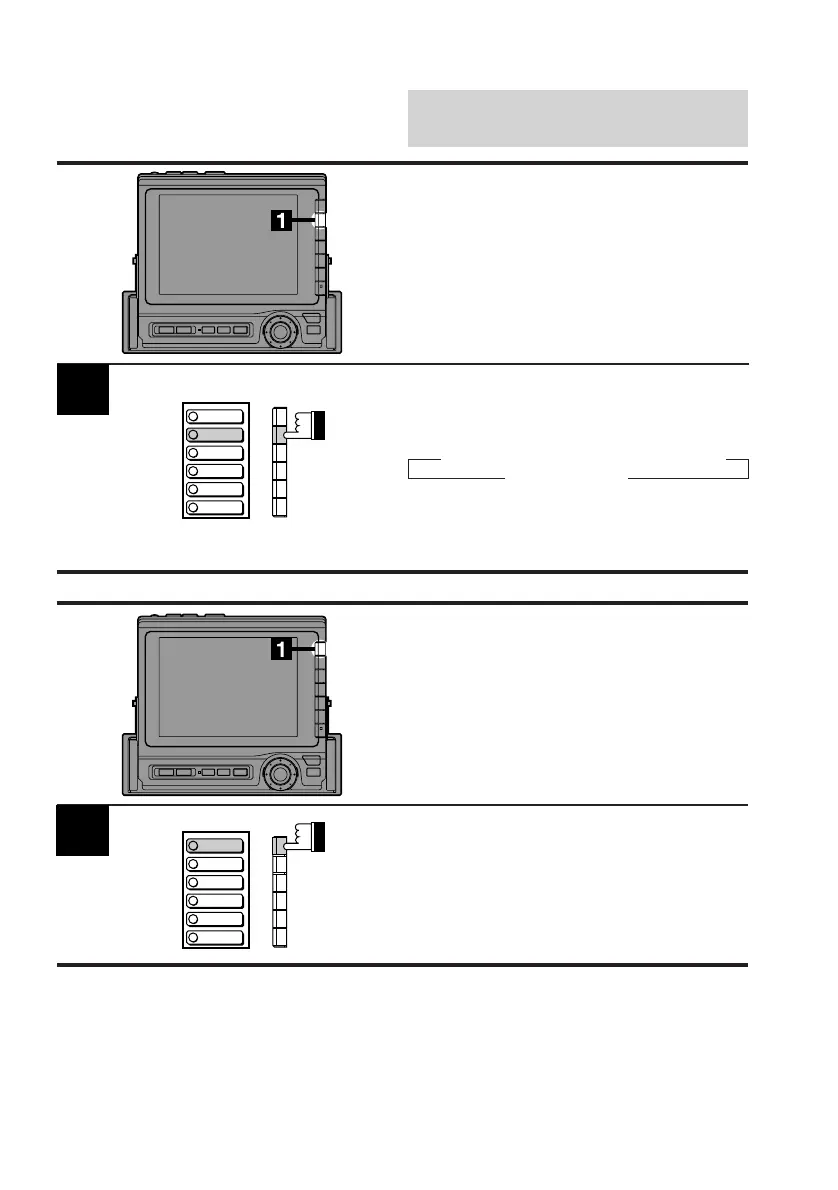
Display the System cont. screen and press the
F2 (SPE-ANA) button. You can select one of
two color patterns.
Each press changes the modes as follows:
→ SPE-ANA ON A → SPE-ANA ON B
SPE-ANA OFF ←
If the AUX 1 or AUX 2 mode is turned on, the
unit cannot display the Spectrum Analyzer
screen.
Displaying Spectrum
Analyzer
If an audio processor equipped with the
spectrum analyzer function is connected to the
CVA-1000E, you can see the spectrum
analyzer screen.
BEEP
SPE-ANA
CLK DISP
HOUR
MINUTE
RESET
Turning Guide Beep
Sound On and Off
When the guide beep sound mode is on and
any button is pressed, the monitor produces a
beep sound to acknowledge the receipt of the
command when a button/switch on the monitor
is pressed.
Display the System cont. screen and press the
F1 (BEEP) button. Each press toggles between
the beep ON and OFF modes. When the beep
ON mode is turned on, the display shows
"BEEP ON" and the monitor produces a beep
sound when any button is pressed.
1
BEEP
SPE-ANA
CLK DISP
HOUR
MINUTE
RESET



 To Next Page