28
English
Radio Operation
DX
A.MEMO
z
AL
P.UP
P.
DOWN
Select the desired radio band (FM1, FM2, AM
or D.A.P.).
Note: To activate the D.A.P. band, press F4
(D.A.P) button.
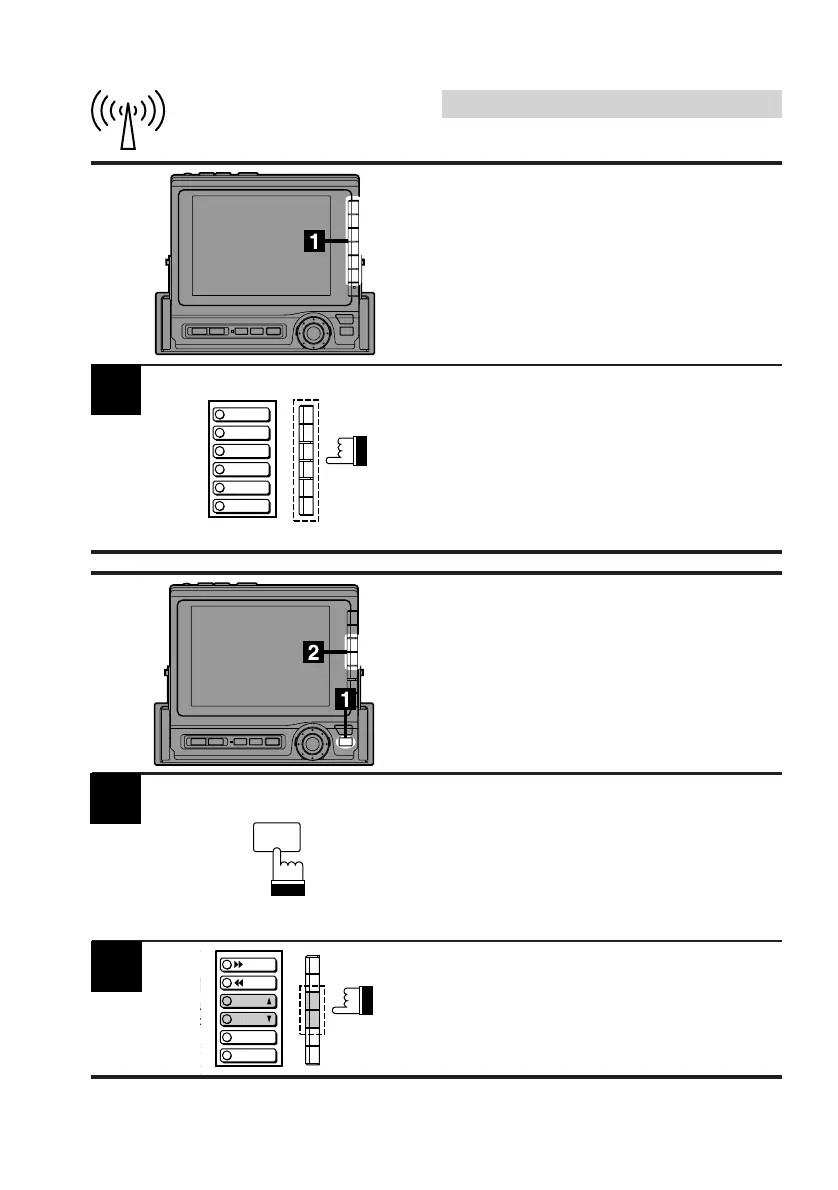
Press the Function button that has your desired
radio station in memory.
Tuning In Preset Stations
Using Function Buttons
(F1 through F6)
Press the FUNC button in the radio mode.
Note: To activate the D.A.P. band, press F4
(D.A.P) button.
Tuning In Preset Stations
Using P.UP/P.DOWN
Buttons
2
Press the F3 (P.UP) or F4 (P.DOWN) button to
select the desired preset station upward or
downward respectively.
FUNC
1
2
3
4
5
6
FM 87.5
FM 90.1
FM 98.1
FM 106.1
FM 108.0
FM 87.5



 To Next Page