21
English
Radio Operation
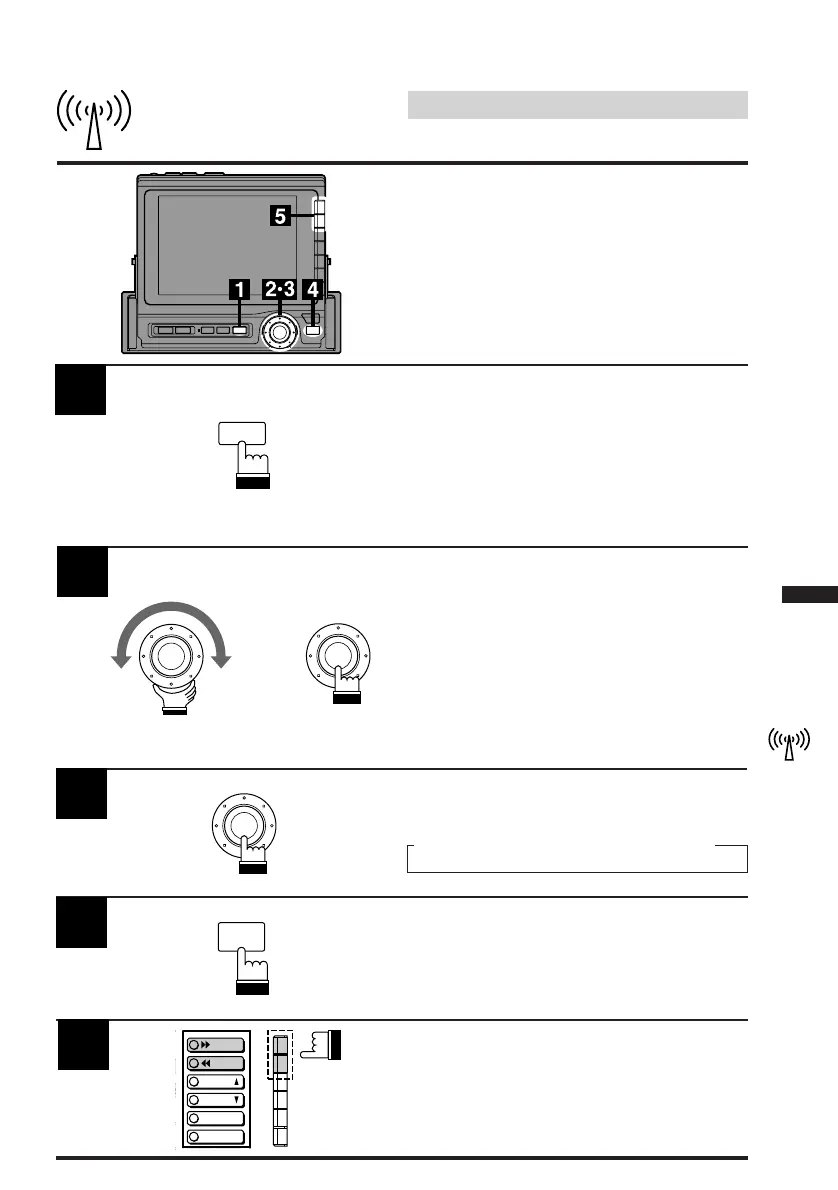
Press the SOURCE button.
The Menu screen appears.
Note: Pressing the SOURCE button while
driving (Parking Brake OFF) will cause
the audio source to change immediately.
The SOURCE Selection menu will not
appear. Press the SOURCE button
repeatedly until you are in the RADIO
mode. Skip to Step 3 in this case.
1
Manual Tuning
Turn the rotary switch to scroll the bottom menu
and select the RADIO menu, and move the
RADIO menu to the extreme end of right side.
Then press the rotary switch.
The radio mode is activated.
2
x
Press the rotary switch to select the desired
radio band. Each press changes the band as
follows:
FM1 → FM2 → AM
3
4
Press the FUNC button. Each press changes
the Function guide menus.
FUNC
DX
A.MEMO
L
P.UP
P.
DOWN
Press the F1 ()) or F2 (() button to
change the radio frequency upward or down-
ward respectively. Each press changes the
frequency one step. When the button is pressed
and held, the frequency changes continuously
until the button is released.
5
SOURCE
→



 To Next Page