20
English
Basic Operation
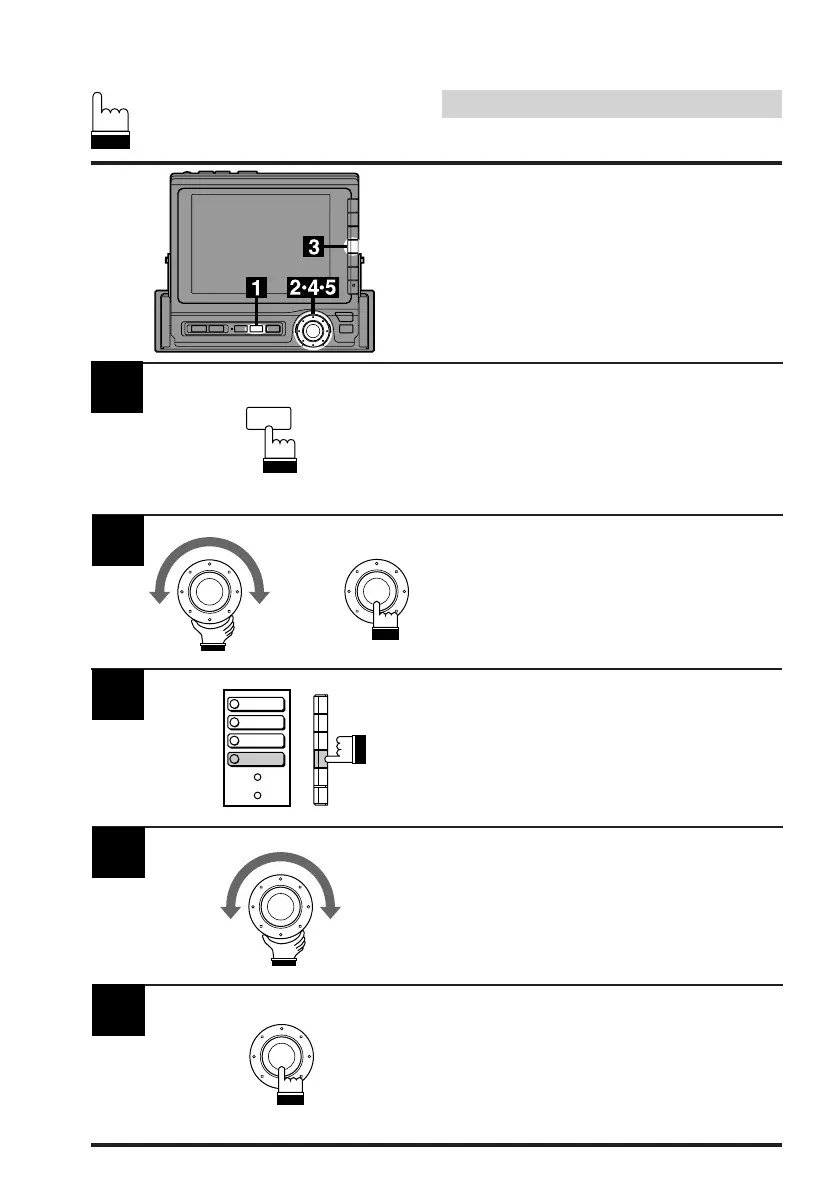
1
Activate the AUX 1 or AUX 2 mode by referring
to Steps 1 and 2 for "Adjusting Brightness of
Picture."
Then press the SET UP button. The Set Up
screen appears.
Turn the rotary switch and select the Visual
cont. menu. Then press the rotary switch.
The screen changes to the Visual cont. screen.
Press the F4 (COLOR) button.
The color adjustment mode is activated and the
DN/RTN/UP menu is shown.
2
3
Turn the rotary switch to adjust to the desired
color.
4
When the color adjustment is complete, press
the rotary switch.
5
Adjusting Color of Pic-
ture
Color adjustment can be made in the AUX 1 or
AUX 2 mode.
SET UP
x
1
2
3
4
BACKGND
BRIGHT
TINT
COLOR



 To Next Page