32
EnglishEnglish
Cassette Player
Operation
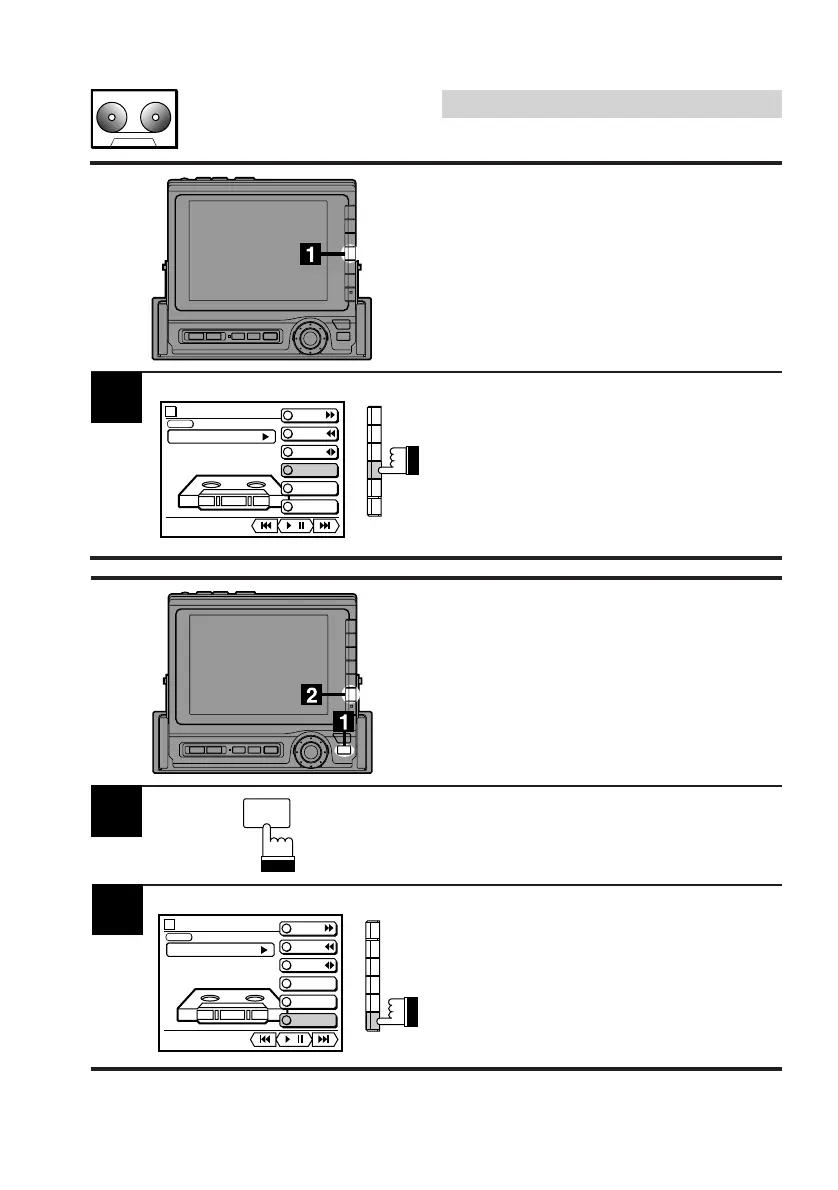
Repeat Play of a
Selection
Press the F4 (REPEAT) button to play back
repeatedly the current selection being played.
To stop the repeat play, press the F4 (RE-
PEAT) button.
Note: Repeat play in the cassette tape mode
can be performed only on a selection
being played.
1
Blank Skip
This feature allows you to skip over blank
portions of the tape lasting 15 seconds or
longer.
Press the FUNC button during tape play.
Press the F6 (B. SKIP) button.
The tape player skips over blank portions
lasting 15 seconds or longer.
To cancel the blank skip mode, press the F6 (B.
SKIP) button.
FUNC
1
TAPE
vol. 0
PLAY
METAL
MODE
F F
REW
PROG
REPEAT
DOLBY NR
B.SKIP
/
TAPE
vol. 0
PLAY
METAL
MODE
F F
REW
PROG
REPEAT
DOLBY NR
B.SKIP
/



 To Next Page