22
English
Radio Operation
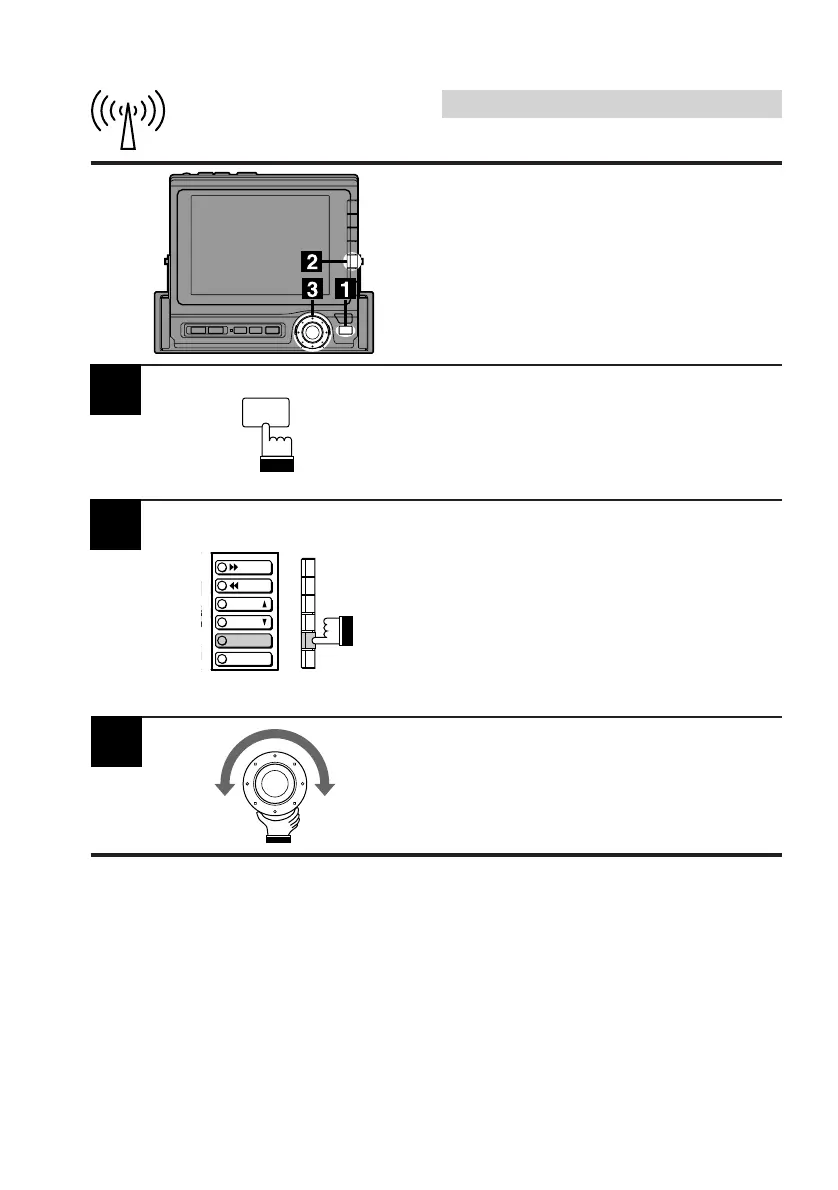
Select the desired radio band following Steps 1
through 3 of Manual Tuning on the previous
page.
Then press the FUNC button. Each press
changes the contents of the Function guide
screen.
Press the F5 (DX) button to select the desired
mode, DX or Local. Each press toggles
between the DX and Local modes.
2
Turn the rotary switch to the right or left to
automatically seek a radio station upward or
downward respectively.
When the unit finds a station, it stops. To
automaticall move to the next station, turn the
rotary switch.
3
Automatic Seek Tuning
For this auto tuning, you can select 2 signal
reception sensitivities:
• DX (Distance) mode (with DX indicator ON);
Both strong and weak stations will be tuned
in.
• Local mode (with DX indicator OFF);
Only strong stations will be tuned in.
FUNC
DX
A.MEMO
L
P.UP
P.
DOWN



 To Next Page