26
English
Radio Operation
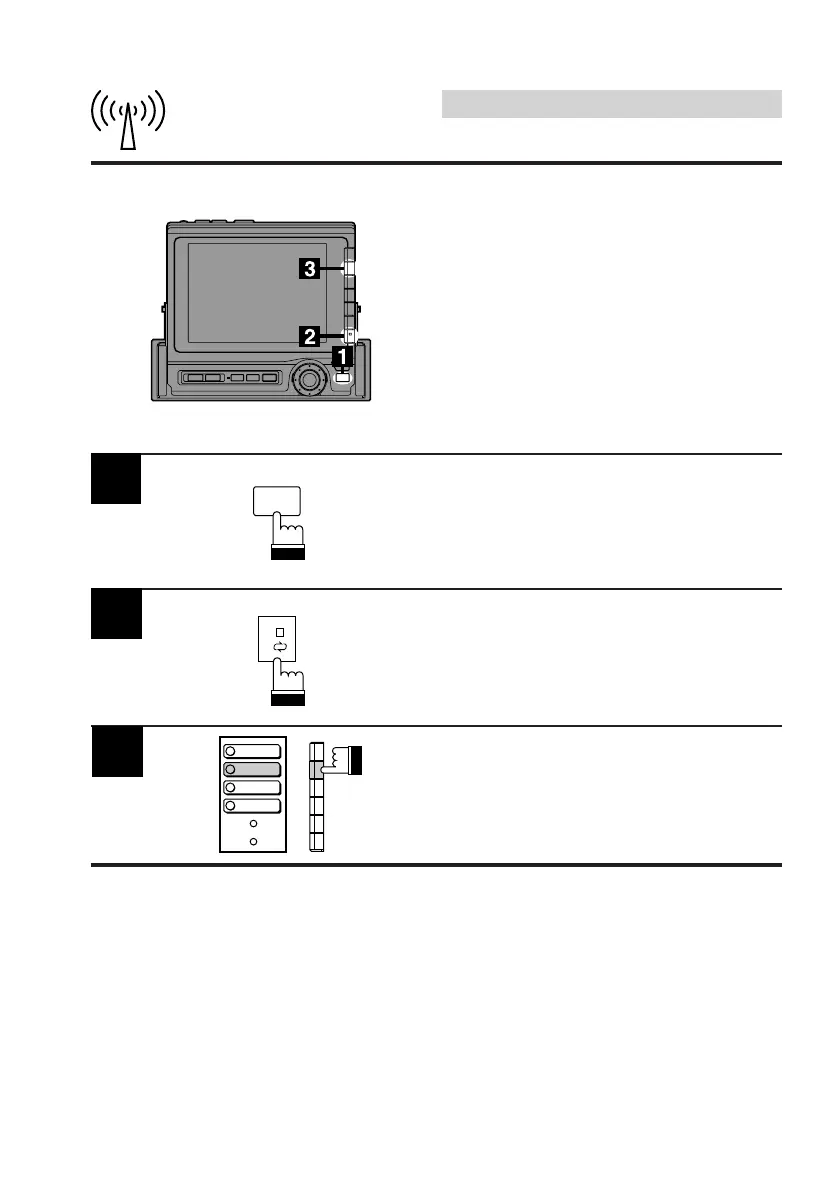
Scanning Preset Stations
You can scan the preset stations in memory on
each band. When the P.SCAN (Preset Scan)
mode is activated, the tuner plays 10 seconds
of each preset station.
Note: If you have driven to an area where
some of your presets are no longer
receivable, the Preset Scan function will
no longer stop on them. Once the
signal level increases to normal "seek-
stop" levels, the Preset Scan function
will find them again.
Activate the radio mode.
Press the FUNC button.
Press the NEXT (0/) button.
The Function Guide screen changes.
2
3
Press the F2 (P.SCAN) button.
The tuner plays 10 seconds for each preset
station.
When your desired preset station is found,
press the F2 (P.SCAN) button to stop scanning.
FUNC
1
2
MONO
P.SCAN
4
TITLE
5
DAP



 To Next Page