51
English
Audio Processor
Operation
BBE1
BBE2
BBE3
BBE OFF
L-LEVEL
H-LEVEL
N RTN UP
BBE1
BBE2
BBE3
BBE OFF
L-LEVEL
H-LEVEL
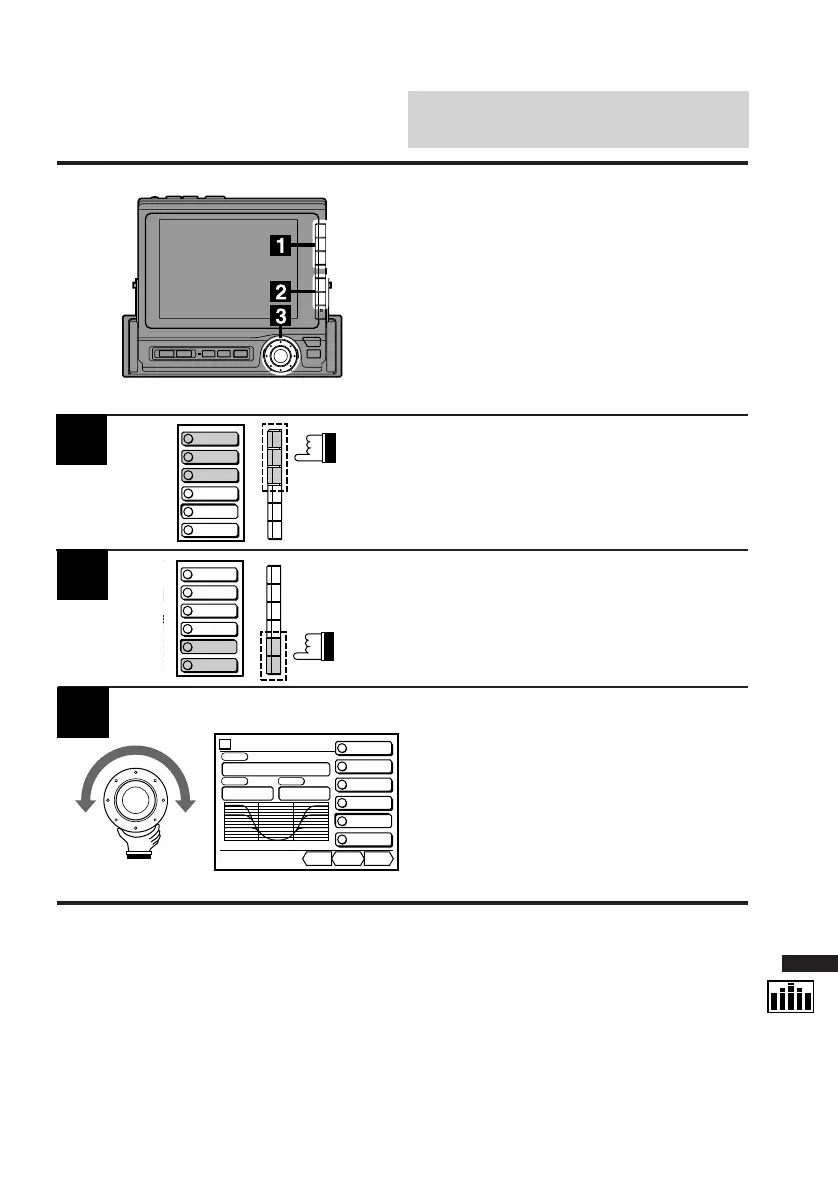
Display the EQ cont. screen and press the
Function button (F1-F3) which has the BBE
mode you wish to adjust.
Press the F5 (L-LEVEL) button to adjust the low
level.
Press the F6 (H-LEVEL) button to adjust the
high level.
The DN/RTN/UP menu appears.
Turn the rotary switch to the left (DN) to lower
the level and to the right (UP) to raise the level
to obtain your desired level.
The level can be adjusted in the range of +1 to
+3.
2
3
Customizing BBE Mode
This function is operative only when an audio
processor equipped with the BBE adjustment
feature is connected.
BBE
CONT.
BBE1
BBE2
BBE3
BBE OFF
L-LEVEL
H-LEVEL
DN RTN UP
vol. 0
LOW HIGH
Custom
L
+
1
H
+
3
PSET



 To Next Page