English
56
Audio Processor
Operation
1
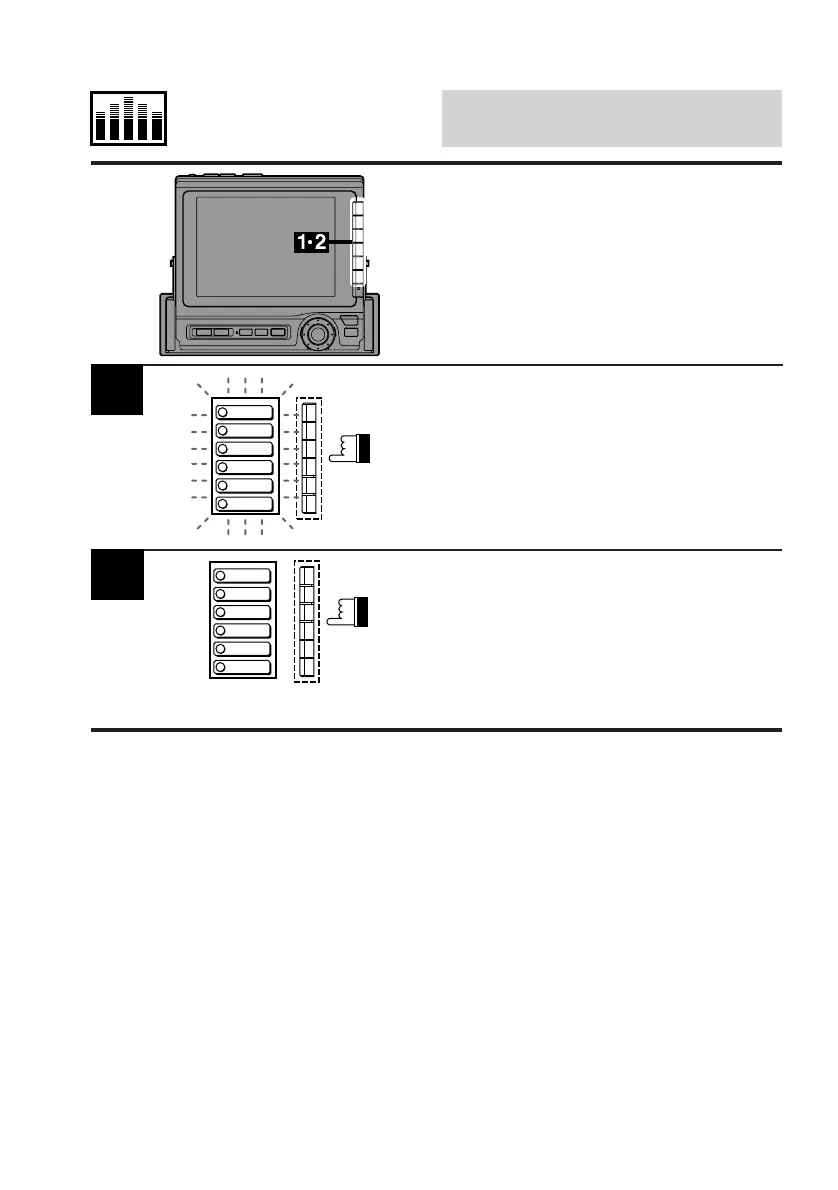
Adjust the Time-Correction value as described
in the previous procedure.
Press and hold any one of the Function buttons
(F1-F6) for at least 2 seconds.
The preset indicators in the display will blink for
5 seconds.
Memorizing Time-
Correction Value
Select the Function button into which you wish
to memorize the adjusted Time-Correction
value while the indicators are blinking (5
seconds).
The preset indicators stop blinking indicating
that memorizing has been completed.
To memorize other values, repeat the above
procedure.
2
PRESET 1
PRESET 2
PRESET 3
PRESET 4
PRESET 5
PRESET 6
PRESET 1
PRESET 2
PRESET 3
PRESET 4
PRESET 5
PRESET 6



 To Next Page