67
English
Audio Processor
Operation
3
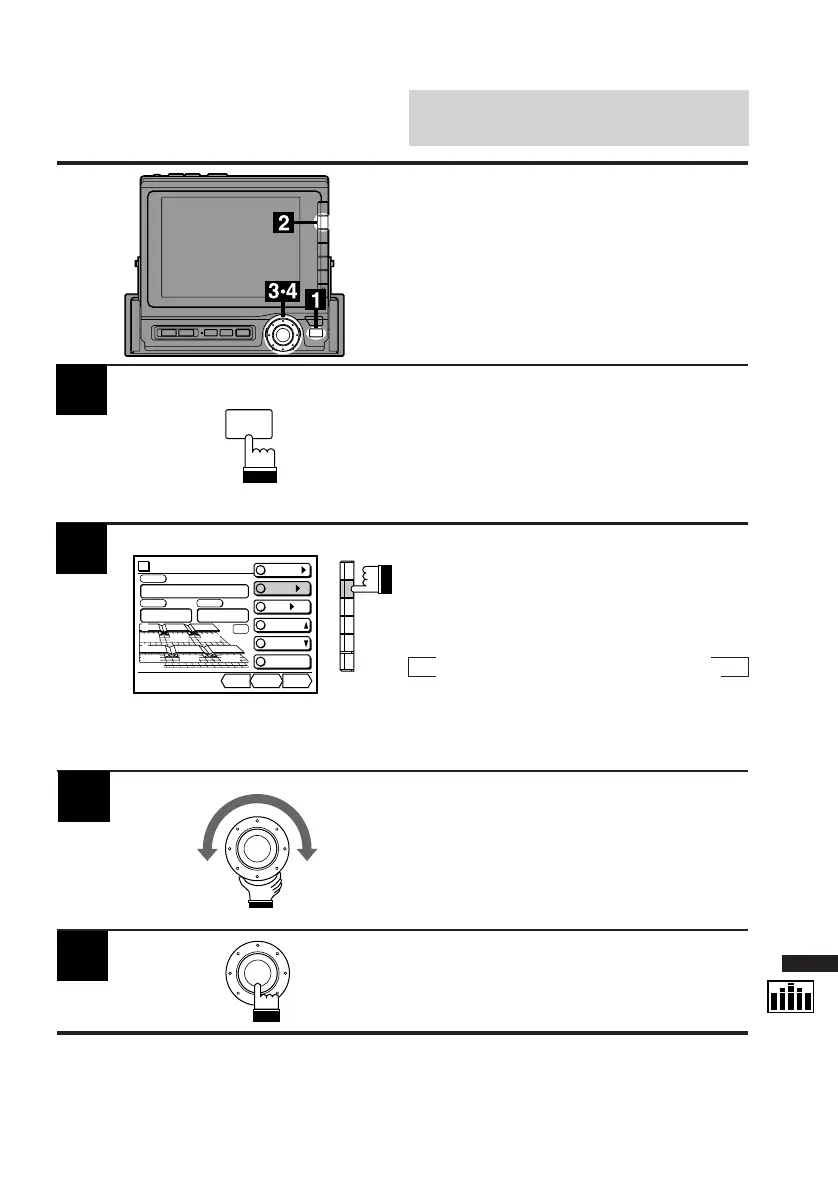
Turn the rotary switch and adjust to your
desired level.
To adjust other frequency ranges, follow Steps
2 and 3 above.
4
When the adjustments have been completed,
press the rotary switch.
The display returns to the Set Up screen.
Display the DIV. cont. screen and press the
FUNC button.
The contents of the Function Guide screen
changes.
1
2
Select the frequency range you want to adjust.
When the F2 (LEVEL) button is pressed once,
the display shows the adjustment value of the
level.
Each press changes the frequency ranges as
follows:
→ L-Low → R-Low → L-Mid
R-High ← L-High ← R-Mid ←
The level adjustment mode is activated and the
DN/RTN/UP menu is displayed.
Adjusting Levels of Fre-
quency Ranges
FUNC
Divider
CONT.
X-OVER/
LEVEL/
T-CR/
P.UP
P.DOWN
C H STEP
Custom
PSET
Fr/Rr
dB
DN RTN UP
-12
dB
L-High
L
R
-
12
-
12
-
12
-
12
-
12
-
12
F



 To Next Page