190
Backup file creation procedure
Follow the steps below to create a backup file.
1
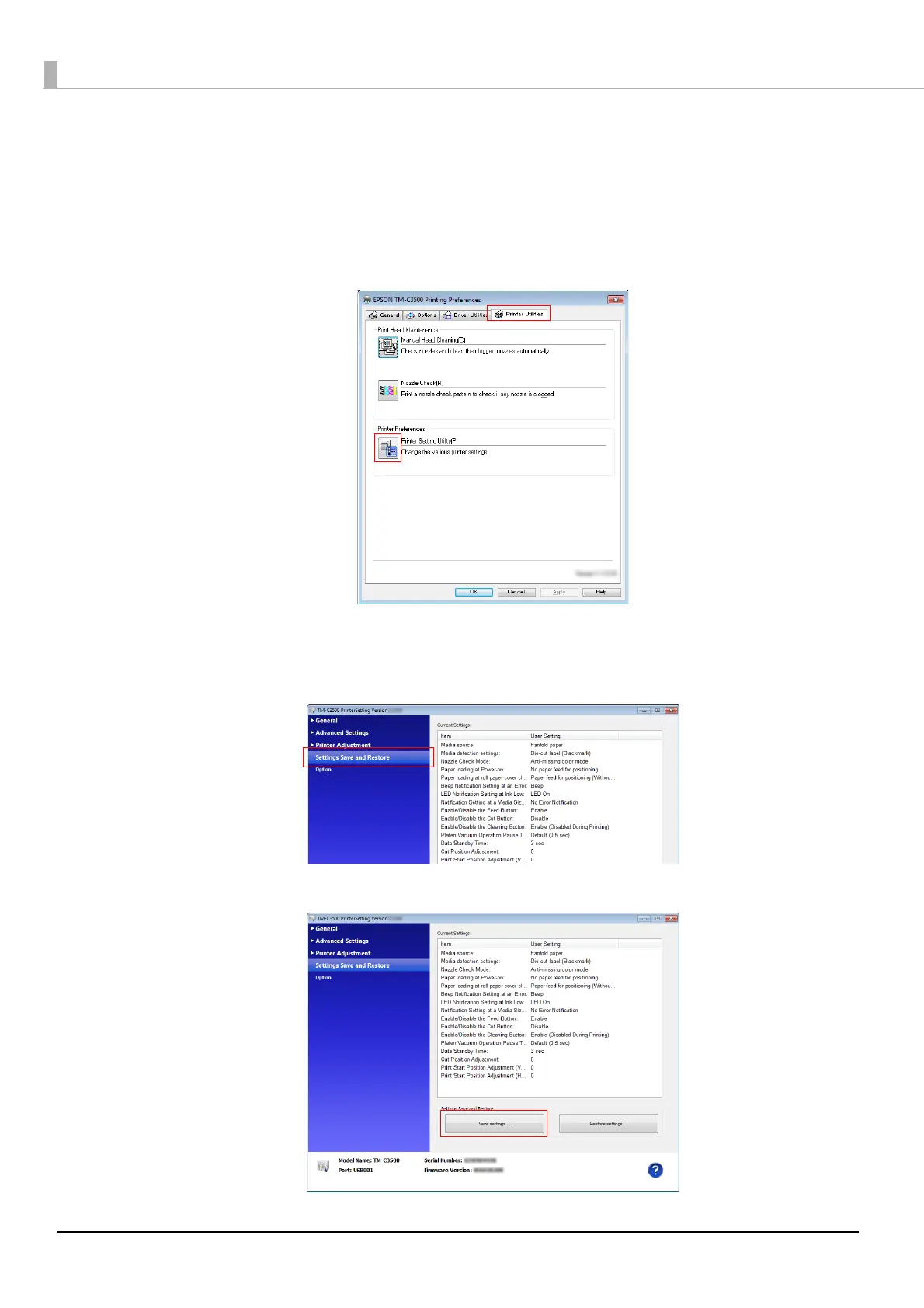
Start TM-C3500 Printer Driver.
2
Select [Printer Utilities] and click [Printer Setting Utility].
3
TM-C3500 PrinterSetting starts. Specify the printer settings.
4
Click [Settings Save and Restore].
5
Confirm [Current Settings] and click [Save Settings].



 To Next Page