221
Chapter 6 Appendix
6
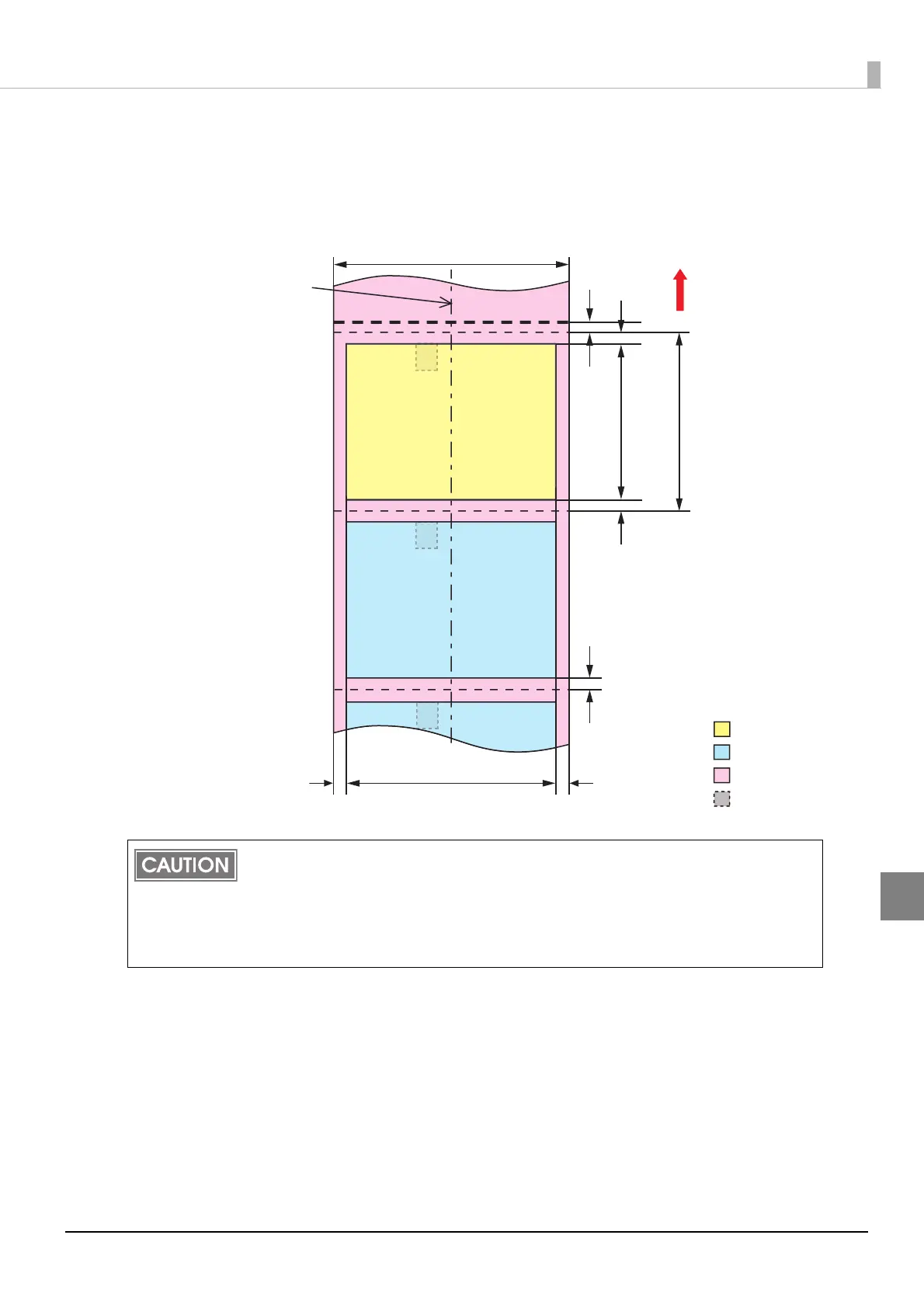
When "Borderless Printing" is enabled
Top, bottom, left, right margins: 0 mm (Typical value)
If you enabled "Borderless Printing", printing is done with settings for no margins, but the
printing might protrude beyond the paper/label, depending on the actual print position
and the set position for the paper/label. To make sure printing does not protrude out,
ensure margins of 1.5 mm {0.06"} or more in the print data.
Even if "Borderless Printing" is enabled, the maximum value for the print area width is
104 mm {4.09"}.
Print area
Label area
Backing paper
Black mark
position
Paper width
0.5 to 1.0 mm
1.5 mm
Auto-cut position
Paper feeding
direction
Center of paper width
Edge cutoff 2.0 mm
1.5 mm
Auto-cut position
Print area width
Edge cutoff 2.0 mm
Auto-cut position
Perforated line
15.0 mm or more*1
18.0 mm or more*2
1.5 mm
*1 When auto cut is not performed:
8.0 mm or more
*2 When auto cut is not performed:
11.0 mm or more



 To Next Page