228
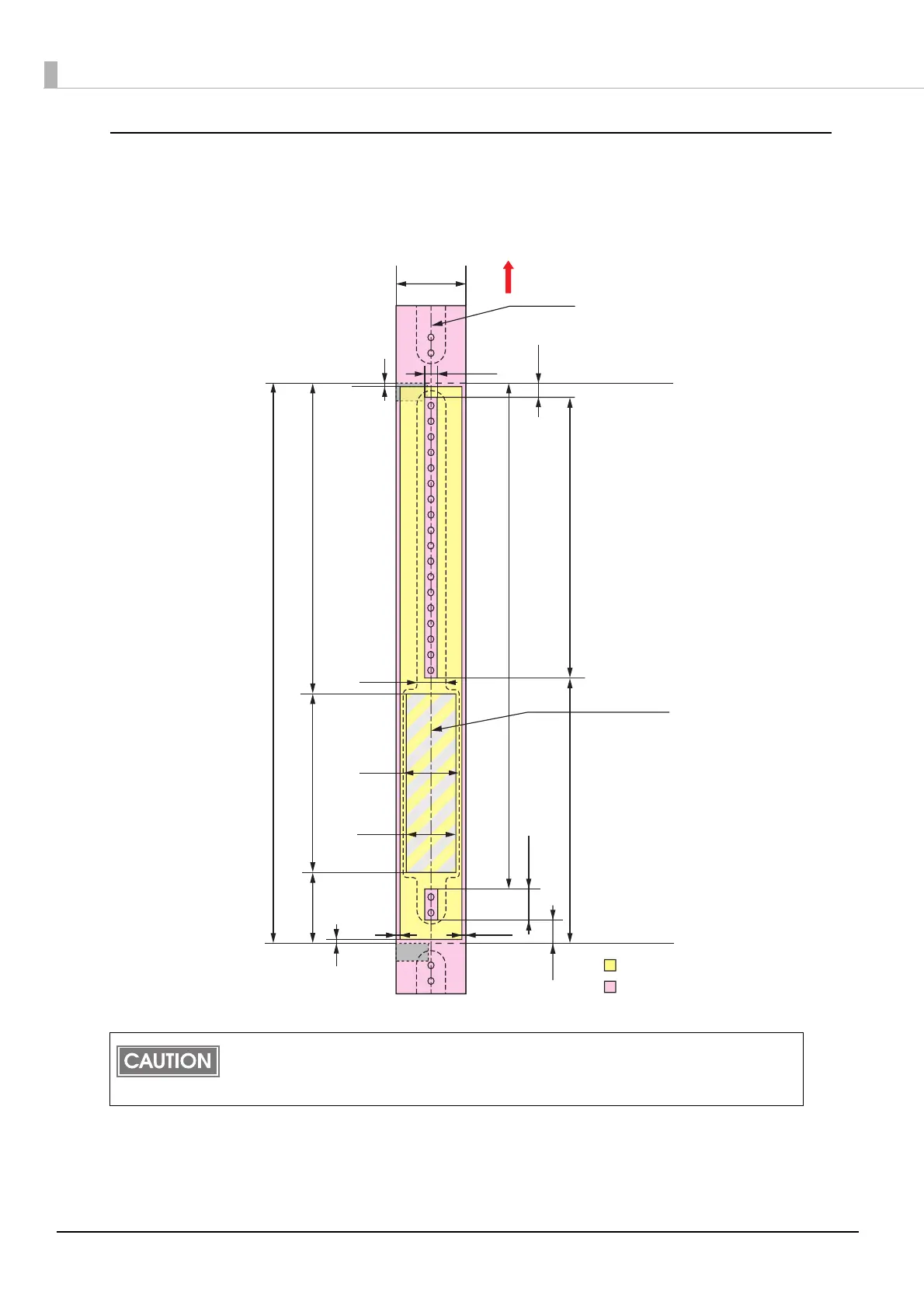
Wristband/roll paper (WB-L series)
When “Borderless Printing“ is disabled
Top, bottom, left. right margins: 1.5 mm (Typical value)
Do not print inside or within 2 mm {0.08"} around the snap button mounting hole to pre-
vent damage to the mechanical functions.
If using the WB-S/M/L series, use the attachment (OT-WA34).
Paper width
1.5 mm
Autocutting position
Paper feeding direction
Print area
2.0 mm
Paper
Autocutting position
Center of paper width
5.5 mm
183.0 mm
15.0 mm
1.5 mm
71.0 mm
265.0 mm
158.4 mm
122.9 mm
Recommended print area for
text and barcodes (*dimension)
38.1 mm
292.1 mm
28.0 mm
24.0 mm
14.6 mm
12.5 mm
1.5 mm
10.8 mm
36 mm



 To Next Page