227
Chapter 6 Appendix
6
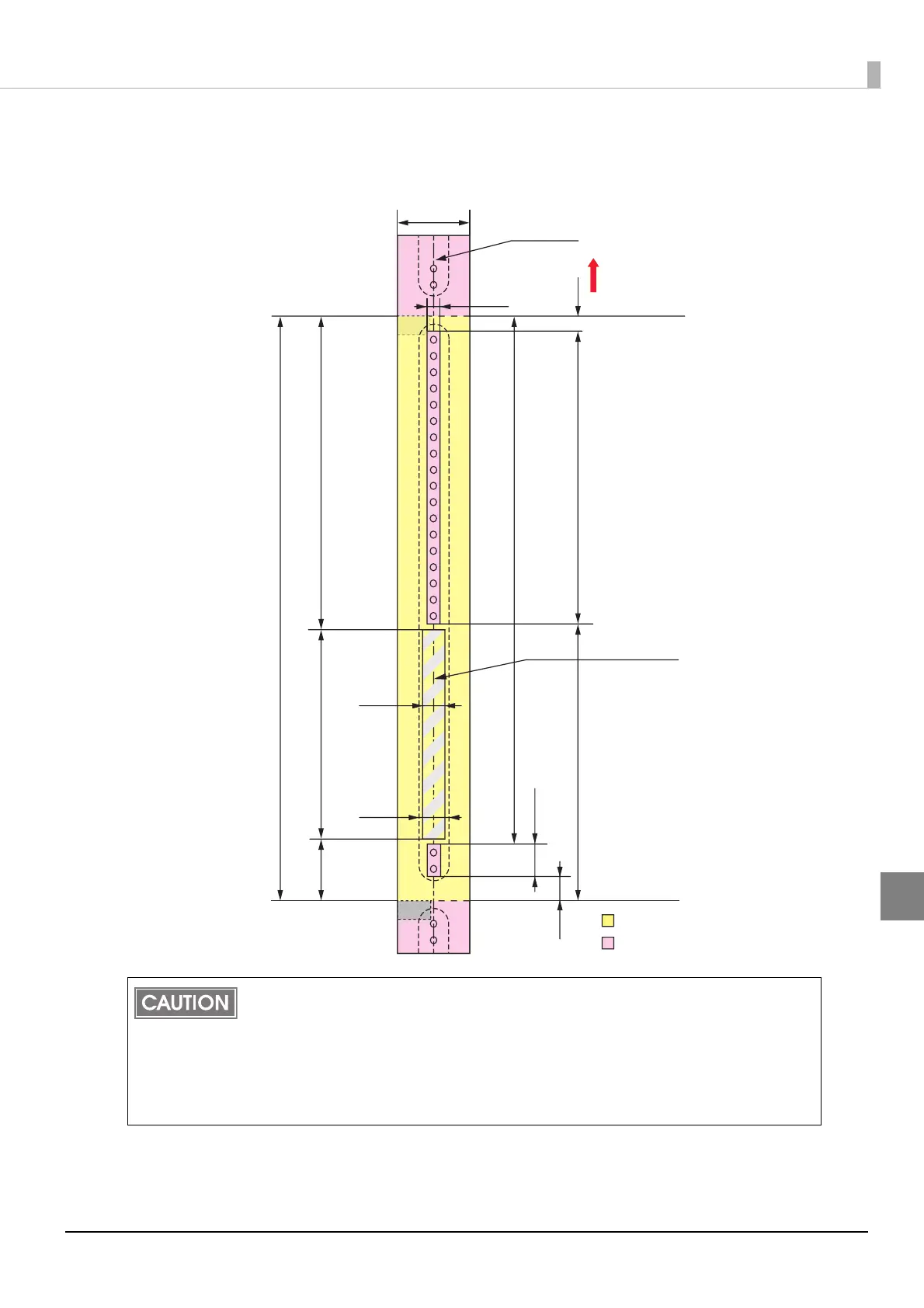
When “Borderless Printing“ is enabled
Top, bottom, left. right margins: 0 mm (Typical value)
Do not print inside or within 2 mm {0.08"} around the snap button mounting hole to pre-
vent damage to the mechanical functions.
If using the WB-S/M/L series, use the attachment (OT-WA34).
If you enabled "Borderless Printing”, printing is done with settings for no margins, but
the printing might protrude beyond the paper/label, depending on the actual print posi-
tion and the set position for the label. To make sure printing does not protrude out,
ensure margins of 1.5 mm {0.06"} or more in the print data.
Paper width
Autocutting position
Paper feeding direction
Print area
Paper
Center of paper width
5.5 mm
11.0 mm
Recommended print area for
text and barcodes (*dimension)
30.6 mm
292.1 mm
156.5 mm
105.0 mm
15.0 mm
265.0 mm
14.6 mm
12.5 mm
138.9 mm
142.4 mm
Autocutting position
10.8 mm
36 mm



 To Next Page