73
Chapter 3 Handling
3
22
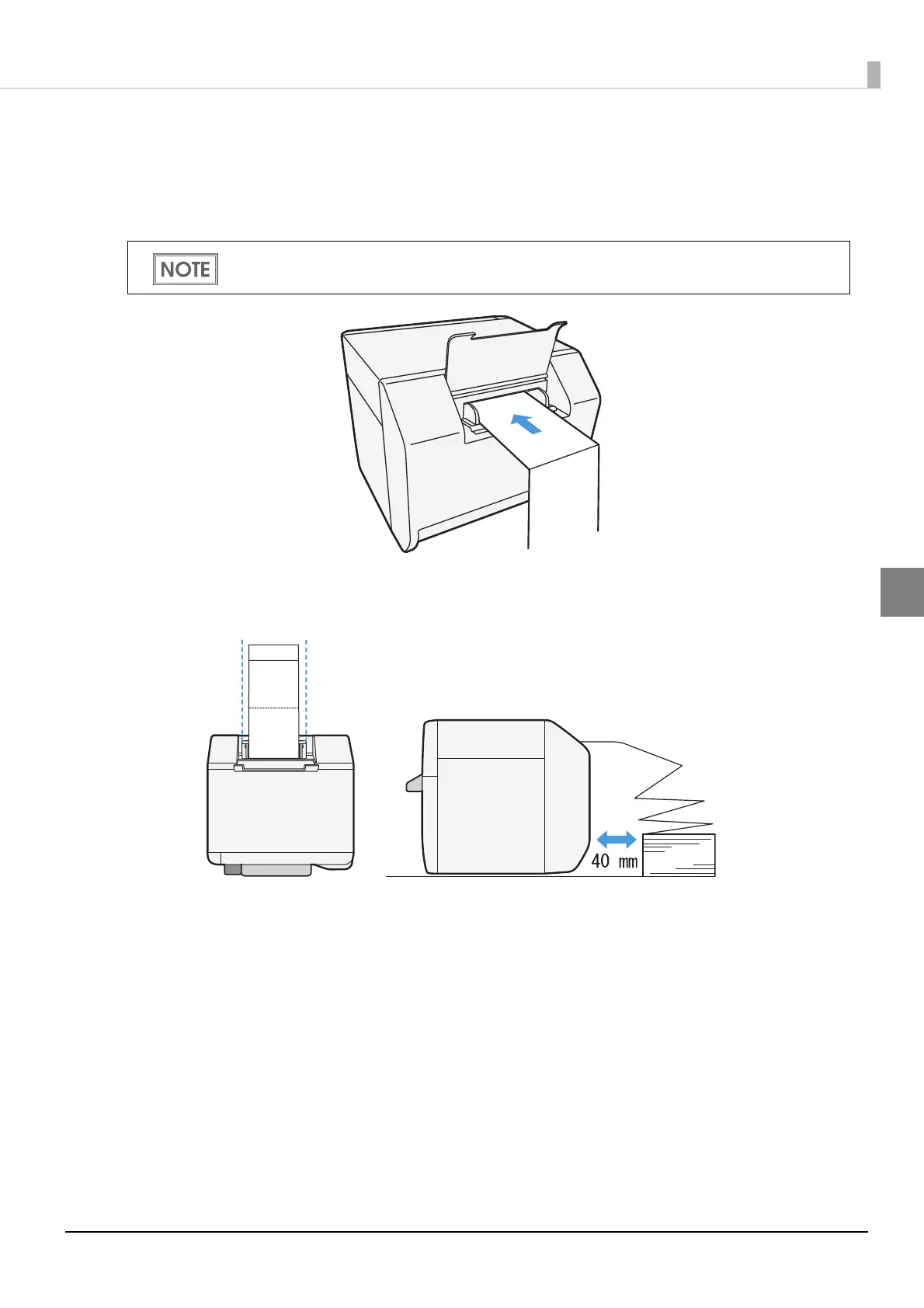
Insert the fanfold paper into the paper slot, facing the print surface upward.
Insert the paper until it is pulled into inside the printer (approximately 100
mm {3.94"}). The printer detects the edge of the fanfold paper, pulls it inside,
and then starts feeding it to the print starting position.
23
Place the stack of fanfold paper straight at least 40 mm {1.57"} away from
the back of the printer.
When "Paper loading at roll paper cover close" is set to "With cutting", the paper is automatically
cut after fed. (See "Paper Loading Settings" on page 119.)



 To Next Page