IS-300A
4. How to Operate Screens
4-4
* OFF/Off time
・ Count and step value are updated each welding.
・ RE-WELD does not work simultaneously with OFF/Off time. When OFF/Off
time is set, RE-WELD becomes invalid.
・ START SIGNAL MODE has limitations. When OFF/Off time is set,
MAINTAINED of START SIGNAL MODE does not work. It works as
LATCHED.
(c) WELD (1, 2, 3)
Set the length of time to allow welding current to flow. As units of time, ms and
CYC may be selected. Either unit can be selected via the MODE SELECT screen.
(See (9)(e).) The setting range depends on the control method and the current
range. See 10. Specifications.
UP (1, 2, 3)
Set the upslope time (to increase the welding current gradually).
DOWN (1, 2, 3)
Set the downslope time (to decrease the welding current gradually).
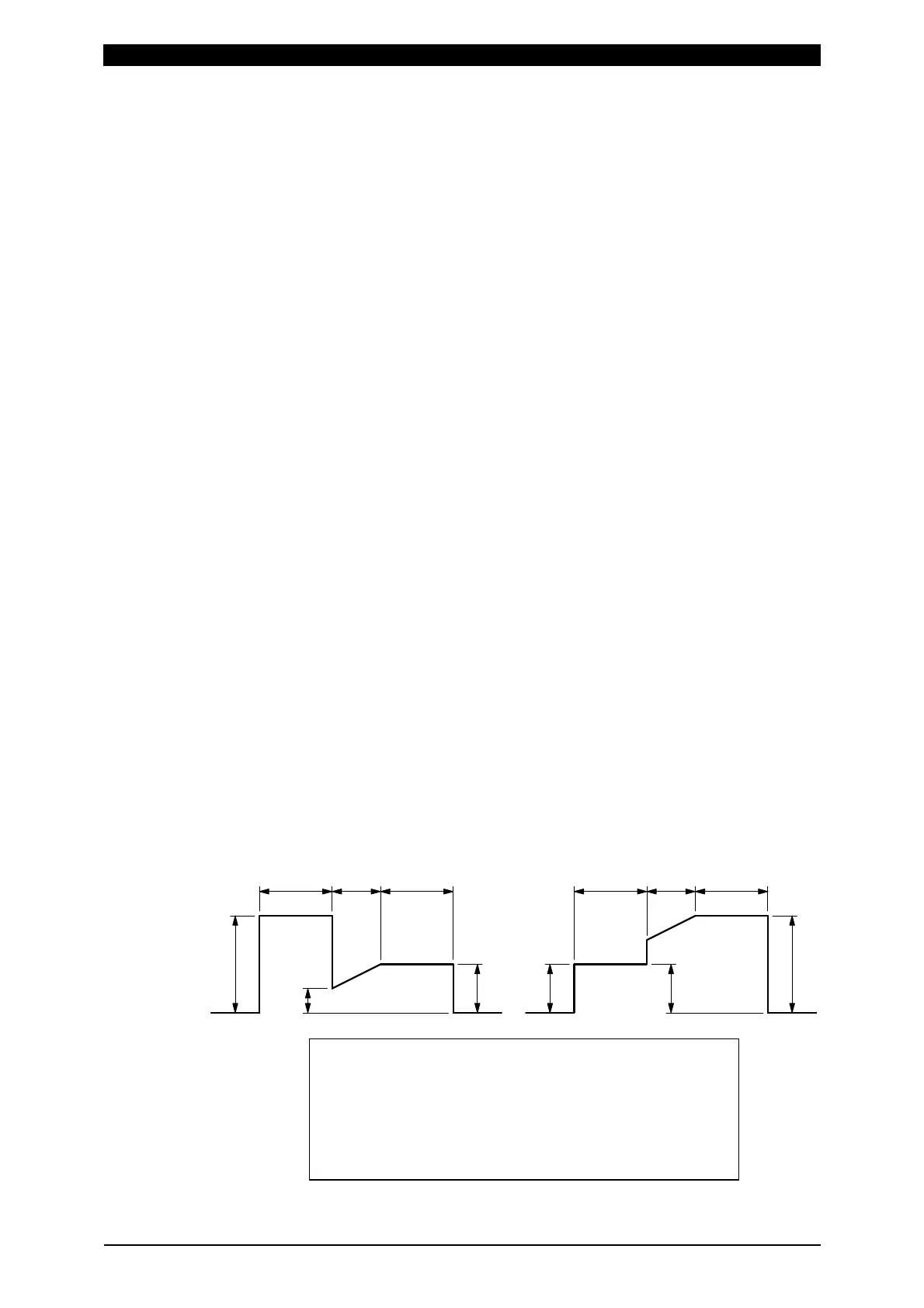
(Note) Upslope / Downslope waveform when COOL (cooling time) is set to 0.
The welding current normally increases from the UF set value to the
HEAT set value and decreases from the HEAT set value to the UF set
value, but E-10 (Schedule setting error) will occur when the Power Supply
starts with the following setting.
When the control methods for the previous and subsequent stages in
the multi-stage welding are changed.
The control method for the previous stage is different from that for the
subsequent stage.
When the upslope time is set for the subsequent stage in the
multi-stage welding.
The upslope time is set for the subsequent stage, and the HEAT
setting of D and the UF HEAT setting of E are different.
E
F
CBA
D
D
A
F
CB
E
A: WELD1 time or WELD2 time
B: UP2 time or UP3 time
C: WELD2 time or WELD3 time
D: WELD1 HEAT or WELD2 HEAT
E: UF2 HEAT or UF3 HEAT
F: WELD2 HEAT or WELD3 HEAT



 To Next Page