IS-300A
9. External Communication Function
9-6
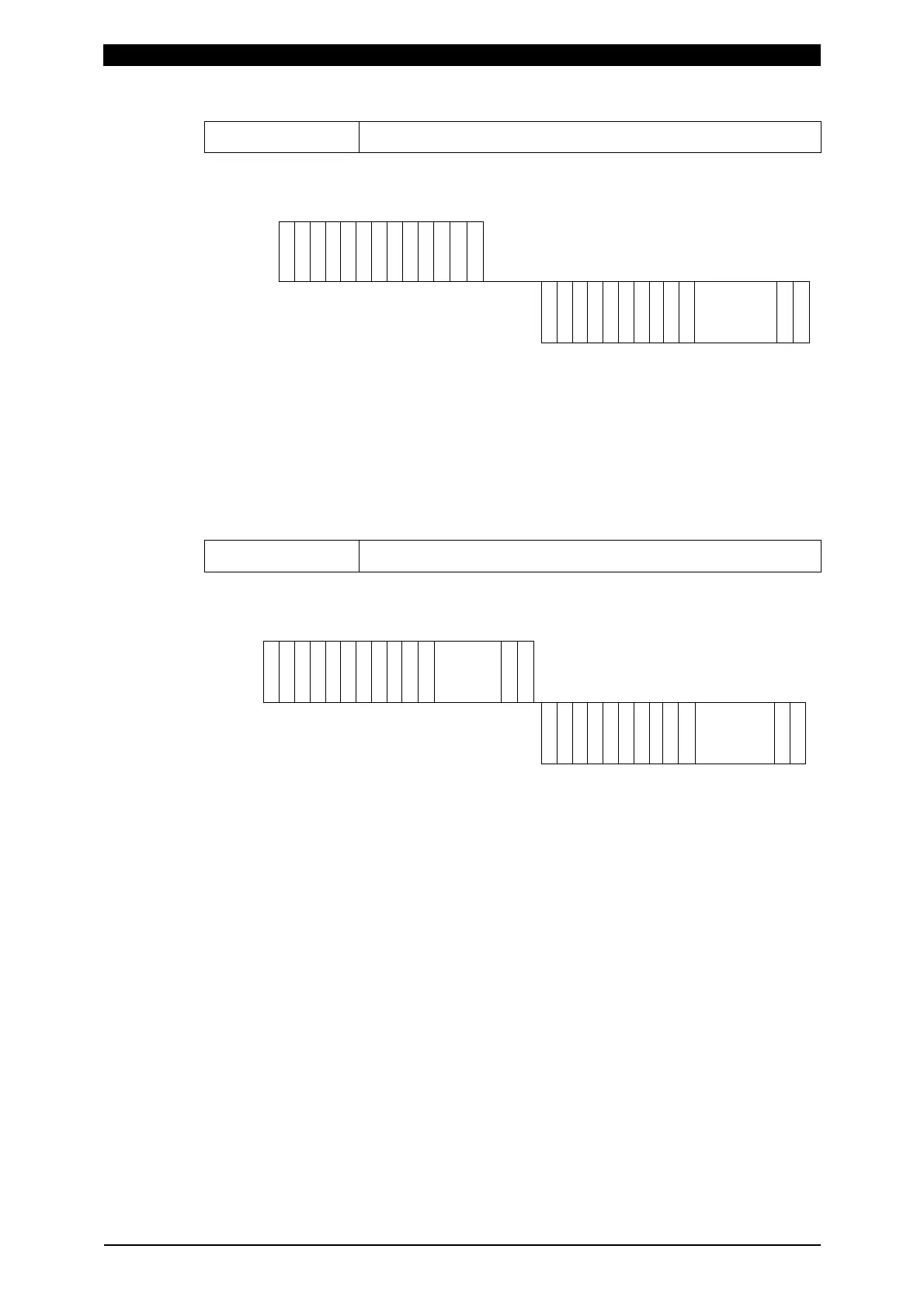
Reading of data
Code: # Device No. R Schedule No. S Screen No. *
Example: Read all data of Screen No. “01” of Schedule No. “008” of the specified
device No. 01.
Host
#
I
D
1
I
D
2
R
S
H
1
S
H
2
S
H
3
S
S
C
1
S
C
2
*
C
R
L
F
0
1
0
0
8
0 1 :
0 1 0 0 8 0 1
!
I
D
1
I
D
2
S
H
1
S
H
2
S
H
3
S
S
C
1
S
C
2
: Data
C
R
L
F
IS-300A
Insert [,] between data for a schedule.
1) SH1, SH2 and SH3 are schedule numbers.
Fixed to 3 digits (SH1=Hundred’s place, SH2=Ten’s place, SH3=One’s place)
However, screen 03, 05 and 07 are fixed to the schedule No. 000.
2) SC1 and SC2 are screen numbers.
Fixed to 2 digits (SC1=Ten’s place, SC2=One’s place)
3) For the data order for a schedule of each screen No., see (5) Data Code List.
Setting of data
Code: # Device No. W Schedule No. S Screen No. Data
Example: Write data for a schedule of Screen No “01” of Schedule No. “008” of
the specified device No. 01.
Host
#
I
D
1
I
D
2
W
S
H
1
S
H
2
S
H
3
S
S
C
1
S
C
2
: Data
C
R
L
F
0
1
0
0
8
0 1 :
0 1 0 0 8 0 1 :
!
I
D
1
I
D
2
S
H
1
S
H
2
S
H
3
S
S
C
1
S
C
2
: Data
C
R
L
F
IS-300A
Insert [,] between data for a schedule.
1) SH1, SH2 and SH3 are schedule numbers.
Fixed to 3 digits (SH1=Hundred’s place, SH2=Ten’s place, SH3=One’s place)
However, screen 03, 05 and 07 are fixed to 000 of schedule No.
2) SC1 and SC2 are screen numbers.
Fixed to 2 digits (SC1=Ten’s place, SC2=One’s place)
(Note) Screen 04 and 07 (1) are read only and cannot be written.
3) For the data order for a schedule and the screen No., see (5) Data Code List.
4) The set data is returned as a confirmation data. When data which is outside
the range is set, previous data is returned.
5) The display on the program unit is not updated during writing of data. Return
to the MENU screen, then display the screen.
6) It takes about 5 seconds at most to save data into the flash memory (The
READY lamp is turned off during saving). Be careful when writing continuously.
The flash memory has the rewriting limit (about 100,000 times). Be careful
when writing frequency.



 To Next Page