1-9 ACL
Released: 01/2014
E-mail: service@amfreece.cz; webside: amfreece.com
Phone: +420 582 309 146; Fax: +420 582 360 606
1. SETTING UP THE MACHINE INTO HOME POSITION TO GET READY FOR SEWING
1. Turn the switch clockwise into the “on” I.
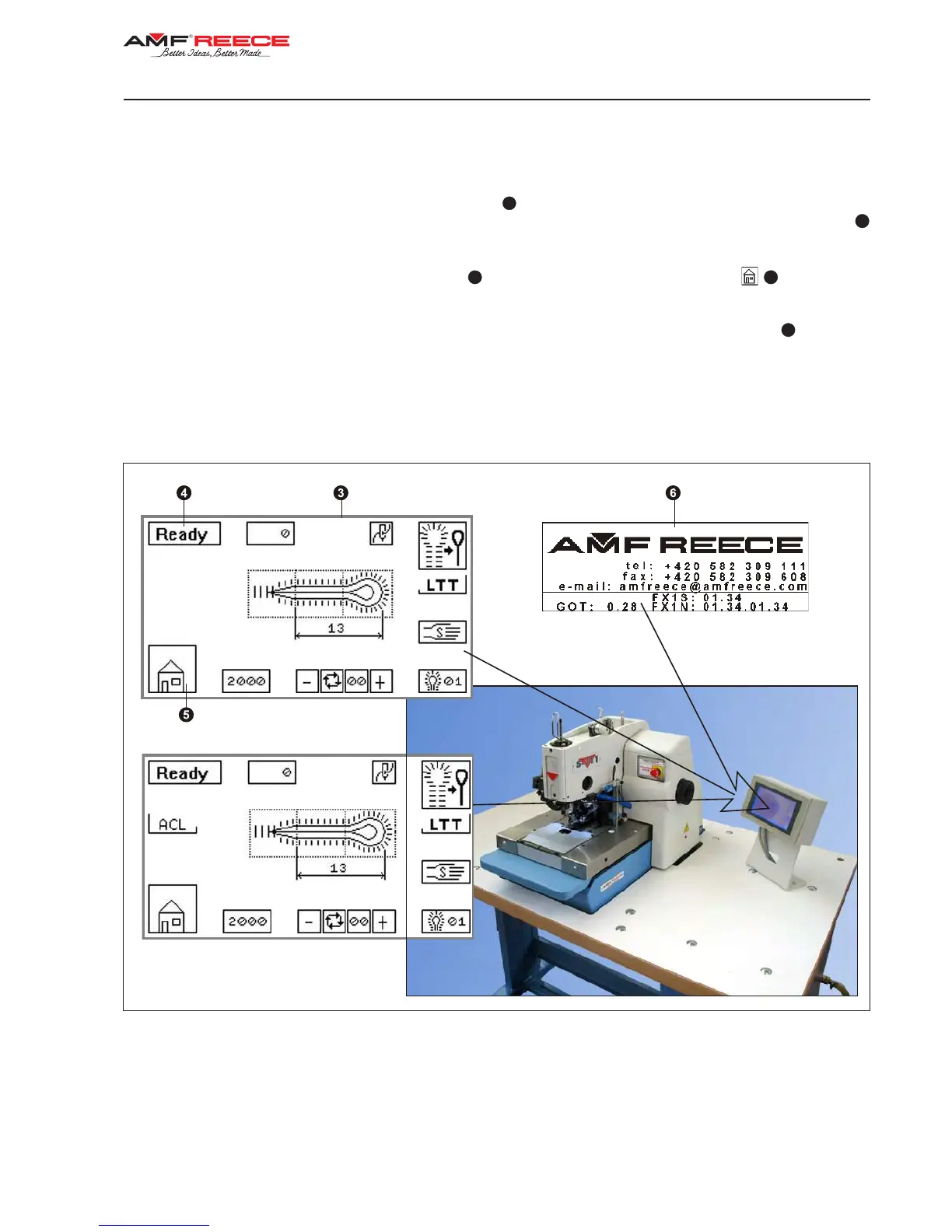
2. The display is activated and illuminated. The screen
with information about the manufacturer and program
numbers downloaded in the machine show up. Wait until the machine show up. Wait until the main screen
appears.
3. If the error message E01 appears in the panel
(machine not in home position), press
. If other error
message appears on the display, see the Trouble shooting section.
4. The machine is ready to operate when the message Ready appears on the display in the panel
.
(Display description on page 1-28, S-311).
5. If you wish to switch the machine to ACL mode, follow the introduction in section D, chapter 1.
Setting up the ACL display, page 1-7 ACL
ACL Display


 To Next Page