PAGE 32
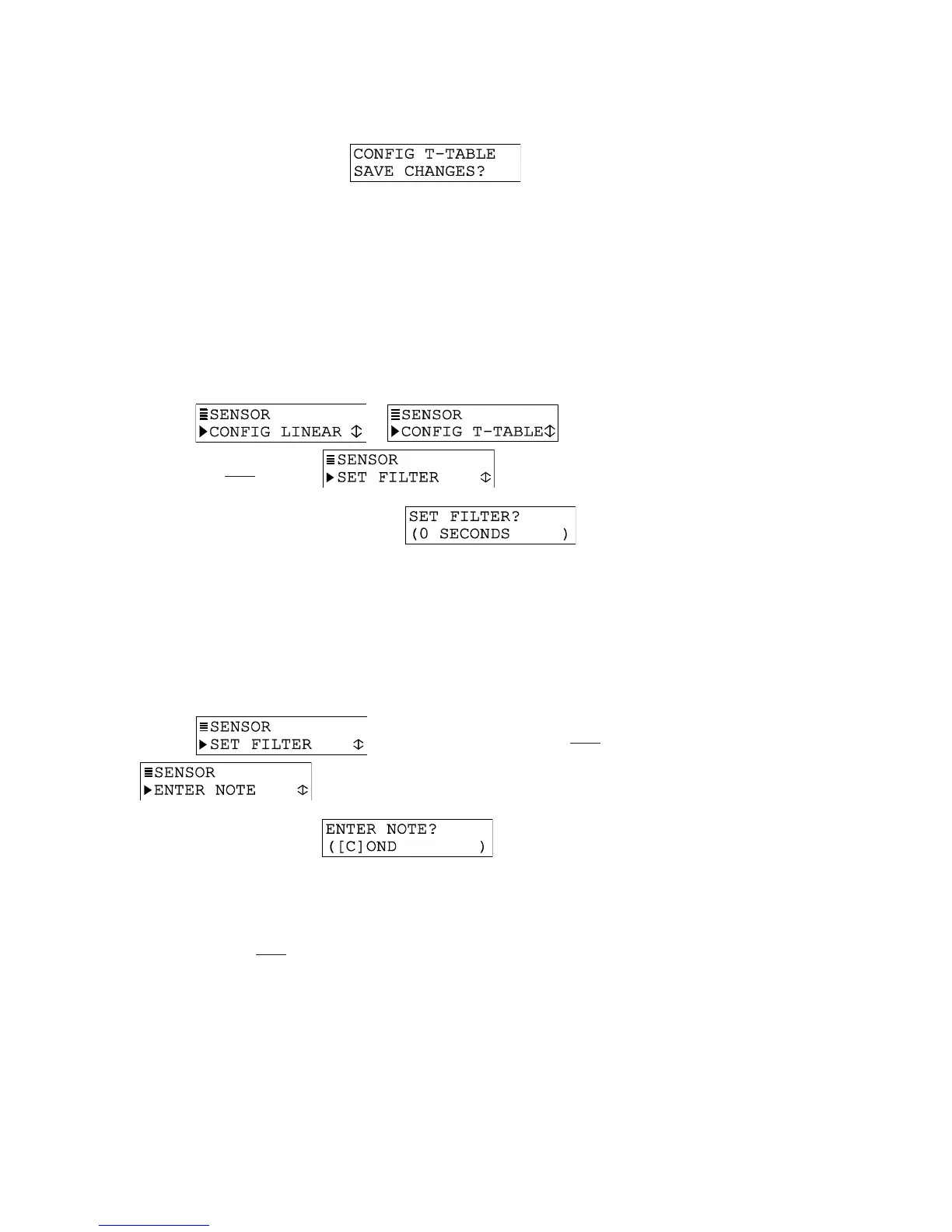
G. Press ENTER key to display .
H. Press ENTER key again to save the table.
NOTE: If the table contains unacceptable coordinate values, the display shows a “CONFIRM
FAILURE” message. Pressing ENTER key displays the unacceptable coordinate(s).
Set FILTER time
A time constant (in seconds) can be set to filter or “smooth out” the sensor signal. A minimum
value of “0 seconds” has no smoothing effect. A maximum value of “60 seconds” provides
maximum smoothing. Deciding what sensor signal filter time to use is a compromise. The higher
the filter time, the longer the sensor signal response time will be to a change in the actual
process value.
1. With the
or screen displayed,
press
ØØ
ØØ
Ø key once to display .
2. Press ENTER key to display a screen like . Use arrow
keys to adjust to a desired filter time, and press ENTER key to enter it.
ENTER NOTE (top line of MEASURE screen)
The top line of the MEASURE screen readouts that separately show the measurement,
temperature, and analog output values are factory set to read “COND.” This notation can be
changed, for example, to “BASIN 1” to tailor the transmitter MEASURE screen to the application.
The top line would then be “MEASURE BASIN 1.” The notation is limited to eight characters
which can be a combination of capital letters A through Z, numbers 0 through 9, spaces, #
symbols, hyphens, and periods.
1. With the screen displayed, press
ØØ
ØØ
Ø key once to display
.
2. Press ENTER key to display .
Create the desired notation on the second line:
A. Starting with extreme left character position, use
××
××
× and
ØØ
ØØ
Ø keys to select the
desired first character.
B. Press
ÖÖ
ÖÖ
Ö key once to select the next character, and use
××
××
× and
ØØ
ØØ
Ø keys to select
its desired character.
C. Repeat procedure until desired notation is displayed.
3. Press ENTER key to enter the displayed notation.
Select TEMP ELEMENT Type
The temperature element type is factory-set to “PT1000” for automatic temperature
compensation (defines built-in temperature element in electrodeless conductivity sensors).


 To Next Page