2-4 Interface Screen Instrument Overview
2-6 PN: 10580-00252 Rev. K Site Master User Guide
2-4 Interface Screen
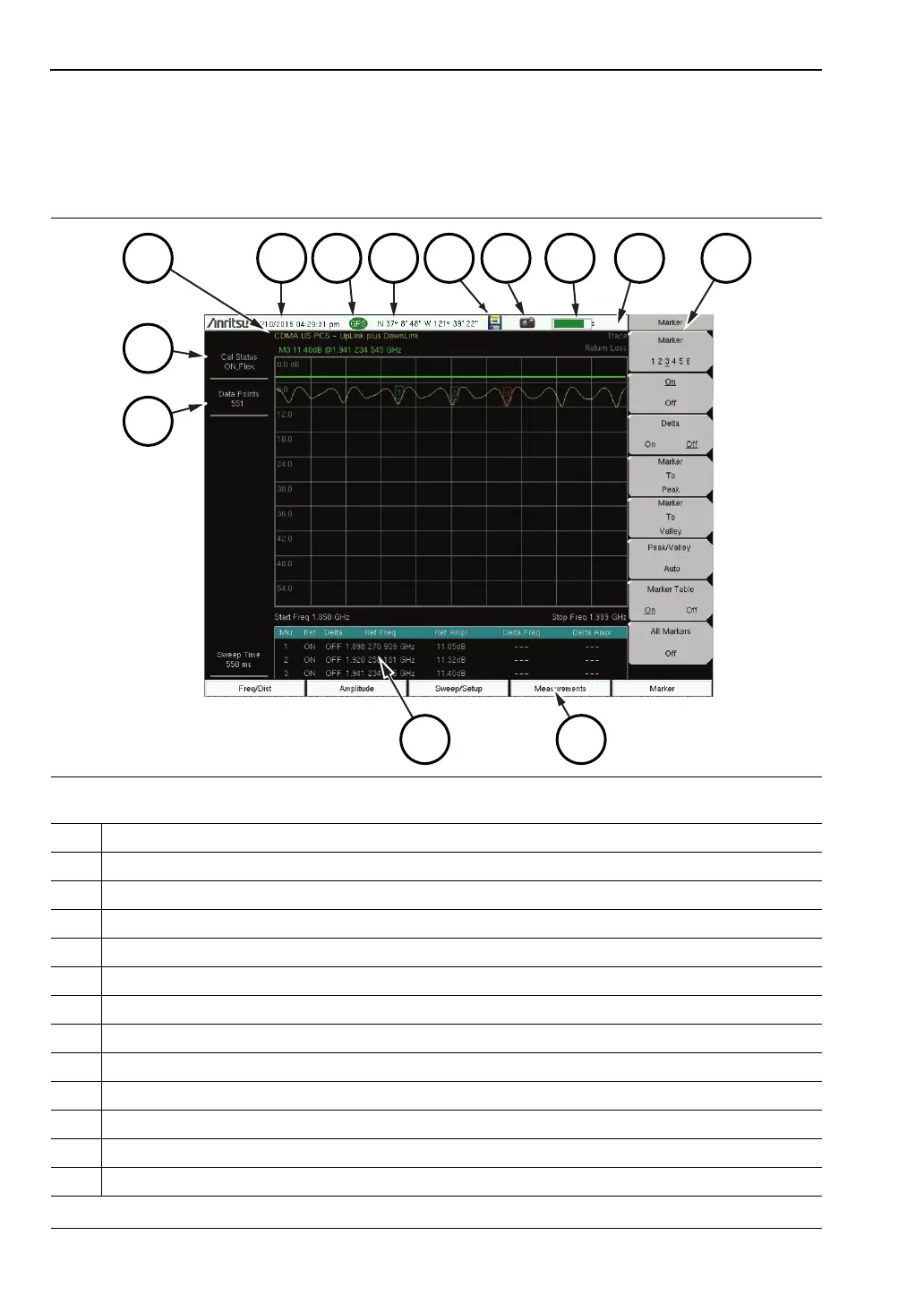
Figure 2-6 and Figure 2-7 illustrate the Site Master interface screen in Cable and Antenna
mode and Spectrum Analyzer mode, with touch screen menu keys, title bar, and
measurement settings and results around the graph area, or sweep window.
Figure 2-6.
Cable and Antenna Analyzer Return Loss Measurement Display
1. Measurement Settings Summary
2. Calibration Status, Type
3. Frequency Standard
4. Date and Time
5. GPS Icon
6. GPS Location
7. Save Icon
8. Save Screen Icon
9. Battery Charge Indicator
10. Trace Measurement Title
11. Submenu Touch Screen Keys
12. Main Menu Touch Screen Keys
13. Marker Table











 To Next Page