File Management 4-2 Managing Files
Site Master User Guide PN: 10580-00252 Rev. K 4-7
Copy Files
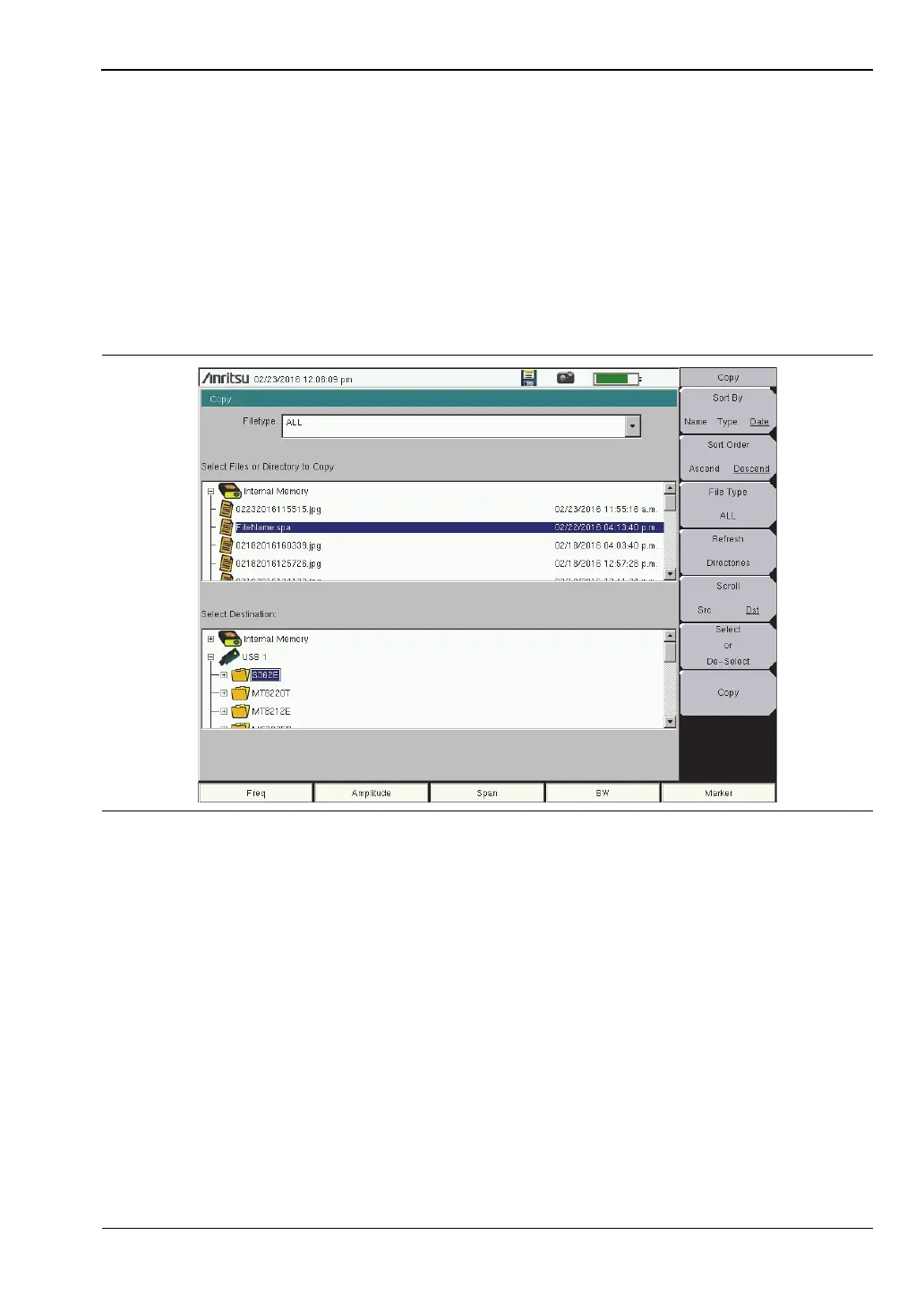
Press the Copy key under the File menu to open the Copy dialog box and menu, where you
can copy a single or multiple files or folders. The source and destination locations may be the
instrument’s internal memory or an external USB drive, if connected. The source files listed
in the Copy dialog box depend on the chosen file type, which is selected using either the
Filetype drop down list or the File Type submenu key. You can also change the way folders
and files are sorted in the displayed list. Refer to “Copy Menu” on page 4-15.
The Filetype drop down list has the same function as the File Type submenu key. Selectable
file types vary with the measurement mode. Files and folders to copy are listed in the top
pane of the Copy dialog box. Select the destination in the bottom pane. See Figure 4-8.
1. To copy to or from an external USB drive, insert the flash drive into a USB port on the
instrument. Otherwise, skip to the next step.
2. Press the Shift key, followed by File (7), then press the Copy submenu key.
3. Use the submenu keys to select the type of file to copy and the display order of folders
and files, as appropriate.
4. Make sure the Scroll submenu key is toggled to Src (source).
5. Use the touch screen, rotary knob, or the Up/Down arrow keys to locate and highlight
(that is, frame) the file or folder you wish to copy. To open a highlighted folder, press
Enter. Press Enter again or press the Left arrow key to close it.
6. To select a highlighted file or folder for copying, press the Select or De-Select submenu
key. The selected item is highlighted in blue.
7. If needed, repeat Step 5 and Step 6 to select more files or folders to copy.
Figure 4-8. Copy Dialog Box











 To Next Page