Quick Start Guide 3-3 Cable & Antenna Analyzer
Site Master User Guide PN: 10580-00252 Rev. K 3-5
DTF Setup
1. Press the Measurements main menu key and select DTF Return Loss or DTF VSWR.
2. Press the Freq/Dist main menu key.
3. Press the Units submenu key and select m to display distance in meters or ft to display
distance in feet.
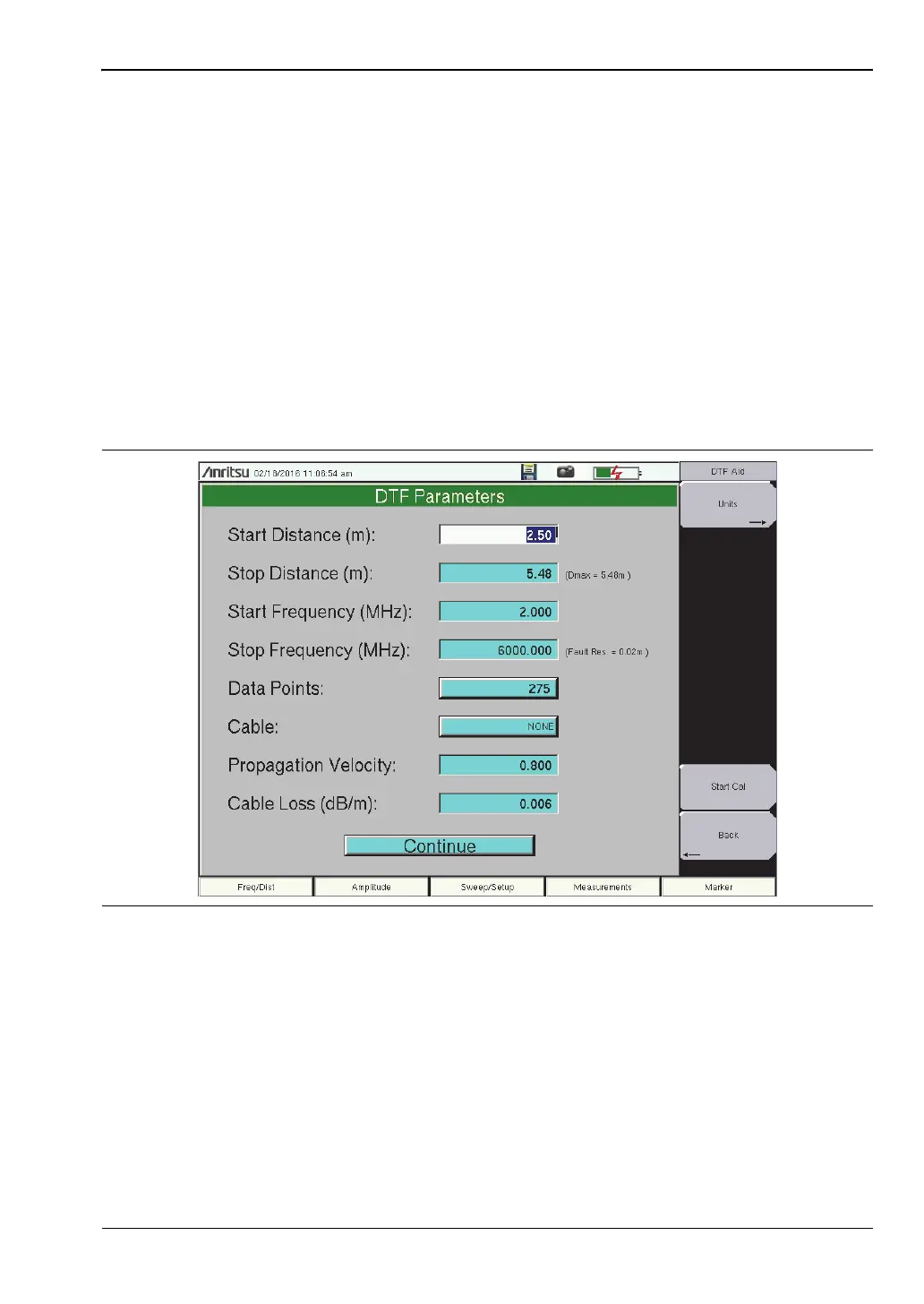
4. Press DTF Aid and use the touch screen or arrow keys to navigate through all the DTF
parameters.
a. Set Start Distance and Stop Distance. Stop Distance needs to be smaller than
Dmax.
b. Enter the Start and Stop frequencies.
c. Press Cable, select the appropriate cable from the cable list and press Enter.
d. Press Continue.
5. Press Shift, then Calibrate (2) to calibrate the instrument. Refer to “Calibrate with OSL
Calibration” on page 3-6 for additional information.
6. Press the Marker main menu key and set the appropriate markers.
7. Press Shift and Limit (6) to enter and set the appropriate limit lines.
8. Press Shift and File (7) to save the measurement. See the User Guide for details.
Figure 3-4. DTF Aid











 To Next Page