File Management 4-2 Managing Files
Site Master User Guide PN: 10580-00252 Rev. K 4-3
Save Dialog Box
In the Save dialog, use the touch screen keyboard to enter the name of the file to save. See
Figure 4-1 on page 4-2. Optionally, you can use the Quick Name keys to insert preset text
strings into the file name. Refer to “Quick Name Keys”.
To select the type of data to save, either press the Filetype selection box to display the drop
down list of available file types, or press the Change Type submenu key. Selectable file types
vary with the measurement mode. Use the Up/Down arrow keys to highlight the desired file
type, then press Enter to select.
Press Enter again to save the file. File name extensions are automatically assigned based on
the file type and measurement mode. Refer to “File Types” on page 4-1.
Quick Name Keys
Quick Name keys in the Save dialog provide optional building blocks for entering file names.
They function as keyboard shortcuts, allowing you to enter predefined, frequently used file
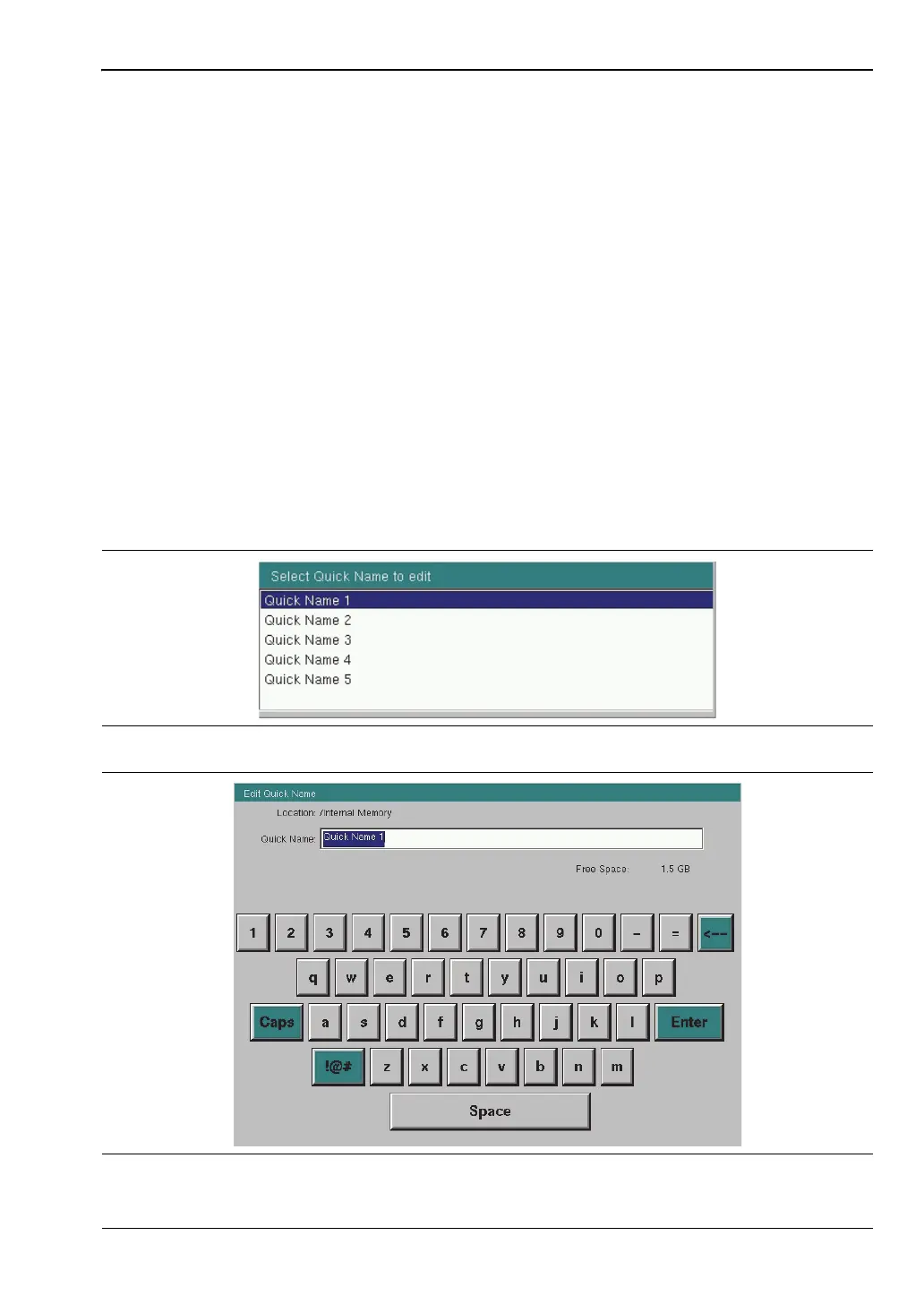
names or parts of file names. To enter or change a Quick Name, press the Change Quick Name
submenu key in the Save menu, then select the item to edit (see Figure 4-2) and press Enter
on the numeric keypad. In the Edit Quick Name dialog, use the touch screen keyboard to
enter a new Quick Name. See Figure 4-3. Press Enter again and the new name will be
displayed on the key, in the Save dialog.
Figure 4-2. Select Quick Name List Box
Figure 4-3. Edit Quick Name Dialog Box











 To Next Page