DRAFT
September 25, 2007 1:07 am, 4376782_Unpack_and_Set_Up.fm
Chapter 2 Set Up the Instrument
Set Up the Instrument
Applied Biosystems StepOne
™
and StepOnePlus
™
Real-Time PCR Systems
Installation, Networking, and Maintenance Guide
22
Notes
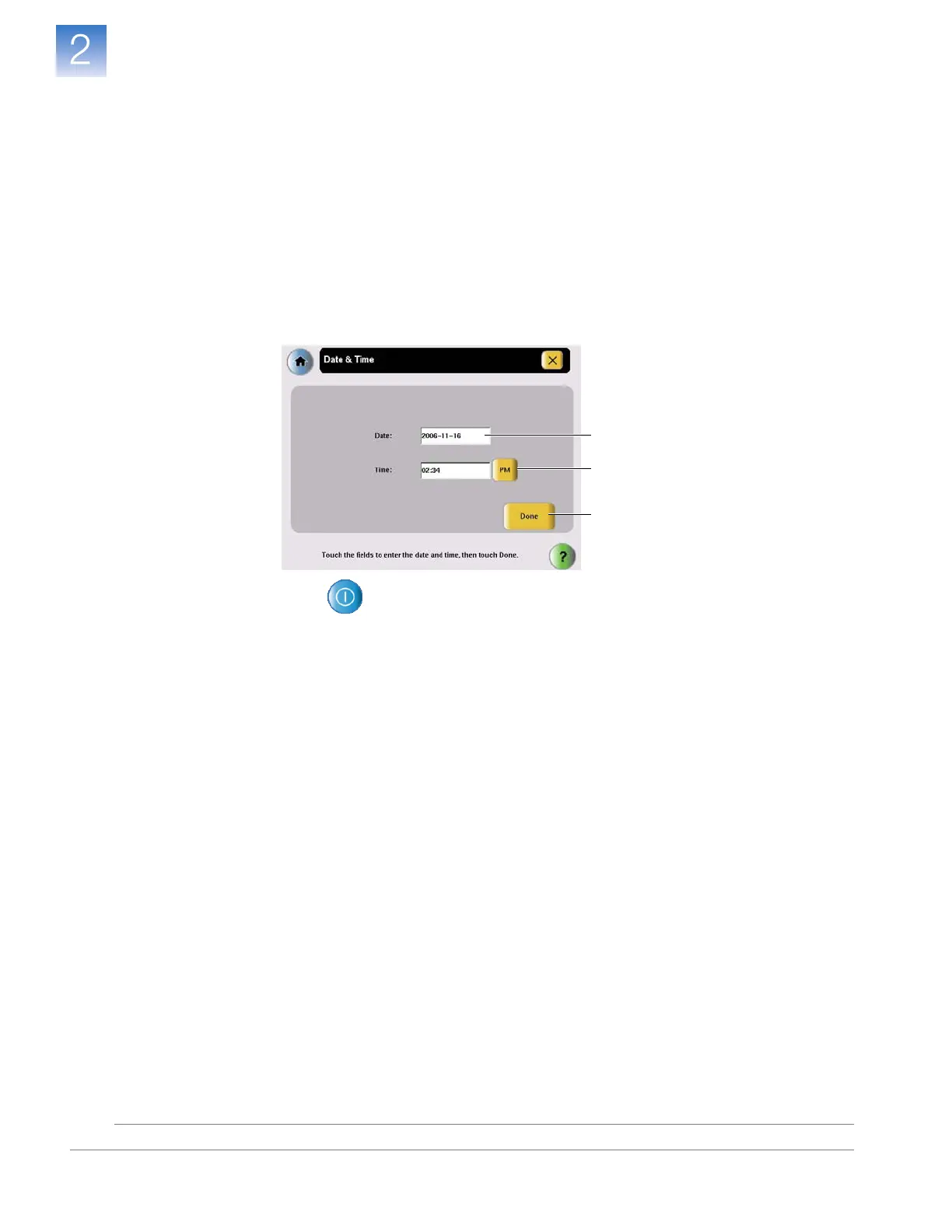
2. Define the date and time settings:
a. In the Admin Menu
, touch
Set Date & Time.
b. Touch the Date field, then enter the current date (in year/month/day format)
,
then touch
Done
.
c. Touch the Time field, then enter the time in hour:minute format
, then
touch
Done
.
d. Touch AM/PM to display the correct time period.
e. Touch Done to save the settings, then touch OK when prompted.
3. Touch , then touch Ye s in the Confirmation Screen to enter standby mode.
2e
2b
2c/2d












 To Next Page