EN – 23
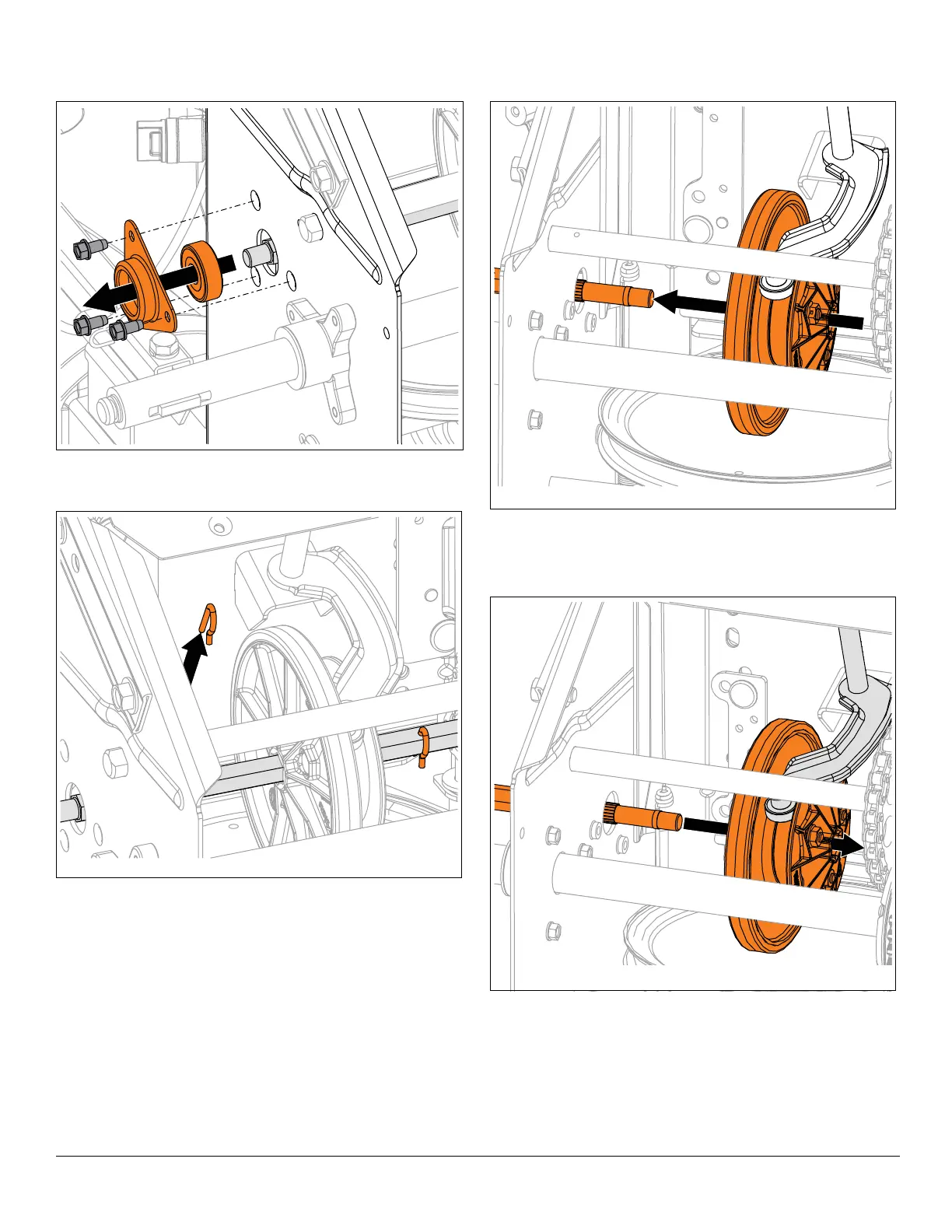
7. Remove hardware securing bearing to left side of
frame and remove bearing. See Figure 46.
8. Remove two spring clips from hex shaft. See
Figure 47.
9. Remove hex shaft from friction disc assembly and
remove friction disc assembly. See Figure 48.
Install Friction Disc
1. Align friction disc assembly with shift fork roller
bearing and hex shaft. See Figure 49.
2. Insert hex shaft through friction disc, pinion sprocket
and right side of frame. See Figure 50.




 To Next Page